Jump to content
View in the app

A better way to browse. Learn more.

Autopareri

A full-screen app on your home screen with push notifications, badges and more.

To install this app on iOS and iPadOS
  1. Tap the Share icon in Safari
  2. Scroll the menu and tap Add to Home Screen.
  3. Tap Add in the top-right corner.
To install this app on Android
  1. Tap the 3-dot menu (⋮) in the top-right corner of the browser.
  2. Tap Add to Home screen or Install app.
  3. Confirm by tapping Install.

Featured Replies

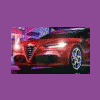
Peggiorata. Sembra la nuova Corsa

Hanno aggiornato anche gli interni?

Fiat Bravo 1.4 TJet 120 CV Emotion (2009)

3 ore fa, xyzteam dice:

Hanno aggiornato anche gli interni?

Si, ha uno schermo da 7" e meno tasti sulla fascia centrale della plancia.

10981508_10152697172717175_2640429145818080219_n.jpg

Sai che cosa diceva quel tale? In Italia sotto i Borgia, per trent'anni, hanno avuto assassinii, guerre, terrore e massacri, ma hanno prodotto Michelangelo, Leonardo da Vinci e il Rinascimento. In Svizzera hanno avuto amore fraterno, cinquecento anni di pace e democrazia, e che cos' hanno prodotto? Gli orologi a cucù.( O.Welles)

Potrebbero fare le DS direttamente tutte cromate... :disp2: che disastro! 


207cromata.jpg


www.giuliomagnifico.it

secondo me il problema è proprio il marchio sul frontale... Lo stemma citroen simmetrico è molto più bello.

Al di là che l'operazione DS abbia un senso o meno... e secondo me no.

  • J-Gian featured this topic
  • superkappa125 pinned this topic
  • 2 years later...

Auto dalla linea decisamente stucchevole, carica all'inverosimile di inutili orpelli. facciamo un po' di pulizia, ci guadagna tantissimo...

newds3_16.jpg

Edited by carletto86

Per aspera ad astra. 

  • Cole_90 unpinned this topic

Create an account or sign in to comment

Background Picker
Customize Layout

Account

Navigation

Search

Configure browser push notifications

Chrome (Android)
  1. Tap the lock icon next to the address bar.
  2. Tap Permissions → Notifications.
  3. Adjust your preference.
Chrome (Desktop)
  1. Click the padlock icon in the address bar.
  2. Select Site settings.
  3. Find Notifications and adjust your preference.