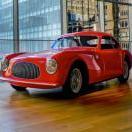
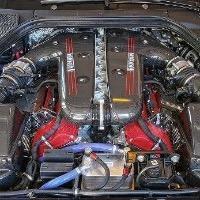
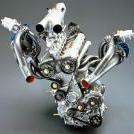
Cadillac NS2 - V8 TwinTurbo 4.2 litri (Blackwing)

-
-
-
Discussioni in Corso
-
-
Navigatori in questa sezione
- Nessun utente registrato visualizza questa pagina.
-
-


.thumb.jpg.46228d717c405acd43b45b79fddce6a4.jpg)
















Stiamo sperimentando dei banner pubblicitari a minima invasività: fai una prova e poi facci sapere come va!
Per accedere al forum, disabilita l'AdBlock per questo sito e poi clicca su accetta: ci sarai di grande aiuto! Grazie!
Se non sai come si fa, puoi pensarci più avanti, cliccando su "ci penso" per continuare temporaneamente a navigare. Periodicamente ricomparità questo avviso come promemoria.
Messaggi Raccomandati:
Crea un account o accedi per lasciare un commento
Devi essere iscritto per commentare e visualizzare le sezioni protette!
Crea un account
Iscriviti nella nostra community. È facile!
Registra un nuovo accountAccedi
Sei già registrato? Accedi qui.
Accedi Ora