Skip to content
View in the app

A better way to browse. Learn more.

Autopareri

A full-screen app on your home screen with push notifications, badges and more.

To install this app on iOS and iPadOS
  1. Tap the Share icon in Safari
  2. Scroll the menu and tap Add to Home Screen.
  3. Tap Add in the top-right corner.
To install this app on Android
  1. Tap the 3-dot menu (⋮) in the top-right corner of the browser.
  2. Tap Add to Home screen or Install app.
  3. Confirm by tapping Install.

Featured Replies

  • Replies 159
  • Views 42k
  • Created
  • Last Reply

Top Posters In This Topic

Most Popular Posts

Posted Images

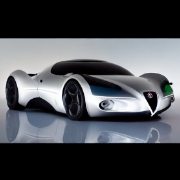
in pratica, quello che la The One doveva sempre essere....:-D...anzi....che è.....:-P

Edited by VuOtto

in garage: diversi 4, 6 e 8 cilindri.


  • 2 weeks later...
  • 3 months later...

Ma è un filo più alta da terra o è la foto ad ingannarmi?

  • 1 month later...

Tutorial su come rendere appetibile la sr 2 AT:


*BMW SERIE 2 AT HA CESSATO DI ESISTERE*


Fine. :mrgreen:

anti-c12.jpg

3 ore fa, Renault scrive:

Tutorial su come rendere appetibile la sr 2 AT:


*BMW SERIE 2 AT HA CESSATO DI ESISTERE*


Fine. :mrgreen:


esiste di peggio.....molto peggio......


bmw_1_5p_ant.jpg

in garage: diversi 4, 6 e 8 cilindri.


Guest
This topic is now closed to further replies.
Background Picker
Customize Layout

Account

Navigation

Search

Search

Configure browser push notifications

Chrome (Android)
  1. Tap the lock icon next to the address bar.
  2. Tap Permissions → Notifications.
  3. Adjust your preference.
Chrome (Desktop)
  1. Click the padlock icon in the address bar.
  2. Select Site settings.
  3. Find Notifications and adjust your preference.