




Vai al contenuto
View in the app

A better way to browse. Learn more.

Autopareri

A full-screen app on your home screen with push notifications, badges and more.

To install this app on iOS and iPadOS
  1. Tap the Share icon in Safari
  2. Scroll the menu and tap Add to Home Screen.
  3. Tap Add in the top-right corner.
To install this app on Android
  1. Tap the 3-dot menu (⋮) in the top-right corner of the browser.
  2. Tap Add to Home screen or Install app.
  3. Confirm by tapping Install.

Fabiopod

Utente Registrato
  • Iscritto il

  • Ultima visita

Tutti i contenuti di Fabiopod

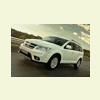
  1. Buongiorno a tutti, anche io in attesa del Freemont AWD 170hp Lounge Bianco (per fortuna era in pre-ordine dal concessionario),stamattina mi ha chiamato il concessionario dicendomi che è arrivato il PRIMO , Rosso per la presentazione ufficiale, sono andato immediatamente a vederlo !!! Appena tornato, i cerchi bruniti da 19” sono molto belli, vi confermo che le gomme sono M+S ma senza il simbolo che le rende omologate per l’uso quando richiesto dalla Polstrada !!! Sono salito e ho acceso la macchina , il sistema infotainment (display da 8,4”) è spettacolare ! Saluti
Background Picker
Customize Layout

Account

Navigation

Cerca

Cerca

Configure browser push notifications

Chrome (Android)
  1. Tap the lock icon next to the address bar.
  2. Tap Permissions → Notifications.
  3. Adjust your preference.
Chrome (Desktop)
  1. Click the padlock icon in the address bar.
  2. Select Site settings.
  3. Find Notifications and adjust your preference.