Vai al contenuto
View in the app

A better way to browse. Learn more.

Autopareri

A full-screen app on your home screen with push notifications, badges and more.

To install this app on iOS and iPadOS
  1. Tap the Share icon in Safari
  2. Scroll the menu and tap Add to Home Screen.
  3. Tap Add in the top-right corner.
To install this app on Android
  1. Tap the 3-dot menu (⋮) in the top-right corner of the browser.
  2. Tap Add to Home screen or Install app.
  3. Confirm by tapping Install.

Frank16

Utente Registrato
  • Iscritto il

  • Ultima visita

Tutti i contenuti di Frank16

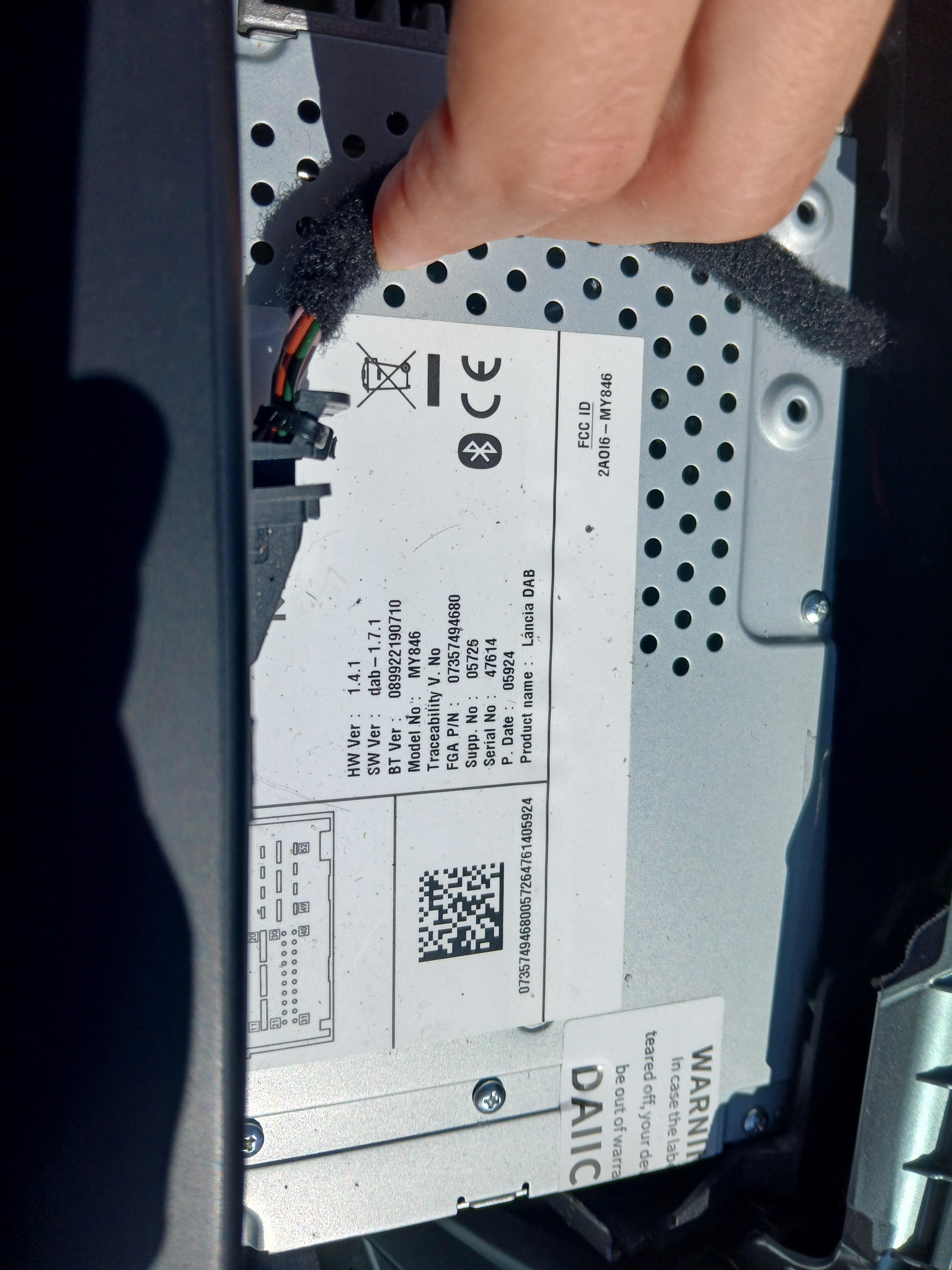
  1. Salve a tutti, spero di riuscire a trovare una soluzione per il mio problema. Da stamattina la mia radio mi chiede il codice di accesso ma non ho la minima idea di quale sia e non ho trovato nulla tra i documenti dell'auto. Allego una foto dei dati della radio. Vi ringrazio in anticipo per l'aiuto!

Background Picker
Customize Layout

Account

Navigation

Cerca

Cerca

Configure browser push notifications

Chrome (Android)
  1. Tap the lock icon next to the address bar.
  2. Tap Permissions → Notifications.
  3. Adjust your preference.
Chrome (Desktop)
  1. Click the padlock icon in the address bar.
  2. Select Site settings.
  3. Find Notifications and adjust your preference.