
Tutti i contenuti di sonicwp7
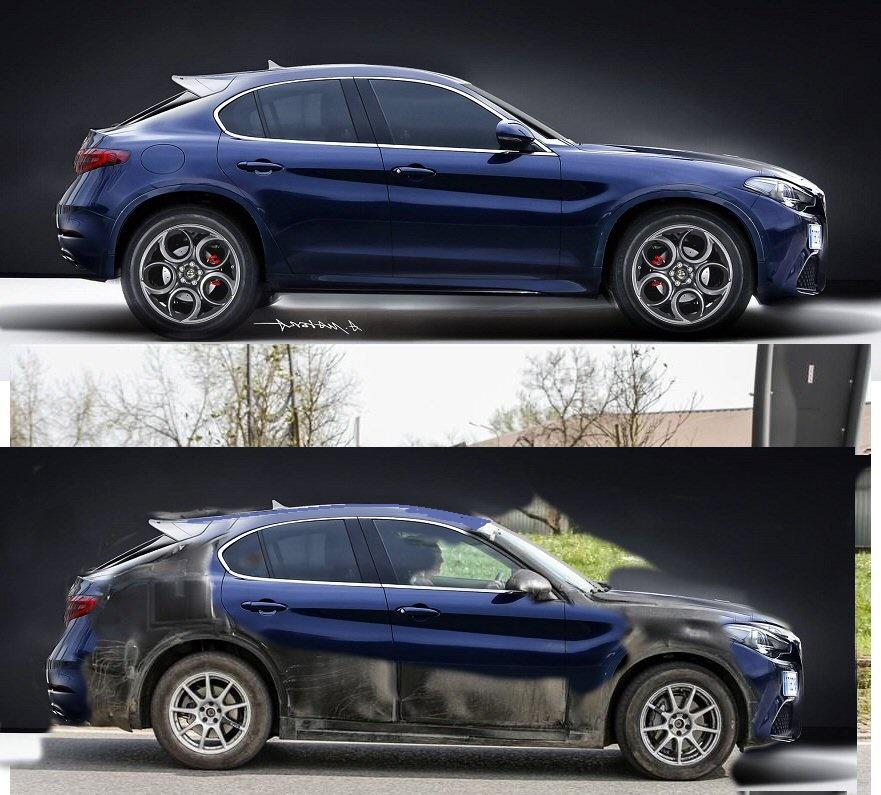
- Alfa Romeo Stelvio - Progetto 949 (Spy)
-
Dacia Sandero e Logan Facelift 2016 (Spy)
http://www.motor1.com/news/63497/dacia-sandero-logan-mcv-facelift-spied-ahead-paris-debut/
- Porsche Panamera II - Prj. G2 (Spy)
- Geely SUV (Spy)
- Audi A5 II (Spy)
- Seat Ibiza V (Spy)
-
Seat Ibiza V (Spy)
- Volvo S90 e V90 Cross Country 2017 (Spy)
- Model 5 Genesis
- Model 5 Genesis
- Škoda Kodiaq - D-SUV (Spy)
- Ferrari 458 MM Speciale 2016
- Peugeot 3008 2016
- Fiat Tipo Hatchback 2016
Vista oggi, più grande di quanto mi aspettassi. Nera davvero bella, fa la sua figura in strada;la plancia senza tablet è quella della tipo berlina.- Skoda Atero Concept 2016
- Peugeot 3008 2016
- Peugeot 3008 2016
- Peugeot 3008 2016
- Ferrari LaFerrari Spyder (Spy)
Modellino in scala della prossima spider di Maranello http://www.noticiasautomotivas.com.br/laferrari-spider-pode-ter-sido-revelada-atraves-de-escala/- Alfa Romeo Stelvio - Progetto 949 (Spy)
- Honda CR-V V (Spy)
- Alfa Romeo Stelvio - Progetto 949 (Spy)
- Audi A8 IV - Prj. D5 (Spy)
- Volvo S90 e V90 Cross Country 2017 (Spy)
Account
Navigation
Cerca
Configure browser push notifications
Chrome (Android)
- Tap the lock icon next to the address bar.
- Tap Permissions → Notifications.
- Adjust your preference.
Chrome (Desktop)
- Click the padlock icon in the address bar.
- Select Site settings.
- Find Notifications and adjust your preference.
Safari (iOS 16.4+)
- Ensure the site is installed via Add to Home Screen.
- Open Settings App → Notifications.
- Find your app name and adjust your preference.
Safari (macOS)
- Go to Safari → Preferences.
- Click the Websites tab.
- Select Notifications in the sidebar.
- Find this website and adjust your preference.
Edge (Android)
- Tap the lock icon next to the address bar.
- Tap Permissions.
- Find Notifications and adjust your preference.
Edge (Desktop)
- Click the padlock icon in the address bar.
- Click Permissions for this site.
- Find Notifications and adjust your preference.
Firefox (Android)
- Go to Settings → Site permissions.
- Tap Notifications.
- Find this site in the list and adjust your preference.
Firefox (Desktop)
- Open Firefox Settings.
- Search for Notifications.
- Find this site in the list and adjust your preference.