Aymaro
Utente Registrato
-
Iscritto il
-
Ultima visita
Tutti i contenuti di Aymaro
-
però è altrettanto brutto vedere un pilota così butatre il cuore oltre l'ostacolo in ogni gara se va bene per un podio... il fatto che abbia solo 8 vittorie in F1 è un sacrilegio
-
wow, bella gara. AKA fortunato per la safety, ma poi è stato un metronomo (Russel non era riuscito a passare Piatri...), merita la testa della classifica. Gran bella gara con ritmo sostuenuto per Piastri, podio meritato. Charles va beh.. ma che pilota è? Pronto ad approfittare del problema di Russel alla batteria** , grandissmo su Lewis e in difesa e risposta su George. per me il migliore in pista ma si sa che sono di parte. Russel non ha la solidità mentale per vincere il titolo.... hai avuto sfiga con la safety? hai un'astronavve, mettiti di buzzo buono e vatti a prendere il secodno posto, invece si lamenta, trama e finisce 4° Lewis e Norris ridimensionati rispetto ai compagni di squadra, e gran bella gara i Gasly che tiene dietro un Max che si sta stufando sempre più. Punti per Ocon, Audi non pervenute dopo ieri **a proposito, molto pericoloso! stessa cosa che è successa a Colapinto, solo che l'argentino ha fatto pasticci e Bearman si è fatto male, per fortuna lievemente
-
ma la domanda è: meglio avere un lavoro molto differenziato con con risultati cosi cosi (Compass/ Tonale..) o un lavoro con meno differenziazioni ma di sicuro più riuscito (grazie anche ad una base sana, vedi generazione precedente di 3008/C5) ? Qui mi sembra che si si focalizzi su una cosa e non si valutino i risultati nell'insieme, questa generazione di Compass è tanto ma tanto meglio della precedente e amen se qualcuno ci vede troppa C5...
- 932 risposte
-
-

- 5
-
-
- aurelia
- l74
- lancia
- lancia aurelia
-
Taggato come:
-
bene, sempre detto, meglio AKA che Russel.... Ferrari in gara meglio di sicuro, ma Mclaren sembra iniziare a capire... Lewis dopo la Cina torna ad essere in difficoltà (e calcolando che la macchina a quanto pare si addice più a lui che a Charles...) in ombra Bearman
-
il 70-80 % dei furgoni in giro sono TA, nel segmento di questo van 100%, a meno che non lo si utilizzi per i cantieri o grossi carichi (ad esempio quando oltre al carico hai una cella frigorifera con coibentazione ecc...) la TA va più che bene, per i trasporti cittadini il gorsso lo fa il volume, mica il peso
-
-
perche non avrebbero finito una gara dato che (pare) dia problemi di affidabilità
-
-
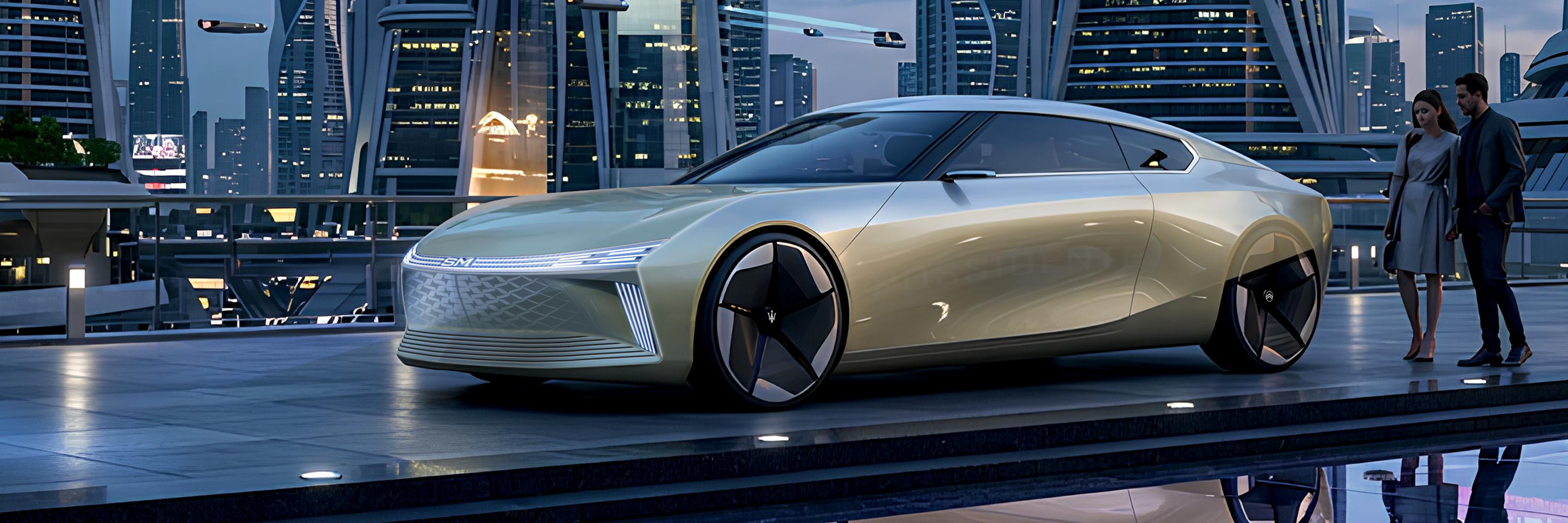
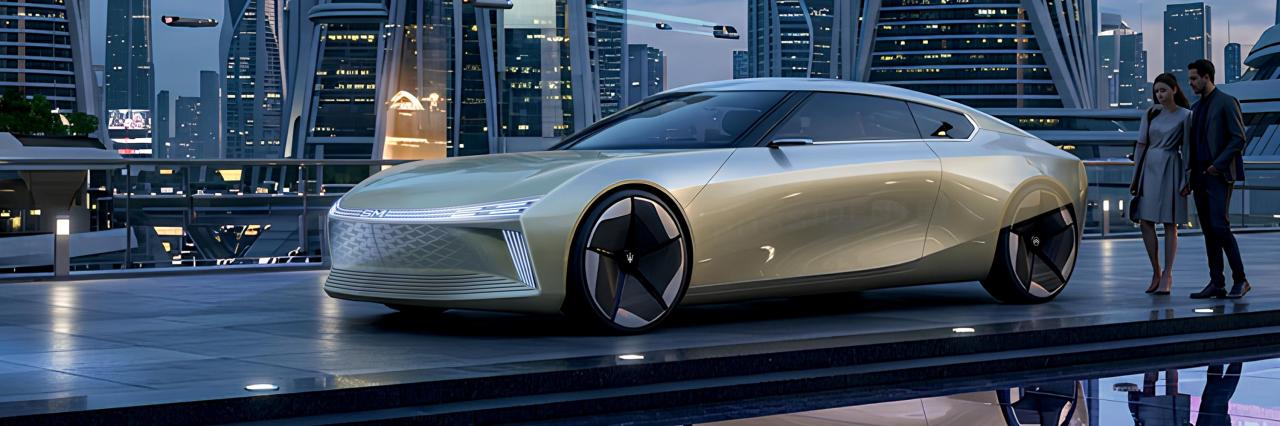
L'ultima moda è quella di prendere vecchi lavori e darli in pasto all'A.I. , per vedere di nascosto l'effetto che fa (cit.). Chi sono io per tirarmi indietro? Uppo il post per mostrarvi la SM Manifesto Reboot silita procedura: sketch, Vizcom (chiesto di ambientarla in uno scenario futuristico) e corrrezioni on photoshop necessarie
-
7 decimi e secondo me hanno ancora margine....
-
Colapinto (non Verstappen) che con gomme con tanti giri difendeva su Haas... Ed il motore Mercedes non ha un grandissimo vantaggio ? Gara: Contento per AKA, meglio lui di Russel, ma vedere quei 2 immensi piloti che sono Charles e Lewis lottare così per un misero podio fa rabbia.... Bearman primo degli altri, anche nel mondiale, ormai una certezza. McLaren disastro, così come male RB.
-
dal 5° giro, quando Russel ha passato Hamilton, al giro 14, Russel aveva guadaganto 5 secondi, più di mezzo secondo a giro. Ok la lotta tra i ferraisti, ma George ha aperto subito un bel gap e poi gestito con tranquilità, altro che non tantissimo.... senza safety rifilava 10 secondi al 2°classificato in una sprint e senza essere partito in testa..... deve spaccarsi in gara, perché anche se partono dietro (pannelità o rotture in qualifica) ci mettono poco a rimontare
-
Bearman e Gasly si stanno rivelando delle certezze, anche Hadjar molto vicino e spesso davanti a Max (lo avevo previsto...) nelle gia imbarazzanti Caddillac, Bottas che prende un'eternità (nella sprint) da Perez... premio bollito dell'anno va a Valteri
-
Vista in differita, senza safety e penalità per AKA, 1-2 facile Mercedes con tanto margine su soli 19 giri... Prepariamoci a vedere gare tutte così, se in qualche GP non vincerà Mercedes sarà solo per problemi loro, e dal 2 giugno non cambierà un bel niente conoscendo i precedenti
-
che poi in australia miglior partenza l'ha fatta Sainz (dietro e motorizzato Mercedes) Colapinto (anche lui mercedes) ha fatto quello che ha fatto per evitare Lawson... Sta avedere che la partenza non è un problema per tutti ma solo per loro per via della gestione dell'energia? Le lamentele di Russel mi ricordano tanto le scenette (vi ricordate Lewis che non "riusciva" a scendere dalla macchina?) per la DT 39... invocano la sicurezza per avere (in questo caso conservare) un vantaggio tecnico
-
4-7 in australia, 4-6 in sprint Cina! Dai che stiamo risalendo la china (gioco di parole non voluto...) seriamente, alla rossa mi sa che non digerisce le gomme rosse.. mercedes secodno me ne ha davvero tanto di più, e con la connivenza della federazione beh... fortuna che ho gia annullato l'abbonamento a now, non mi rimane che aspettare giugno che finosca il contratto (mannaggia a me...) ps, Williams pessime, come Cadillac, distacchi del genere non si vedevano dati tempi ella Caterham o HRT (povero Mario Andretti, dare il suo nome a quel cesso di macchina) e Colapinto (con Fonraroli che è senza sedile...) domattina me dormo beatamente
-
cosi, se hai atti vandalici il perito ti passa la verniciatura completa... a pensar male si fa peccato ma...
-
ma infatti questo è il problema della VSC, soprattutto in fare di disattivazione, solo che invece del limitatore, ha un delta time in percentuali da mantenere.... new WEC da anni esiste la slow zone, una zona del circuito (quella interessata dal pericolo) da percorrere ad 80 km/h, è uguale per tutti, ed i distacchi rimangono esattamente gli stessi, sono la f1 ho potuto pensare ad una roba cervellotica e senza senso. non ricordo l'anno, ma in F2 un pilota (mi pare fukizumi) grazie ai "recuperi" fatti in VSC e pit stop vinse la gara da che non era in Top 10
-
esatto, e questo fa capire quanto sia stupida come regola, dovrebbero adottare il sistema del WEC come le slow zone (gialla con limite di velocità ad 80 km/h solo nella parte del circuito dove c'è il pericolo)
-
Anche solo per zittire Russell che la spocchia di chi ha già vinto il titolo...
-
si, tra motori rotti (Hadjar) e partenze dal fondo non abbiamo visto il vero potenziale dei tori, Max sarebbe stato della partita per il gradino basso del podio probabilmente. Male male Mclaren, che ha perso anche il grande vantaggio che aveva lo scorso anno sul consumo gomme. Bell'esordio di Lindblad (marko ci aveva visto giusto..) e Audi a punti. Bearman si conferma un buon prospetto per il futuro. Colapinto quante gare durerà?
-
Ferrari buona, molto, chi sa se con la Macarena se la può giocare...
-
É stato bello... Col senno di poi dovevano entrare alla prima virtual, sfiga per la seconda... Vediamo se Mercedes deve fare 2 soste...
-
Nonostante 1-2 Ferrari in questo momento, mi sento di dire: ma che cagata é? Macchine che si piantano così a caso in mezzo ai rettilinei, sorpassi che sembrano videogiochi... orribile
-
il vantaggio Mercedes è di PU, ma non tanto per la potenza specifica in se, ma per come gestisce e rigenera l'energia durante il giro. https://www.formulapassion.it/f1/f1-analisi-tecnica/telemetria-qualifiche-gp-australia-dominio-motore-mercedes-red-bull-ferrari "Ma il grosso del gap si apre quando il limite diventa la capacità di sfruttamento dell’energia. Il margine che ha il team di Brackley è apparso enorme in questo senso, su una pista particolarmente complicata sotto questo punto di vista. L’esempio più evidente è tutta la parte posteriore della pista: il tratto da curva 8 a curva 9, il semirettilineo caratterizzato dal cosiddetto super clipping, vede già un dominio chiaro di Russell, ma ancor di più accade nel tratto subito successivo, tra la 10 e la 11. Quello rappresenta chiaramente uno dei punti dove le Power Unit sono più “affamate di energia”, dato che si arriva dall’allungo precedente affrontando solo la veloce chicane di curva 9-10, senza una frenata vera, ed in cui è necessario recuperare carica tramite l’utilizzo del motore endotermico. La Mercedes, pur essendo la monoposto più veloce nel primo tratto, risulta nettamente la più rapida anche nel secondo, con la chiara impressione che più le condizioni si fanno complicate sotto il profilo energetico, maggiore diventa il vantaggio a disposizione di Russell e Antonelli, che solo in quel tratto rifilano mezzo secondo a tutti. Inoltre, mentre è evidente dai dati come tutti debbano in qualche modo “spalmare” l’energia disponibile tra i vari allunghi, la Mercedes primeggia in praticamente tutte le velocità prima delle staccate, confermando di avere più margine a disposizione per tutto il giro." certo la base tecnica è ottima ma non primeggia per quello. Ed anche il fatto che i clienti non abbaino le stesse rpestazione è dovuto ad un diverso approccio per la ricarica (mclaren e mercedes hanno rapporti del cambio differenti) e per il software di gestione (forse toto si era stufato di prenderle da un team cliente...)


![Alfa Romeo Hug [Trolling Mode]](https://www.autopareri.com/uploads/reactions/Alfaromeocare.png.50be1dd8d7c15ba4fec8098a15bfa18a.png)