AleMcGir
Moderatore |Staff|
-
Iscritto il
-
Ultima visita
Tutti i contenuti di AleMcGir
-
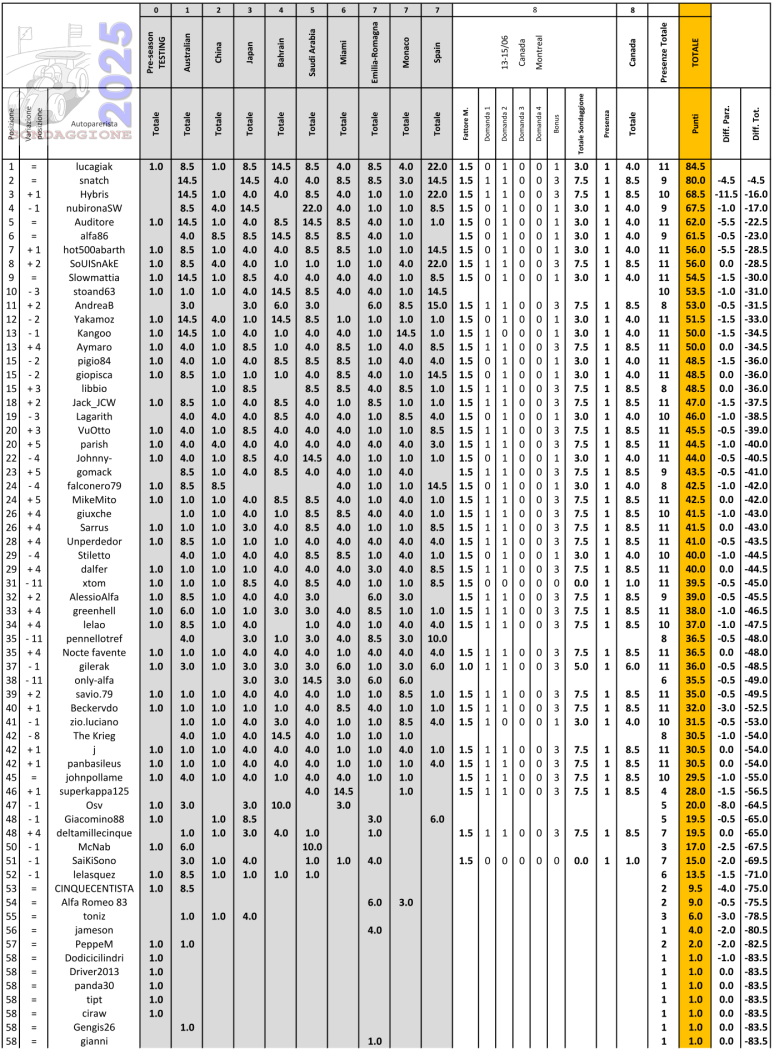
Sondaggione 2025 - Presenza 1 punto (non rientra nel fattore moltiplicativo); - 4 domande; - Bonus una risposta giusta -> 1 punto bonus; due risposte giuste -> 3 punti bonus; tre risposte giuste -> 6 punti bonus; quattro risposte giuste -> 10 punti bonus; - Fattore moltiplicativo 1.5 per chi "vota" entro le ore 13:29:59 del 27/06/2025, dopo fattore moltiplicativo 1.0; - Chiusura sondaggio alle ore 16:00 del 28/06/2025;


 [Mode Troll^2] Ogni riferimento a fatti realmente accaduti e/o a persone realmente esistenti è da ritenersi puramente casuale.
 https://www.media.stellantis.com/it-it/fiat/press/70-anni-della-fiat-600-l-iconica-vettura-protagonista-alla-1000-miglia-con-il-supporto-di-fiat-e-abarth
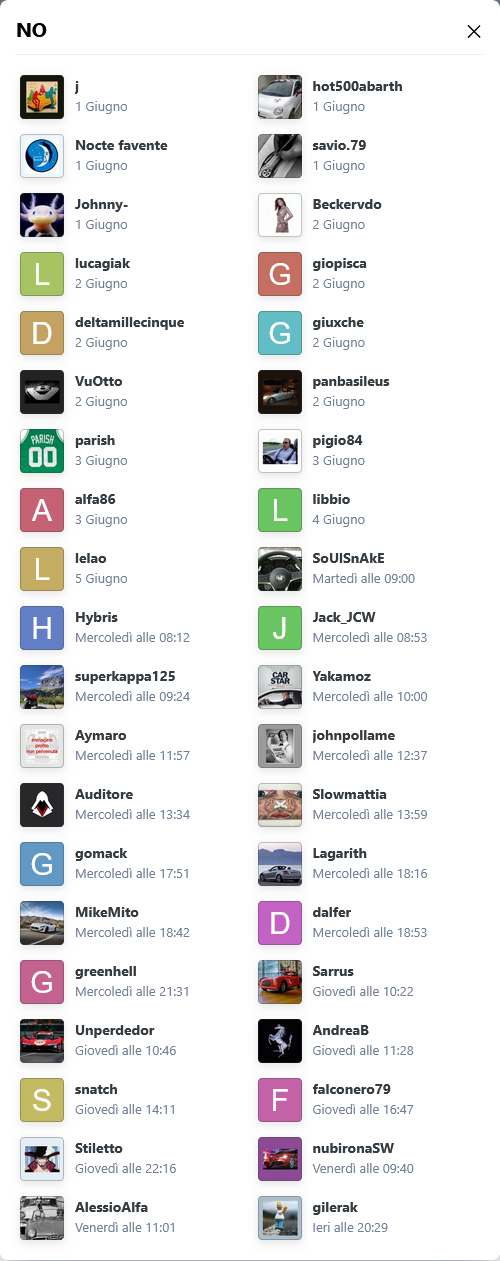
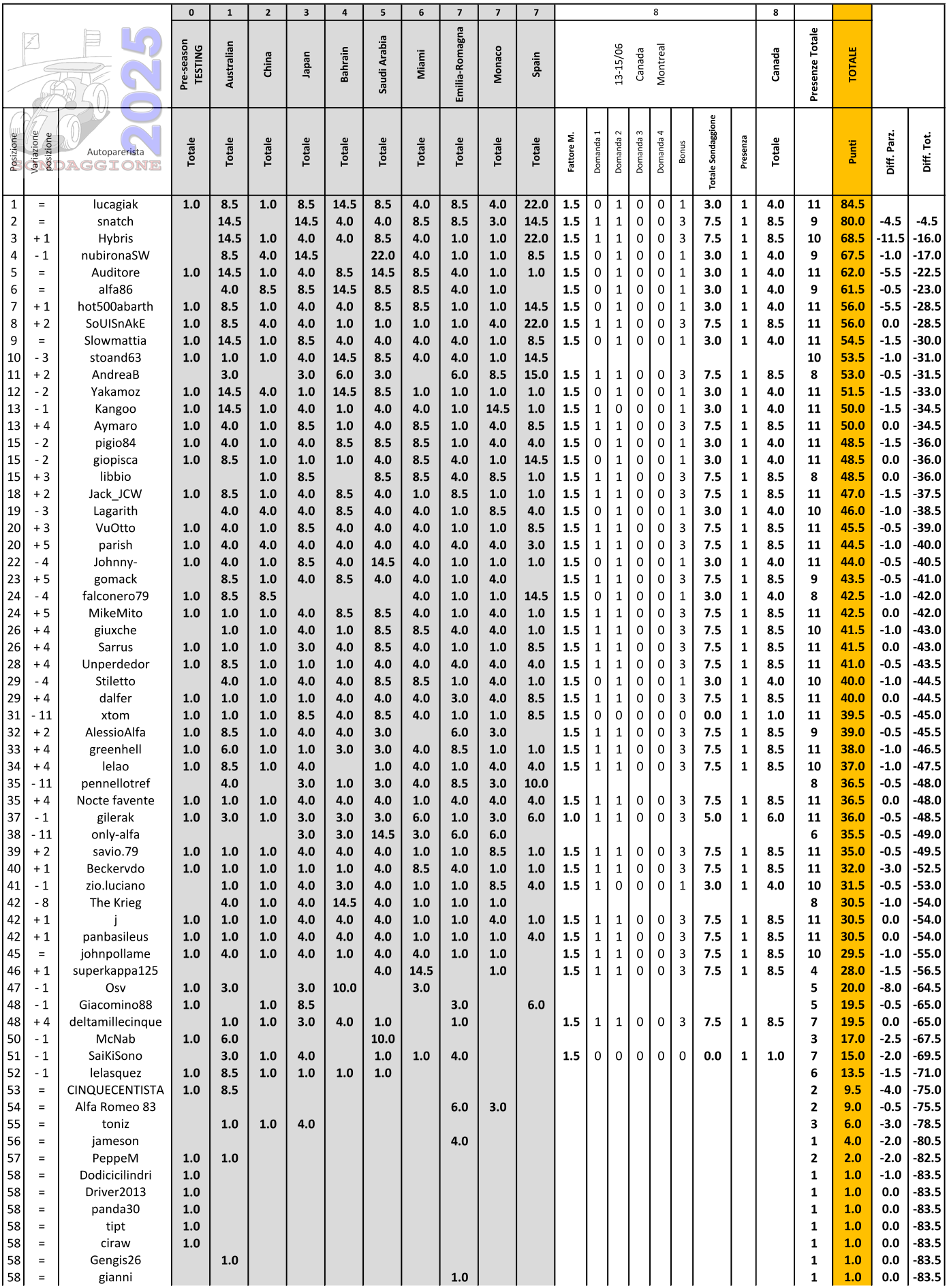
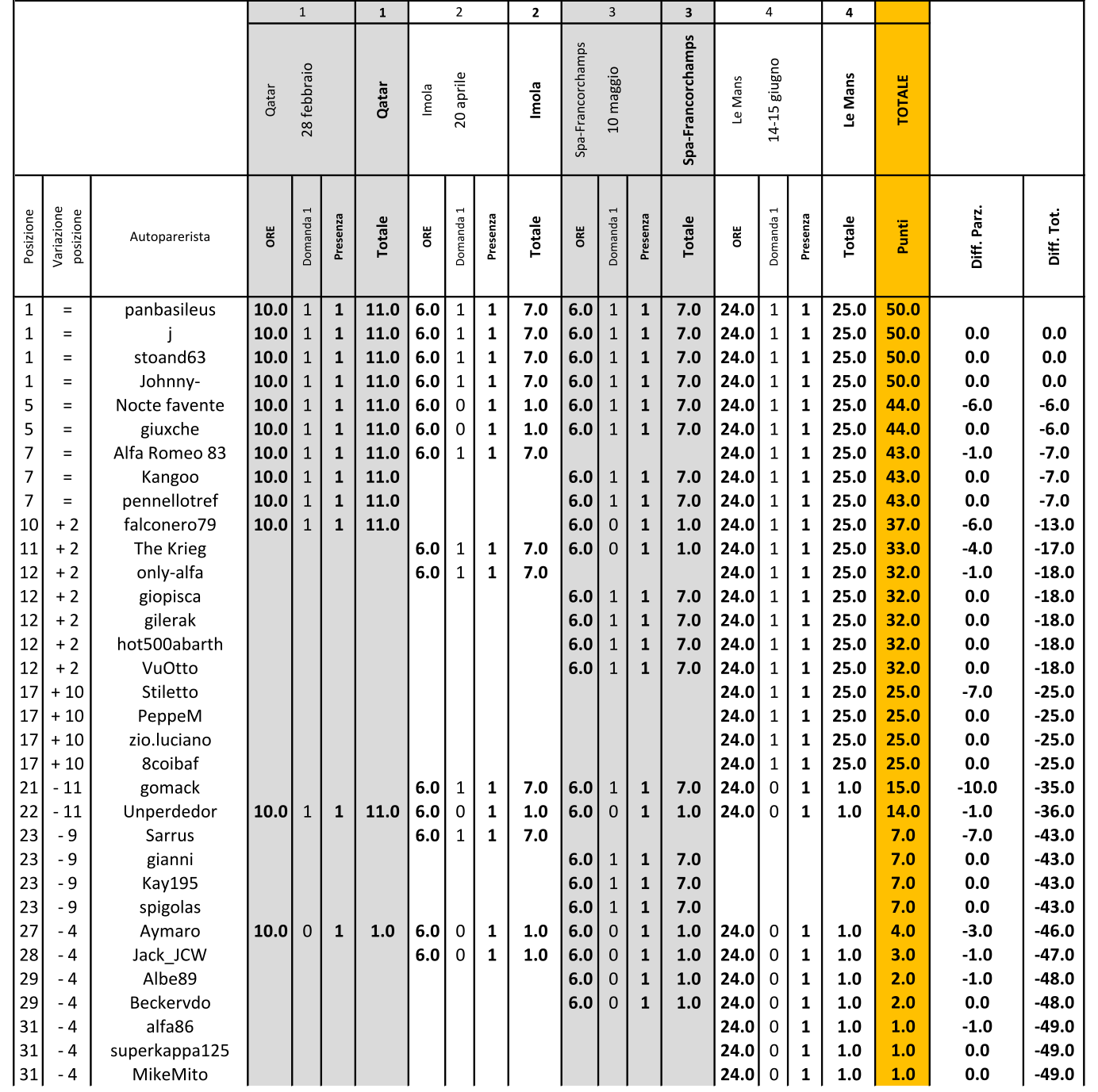
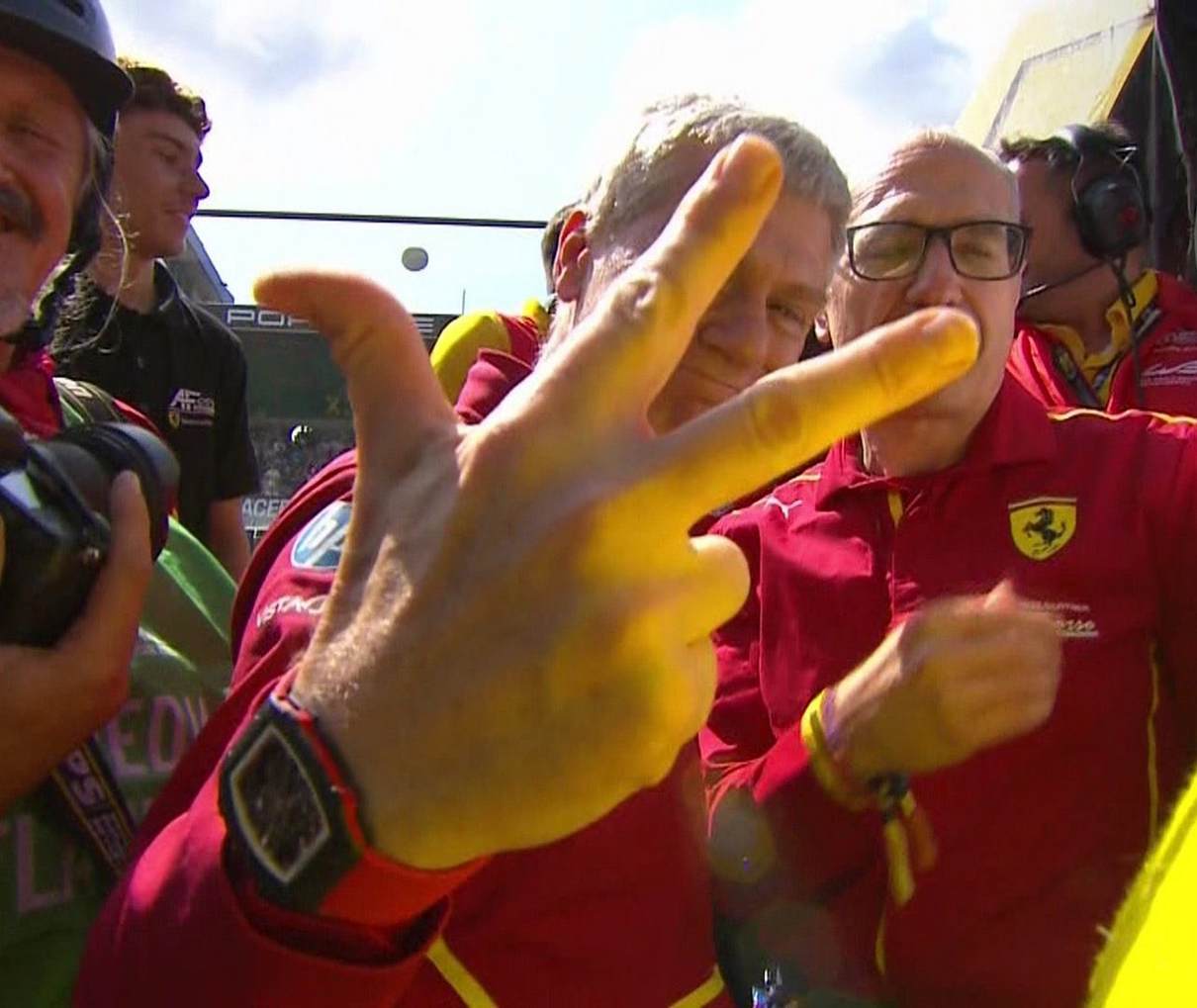
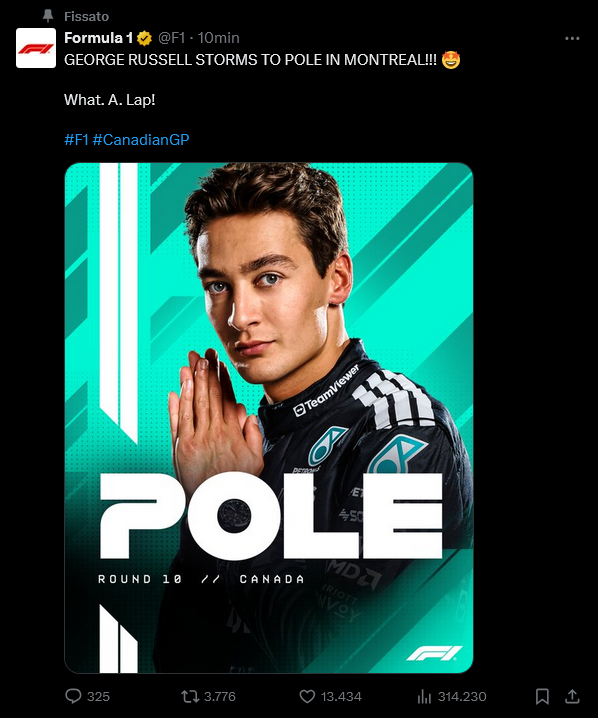
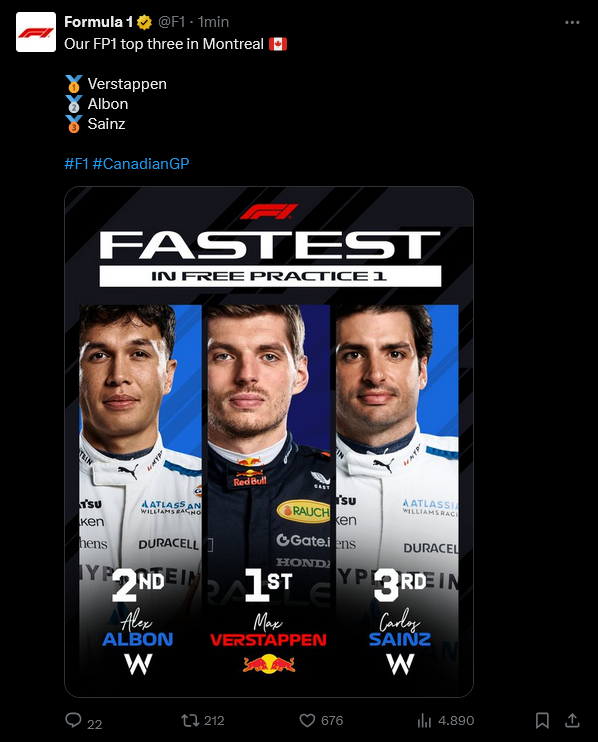
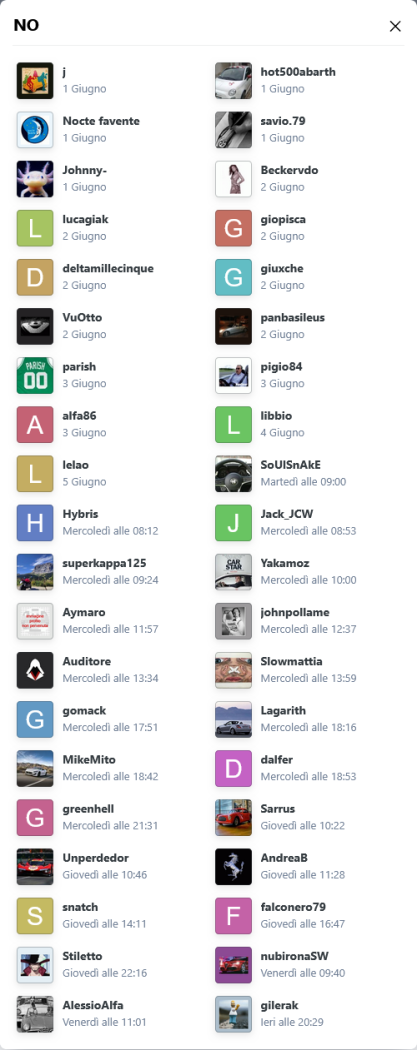
 1. Oscar Piastri arriva "UNO" nella "QUALIFYING" (sabato) E nella "RACE" (domenica)? 2. Lando Norris arriva "UNO" nella "QUALIFYING" (sabato) E nella "RACE" (domenica)? 3. Arriva "UNO" nella "QUALIFYING" (Sabato)... 4. Arriva "UNO" nella "RACE" (Domenica)... Classifica di tappa In tanti hanno centrato la previsione NO alle domande 1 e 2, nessuno #63 vincente. Classifica generale @snatch recupera 4.5 punti al leader @lucagiak per il resto poche variazioni. Prossimo appuntamento dal 27 al 29/06 in Austria.


 Sig.re @Unperdedor faccia poco il furbettoDrive through per #51 e #83@Unperdedor
 ⬇️
⬇️ No, nessun doppione. Visto il "dominio" McLaren e visto i risultati precedenti di doppietta pole+race dei piloti, ho proposto le domande si / no sul doppio risultato per i due piloti. Se uno risponde SI alla prima deve indicare NO alla 2 e indicare Piastri alla 3 e 4. Se uno risponde NO alla prima e mette SI alla 2 deve indicare Lando alla 3 e 4. Se uno risponde NO alla prima e alla seconda, si apre il ventaglio di riposte classico alla 3 e 4, facendo attenzione di non andare a smentire la risposta NO alle prime due. La 5 non ha bisogno di chiarimenti!!!
Account
Navigation
Cerca
Configure browser push notifications
Chrome (Android)
- Tap the lock icon next to the address bar.
- Tap Permissions → Notifications.
- Adjust your preference.
Chrome (Desktop)
- Click the padlock icon in the address bar.
- Select Site settings.
- Find Notifications and adjust your preference.
Safari (iOS 16.4+)
- Ensure the site is installed via Add to Home Screen.
- Open Settings App → Notifications.
- Find your app name and adjust your preference.
Safari (macOS)
- Go to Safari → Preferences.
- Click the Websites tab.
- Select Notifications in the sidebar.
- Find this website and adjust your preference.
Edge (Android)
- Tap the lock icon next to the address bar.
- Tap Permissions.
- Find Notifications and adjust your preference.
Edge (Desktop)
- Click the padlock icon in the address bar.
- Click Permissions for this site.
- Find Notifications and adjust your preference.
Firefox (Android)
- Go to Settings → Site permissions.
- Tap Notifications.
- Find this site in the list and adjust your preference.
Firefox (Desktop)
- Open Firefox Settings.
- Search for Notifications.
- Find this site in the list and adjust your preference.