





Nocte favente
Utente Registrato
-
Iscritto il
-
Ultima visita
-
Esatto. Con il frontale Croma.
-
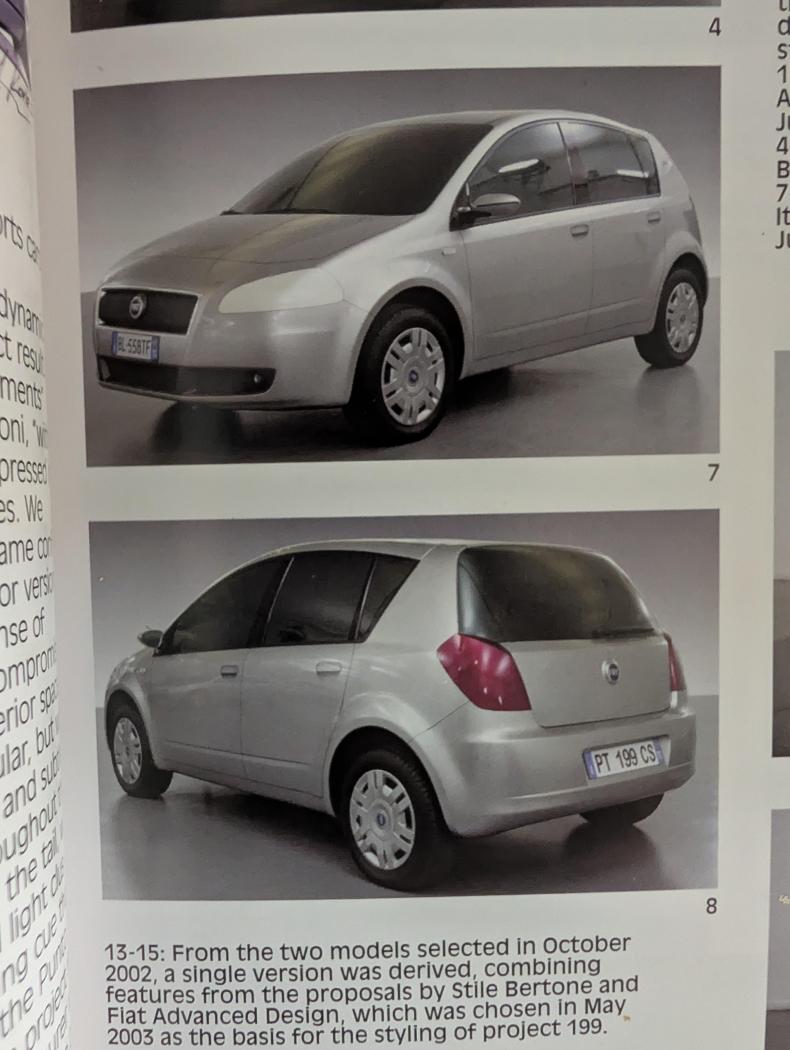
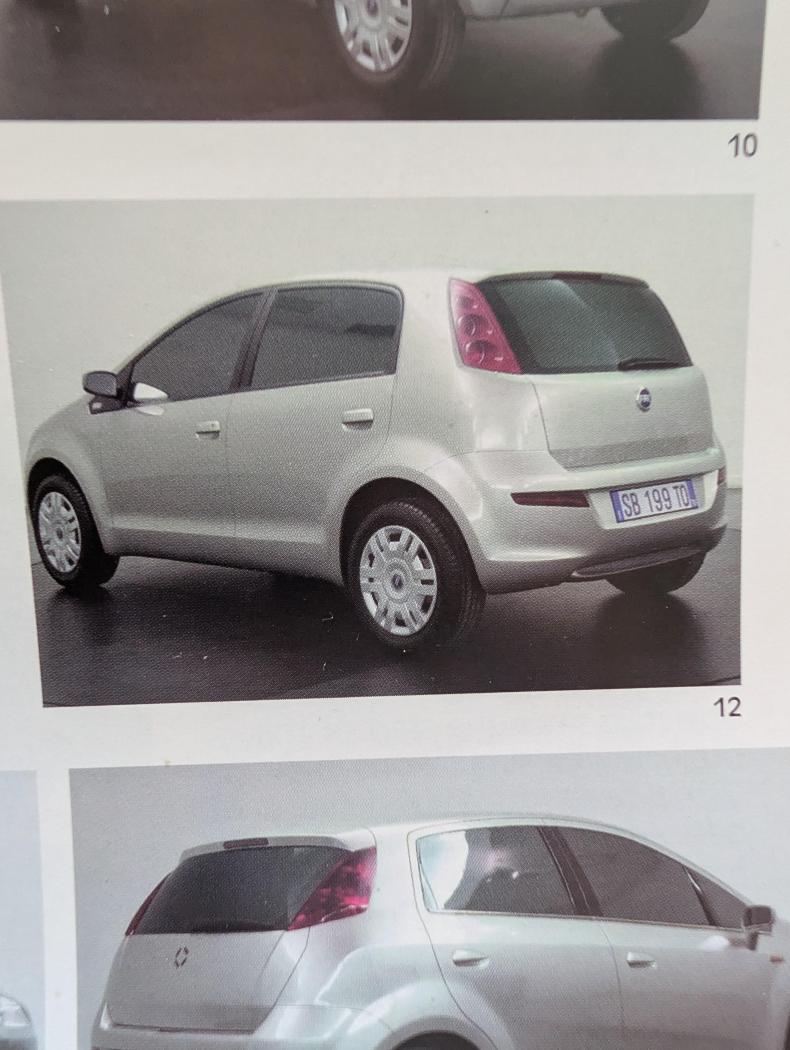
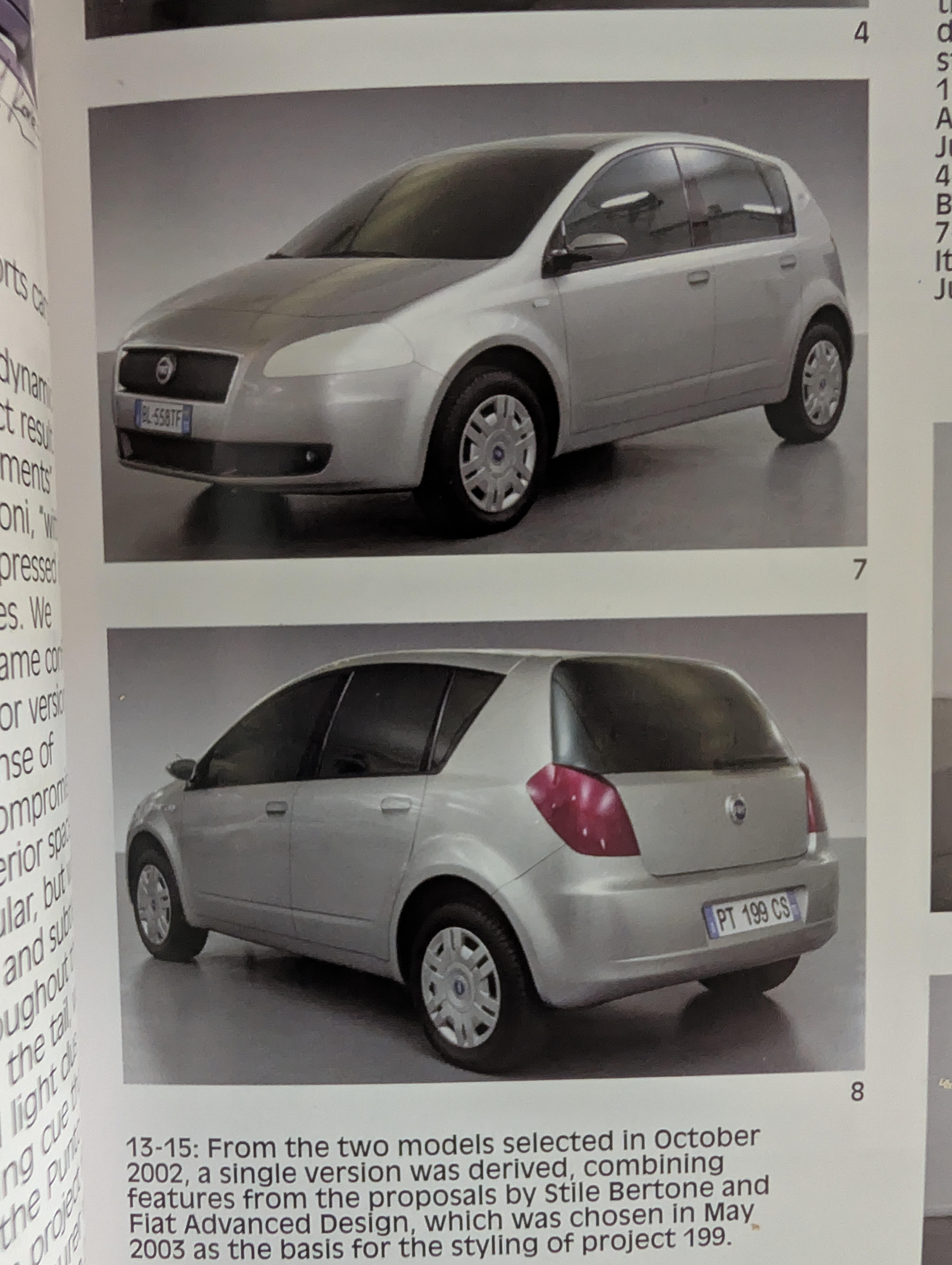
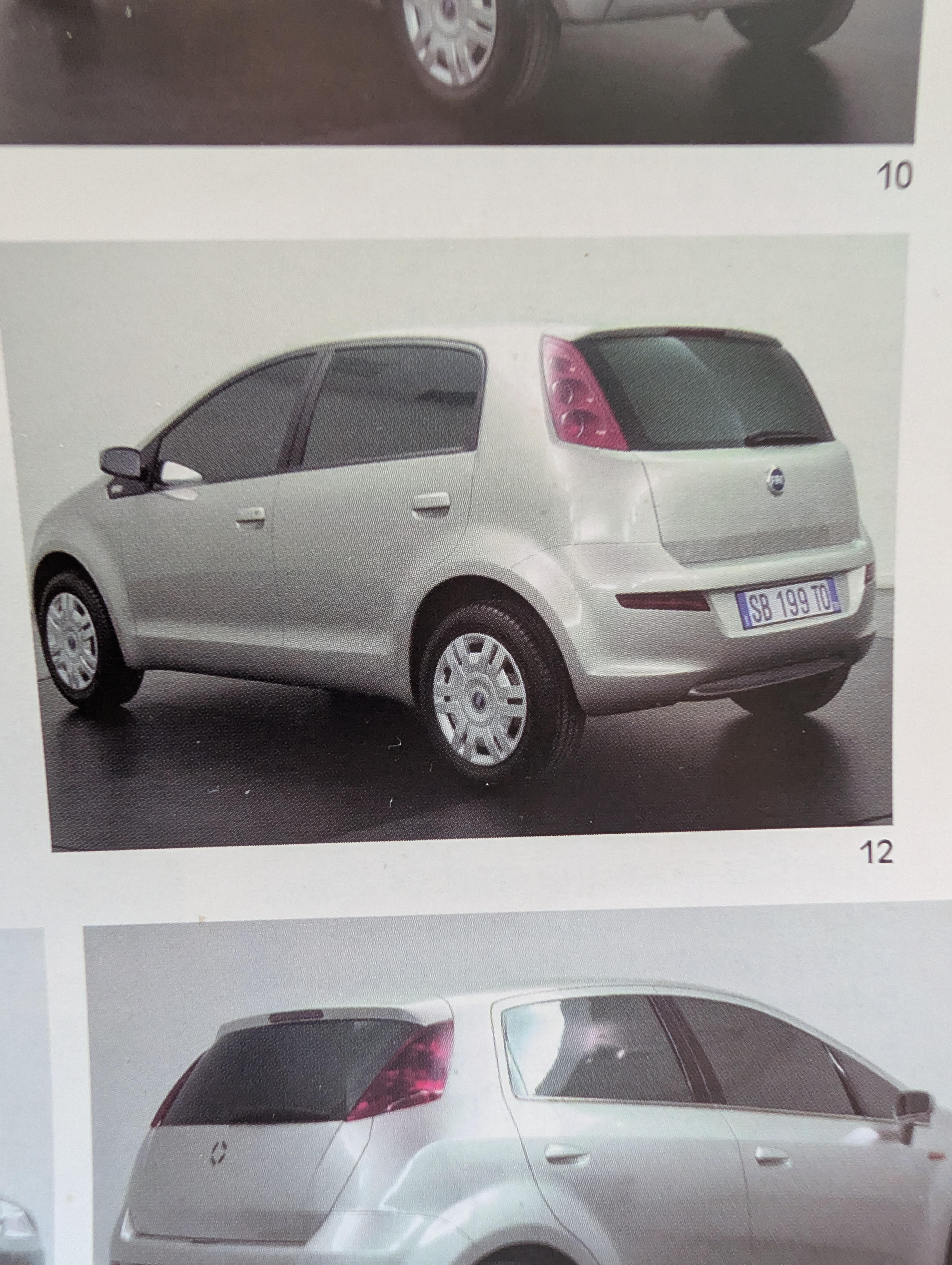
In effetti tutto il corpo vettura della Grande Punto è opera della Bertone (come pure quello della Gingo/Panda), a cui fu applicato il frontale della proposta Fiat e solo in ultima istanza quest'ultimo raffinato da Italdesign con i fari smussati dal sapore 3200 gt. La proposta di Italdesign Giugiaro (tratta da Auto&Design 155) era questa: Mentre la proposta Bertone era questa:
-
-
Da Adictosalaformula1 su Instagram VID_20260220_033817_451.mp4
-
Hamilton ha mancato l'ingresso ai box, nessun problema meccanico.
-
Nel frattempo JLR licenzia in tronco il grande capo del design Jerry McGovern, che sarebbe stato letteralmente "scortato fuori dal suo ufficio". AutocarJLR axes design boss Gerry McGovern | AutocarSources tell Autocar and Autocar India that the Coventry-born designer was asked to leave the firm on Monday
-
-
L'Aprilia Gulliver. Ho provato anche io a cercare se il designer della Ghia, il finlandese Taru Lahti, avesse anche collaborato con Aprilia, ma non ho mai trovato nulla in merito.
-
-
-
-
Lawson davanti a Verstappen mentre Tsunoda diciottesimo. Vedo anche che il Matador Sainz ha patito molto il ritiro della candidatura del padre dalla presidenza Fia.
-
Non mi pare che sia mai apparsa su questo topic, ma fra le proposte nello sviluppo della 841 fu Pininfarina a esplorare grosso modo questo concetto, con una proposta dallo stile conservativo, con frontale a sviluppo orizzontale, in parte derivata dalla Kappa, in parte dalle superfici più "teutoniche" e con montante C privo di terzo vetro. Forse @Indav ce l'ha sottomano. Secondo me, come hanno scritto altri sopra, non avrebbe avuto sorti migliori della Thesis definitiva, sarebbe stata accusata di eccessivo conservatorismo e di fare il verso alle tedesche, e a posteriori avremmo scritto che la Lancia non aveva avuto il coraggio di osare.Se ricordo bene la proposta Arca fu realizzata da Pietro Camardella (che per Pininfarina firmò Ferrari Mythos e 456 Gt), mentre Agorà, che poi diventa la Dialogos definitiva, era di Marco Tencone, al quale - se non erro - dobbiamo anche lo stile degli esterni di Alfa Romeo Giulia e Maserati Alfieri.





.png.d76fe32df607ae514e35106ecff233bf.png)


.jpeg.1db548bba1dd399c3d797a9f20c6e1fc.jpeg)