




AleMcGir
Moderatore |Staff|
-
Iscritto il
-
Ultima visita
Tutti i contenuti di AleMcGir
-
-
OT Tranquillo, si è preso nota di tutto e tutti, da chi a cadenza oraria si lamenta dell'assenza della 4x4 meccanica, del 1.2, del colore troppo colorato, dei prezzi troppo preziosi, ect. Manca all'appello la plafoniera che non plafona e non si stacca... peccato, ma penso di recuperare con le prime prove stampa.
 Puoi sempre cambiare, hai tempo fino alla partenza della gara, quindi conoscendo i risultati di prove e qualifiche.@j ha tradito #16 ---- @savio.79 in versione "Emiliano non tradisce, gringo!"

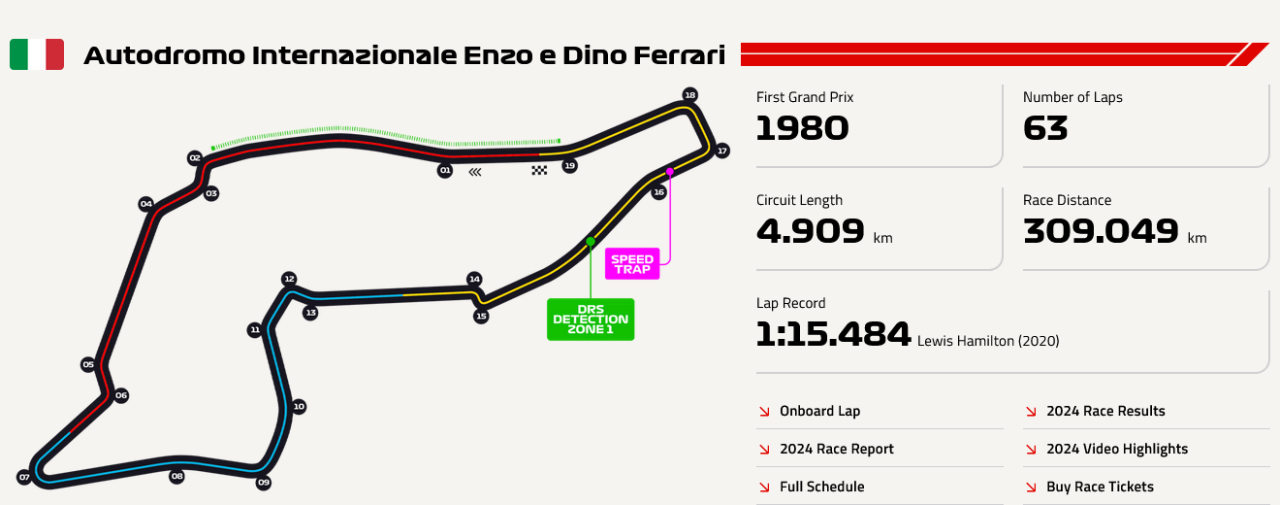
 Sondaggione 2025 - Presenza 1 punto (non rientra nel fattore moltiplicativo); - 4 domande; - Bonus una risposta giusta -> 1 punto bonus; due risposte giuste -> 3 punti bonus; tre risposte giuste -> 6 punti bonus; quattro risposte giuste -> 10 punti bonus; - Fattore moltiplicativo 1.5 per chi "vota" entro le ore 13:29:59 del 16/05/2025, dopo fattore moltiplicativo 1.0; - Chiusura sondaggio alle ore 16:00 del 17/05/2025; Buon sondaggione a tutti!!!
 Albo d'oro
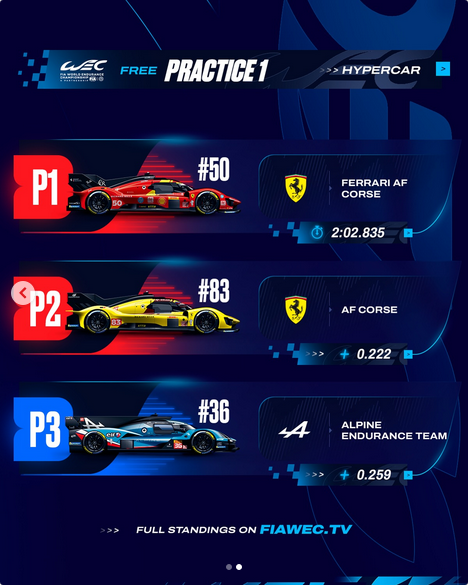
 I post ot gp sono stati spostati in questo topicPrimo verdetto Quante gare vincerà il Team Ferrari? “La risposta non la devi cercare fuori, perché la risposta è dentro di te… …e però è sbagliata!”.








![Alfa Romeo Hug [Trolling Mode]](https://www.autopareri.com/uploads/reactions/Alfaromeocare.png.50be1dd8d7c15ba4fec8098a15bfa18a.png)














Account
Navigation
Cerca
Configure browser push notifications
Chrome (Android)
- Tap the lock icon next to the address bar.
- Tap Permissions → Notifications.
- Adjust your preference.
Chrome (Desktop)
- Click the padlock icon in the address bar.
- Select Site settings.
- Find Notifications and adjust your preference.
Safari (iOS 16.4+)
- Ensure the site is installed via Add to Home Screen.
- Open Settings App → Notifications.
- Find your app name and adjust your preference.
Safari (macOS)
- Go to Safari → Preferences.
- Click the Websites tab.
- Select Notifications in the sidebar.
- Find this website and adjust your preference.
Edge (Android)
- Tap the lock icon next to the address bar.
- Tap Permissions.
- Find Notifications and adjust your preference.
Edge (Desktop)
- Click the padlock icon in the address bar.
- Click Permissions for this site.
- Find Notifications and adjust your preference.
Firefox (Android)
- Go to Settings → Site permissions.
- Tap Notifications.
- Find this site in the list and adjust your preference.
Firefox (Desktop)
- Open Firefox Settings.
- Search for Notifications.
- Find this site in the list and adjust your preference.