




AleMcGir
Moderatore |Staff|
-
Iscritto il
-
Ultima visita
-
Attualmente
Visualizza la discussione: F1 2026 - Japan - 27-29/03
-
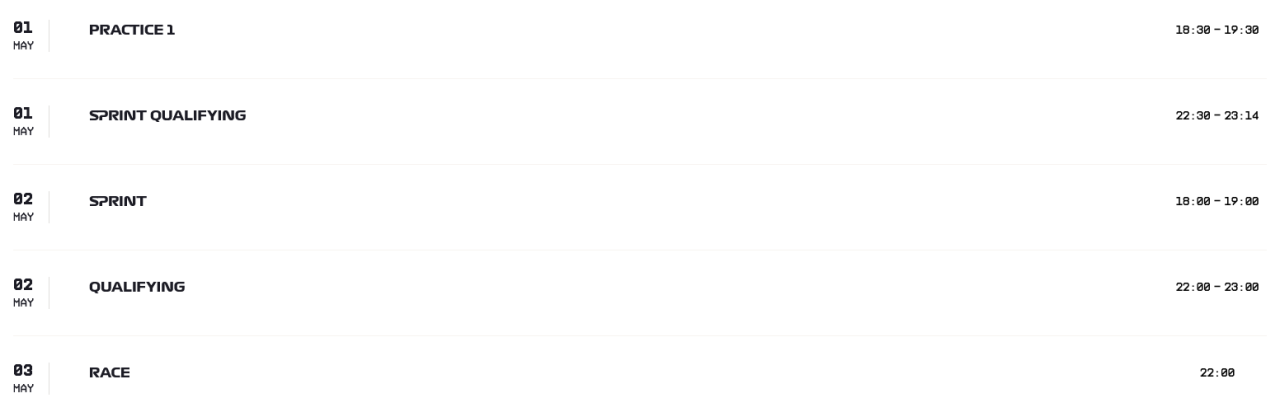
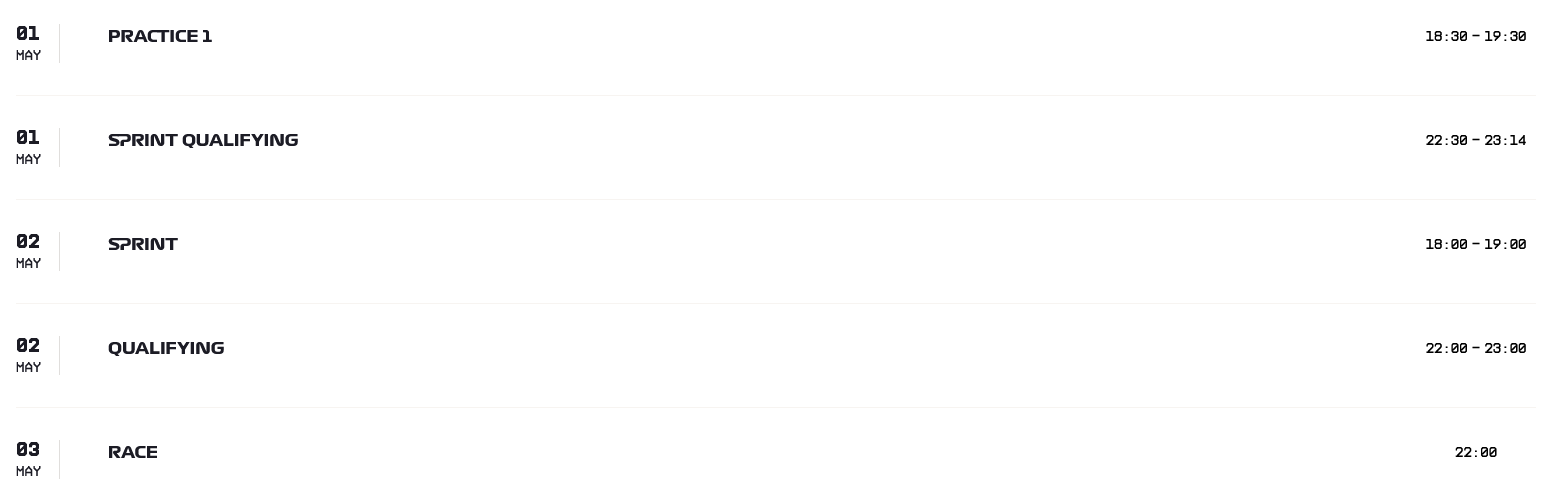
Sondaggione 2026 - Presenza 1 punto (rientra nel fattore moltiplicativo); - 5 domande (Sprint, Qualifying, Qualifying, Race, Race); - Bonus: una risposta giusta -> 1 punto bonus; due risposte giuste -> 3 punti bonus; tre risposte giuste -> 6 punti bonus; quattro risposte giuste -> 10 punti bonus; cinque risposte giuste -> 15 punti bonus; - Fattore moltiplicativo 1.5 per chi "vota" entro le ore 18:29:59 del 01/05/2026, dopo fattore moltiplicativo 1.0; - Chiusura sondaggio alle ore 18:00 del 02/05/2026;
-
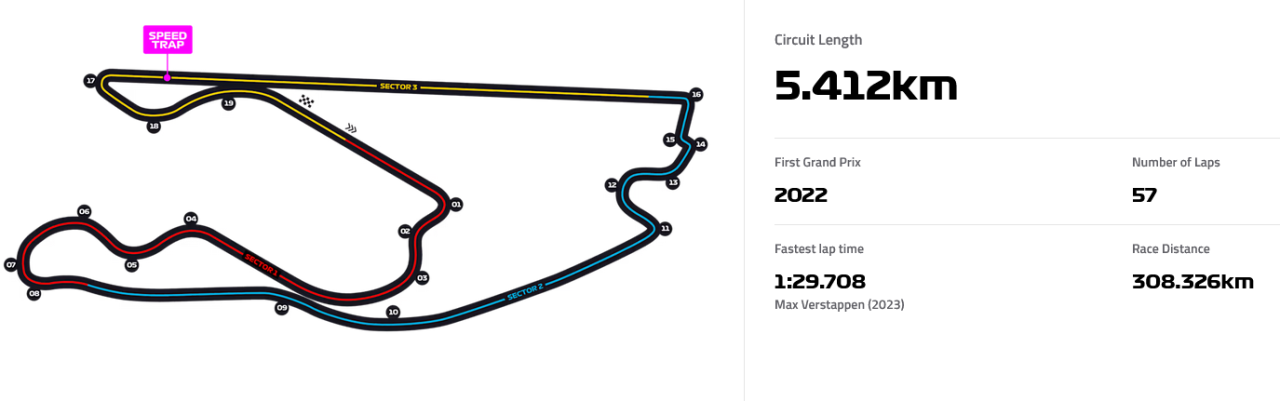
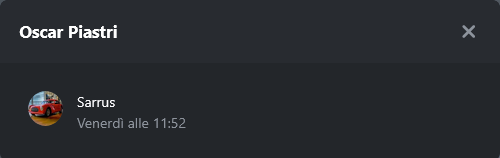
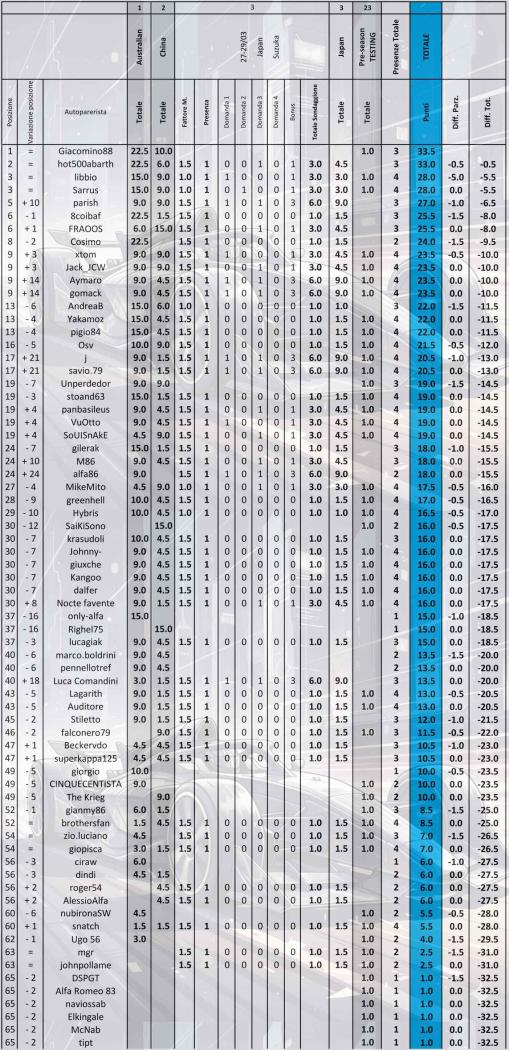
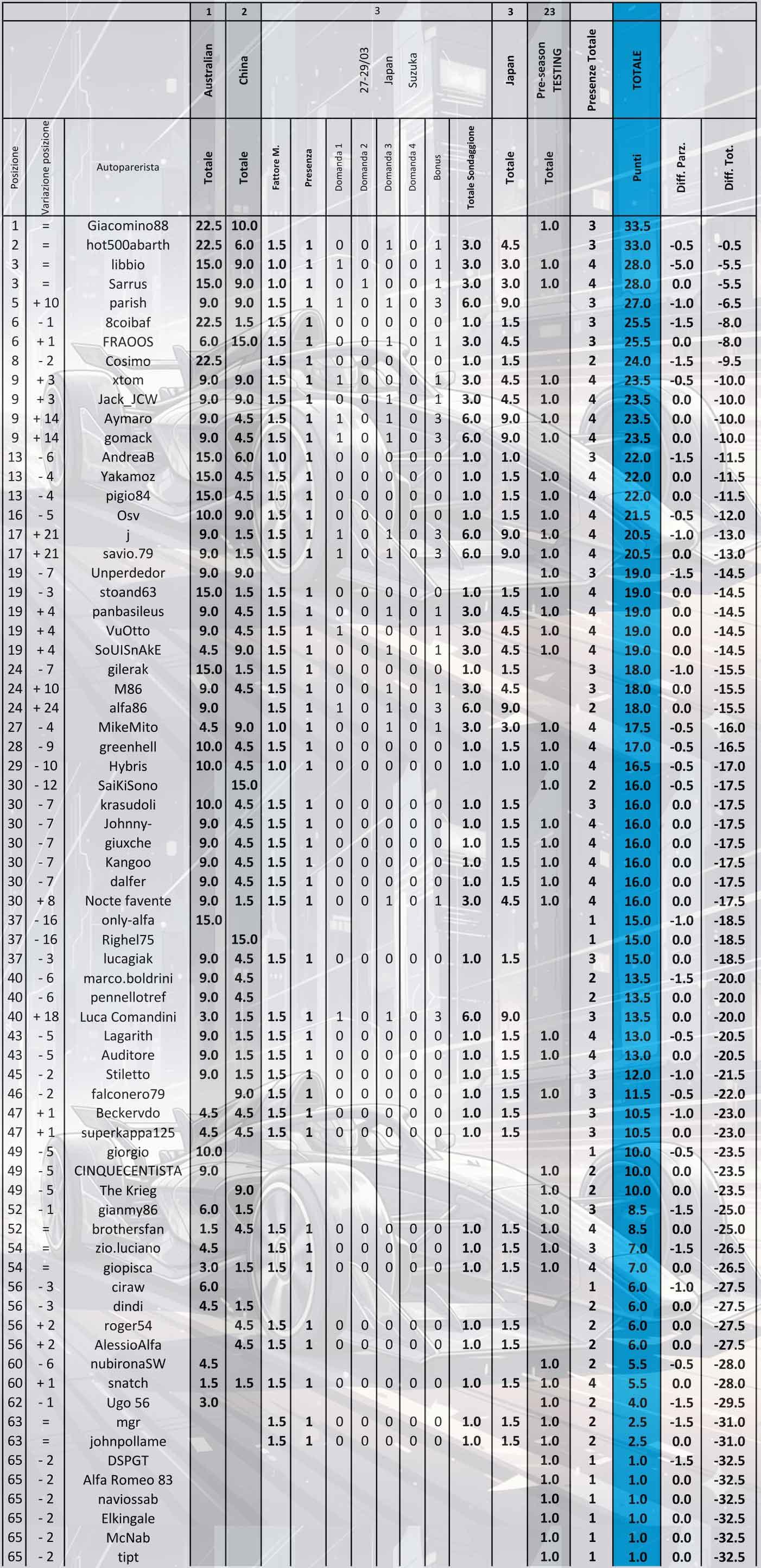
1. Tra questi piloti chi otterrà il miglior piazzamento nella "QUALIFYING" (Sabato)... 2. Tra questi piloti chi otterrà il miglior piazzamento nella "QUALIFYING" (Sabato)... 3. Tra questi piloti chi otterrà il miglior piazzamento nella "RACE" (Domenica)... 4. Tra questi piloti chi otterrà il miglior piazzamento nella "RACE" (Domenica)... Classifica generale Nonostante l'assenza @Giacomino88 mantiene la testa del sondaggione, il suo vantaggio sul secondo @hot500abarth è di soli 0.5 punti. Solo @Sarrus ha indicato (a metà) Piastri. Prossimo appuntamento dal 01 al 03 Maggio a Miami.

-
AutoHebdoYoann Bonato e Benjamin Boulloud vincono il Rally di Touq...I campioni francesi in carica, Yoann Bonato e Benjamin Boulloud, hanno iniziato la stagione 2026 nel migliore dei modi vincendo il Rallye Le Touquet - Pas-de-Calais.
















Account
Navigation
Cerca
Configure browser push notifications
Chrome (Android)
- Tap the lock icon next to the address bar.
- Tap Permissions → Notifications.
- Adjust your preference.
Chrome (Desktop)
- Click the padlock icon in the address bar.
- Select Site settings.
- Find Notifications and adjust your preference.
Safari (iOS 16.4+)
- Ensure the site is installed via Add to Home Screen.
- Open Settings App → Notifications.
- Find your app name and adjust your preference.
Safari (macOS)
- Go to Safari → Preferences.
- Click the Websites tab.
- Select Notifications in the sidebar.
- Find this website and adjust your preference.
Edge (Android)
- Tap the lock icon next to the address bar.
- Tap Permissions.
- Find Notifications and adjust your preference.
Edge (Desktop)
- Click the padlock icon in the address bar.
- Click Permissions for this site.
- Find Notifications and adjust your preference.
Firefox (Android)
- Go to Settings → Site permissions.
- Tap Notifications.
- Find this site in the list and adjust your preference.
Firefox (Desktop)
- Open Firefox Settings.
- Search for Notifications.
- Find this site in the list and adjust your preference.