-
[USA] Ram ProMaster City 2027
Voi ci scherzate ma gli americani un robo del genere lo vogliono con V8 e BOF, passeggeri o no
- Dacia Striker 2026 - Prj. C-Neo (Spy)
-
STELLANTIS - Piattaforma Giorgio, Giorgio evo, Giorgio sport
- Olivier Francois
- I prossimi modelli Alfa Romeo
- Fiat Fastback 2026 - Prj. F2X (Spy)
mi sembra più la risposta a una domanda che nessuno si è mai posto "Come battiamo la Renault Arkana?"- 518 risposte
-
-
- 2
-
-
- c-crossover
- f2x
- fiat
- fiat c-crossover
-
Taggato come:
- Transizione ecologica ed il futuro della mobilità
7 e più anni dopo si continua a discutere sul contorno della questione il cuore della decisione non è sostituire il parco veicoli (chiamamolo x) da ICE a EV 1 a 1, ma fare 2x/3 se non x/2 Il signor Rossi con la Dacia a GPL come dice qualcuno, si arrangia e quelli che vogliono mandare a fanculo le tecnologie preistoriche (cit), tra 10\15 anni si ritroveranno a comprare (se se lo possono permettere) turbonafta e turbobenza made in China\India\compagnia cantante- Mercedes-Benz GLB II 2026
- Il futuro dei siti produttivi Stellantis
- [LATAM] Fiat Dolce Camper Concept 2025
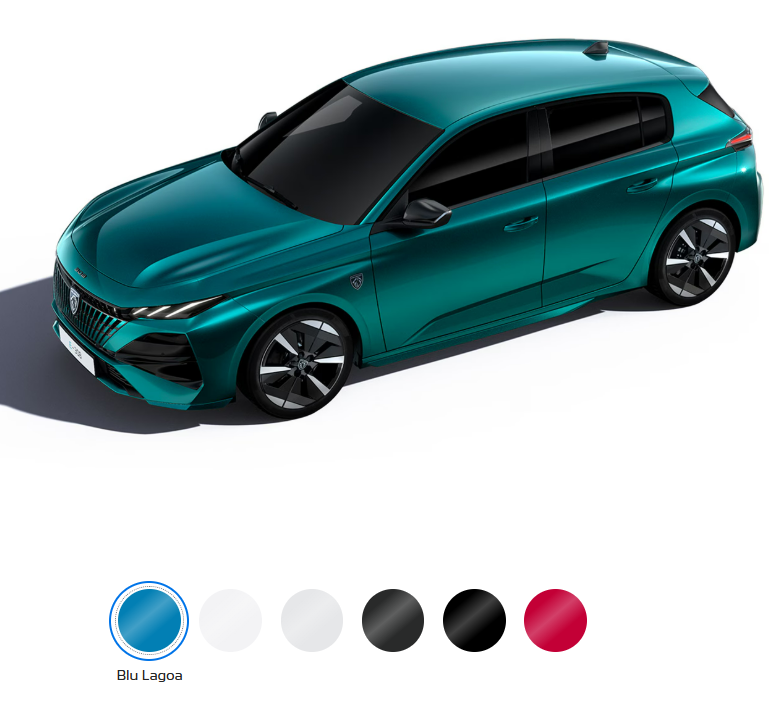
quel volante?🤔- Peugeot 308 & 308 SW III Facelift 2026
- I prossimi modelli Chrysler / Dodge / RAM
- [USA] Jeep Cherokee 2026
- BYD Seal 06 DM-I Sedan & Touring 2026
Account
Navigation
Cerca
Configure browser push notifications
Chrome (Android)
- Tap the lock icon next to the address bar.
- Tap Permissions → Notifications.
- Adjust your preference.
Chrome (Desktop)
- Click the padlock icon in the address bar.
- Select Site settings.
- Find Notifications and adjust your preference.
Safari (iOS 16.4+)
- Ensure the site is installed via Add to Home Screen.
- Open Settings App → Notifications.
- Find your app name and adjust your preference.
Safari (macOS)
- Go to Safari → Preferences.
- Click the Websites tab.
- Select Notifications in the sidebar.
- Find this website and adjust your preference.
Edge (Android)
- Tap the lock icon next to the address bar.
- Tap Permissions.
- Find Notifications and adjust your preference.
Edge (Desktop)
- Click the padlock icon in the address bar.
- Click Permissions for this site.
- Find Notifications and adjust your preference.
Firefox (Android)
- Go to Settings → Site permissions.
- Tap Notifications.
- Find this site in the list and adjust your preference.
Firefox (Desktop)
- Open Firefox Settings.
- Search for Notifications.
- Find this site in the list and adjust your preference.