





super pax
Utente Registrato
-
Iscritto il
-
Ultima visita
Tutti i contenuti di super pax
-
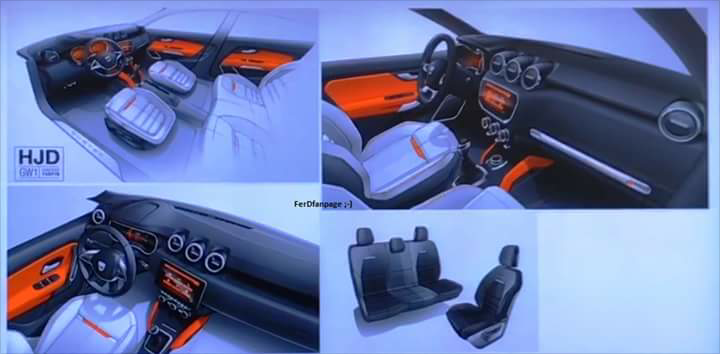
super pax ha risposto a messaggio nella discussione in Notizie e Scelte Strategiche dal mondo dell'AutoSemi cit. Fiat eravamo e Fiat torneremoSvelato l'arcano ,la protagonista del filmato è la prima serie http://www.quattroruote.it/news/novita/2017/08/29/dacia_teaser_nuova_duster_al_salone_di_francoforte_2017.html "Il countdown è partito. Protagonista del filmato è unaDacia Duster di prima generazione che, dopo essere salita sulla rampa di lancio di uno Space Shuttle, va a posizionarsi sotto ai reattori del razzo. Per il momento la Casa romena non ha deciso di mostrare nulla della nuova vettura, ma c’è da aspettarsi nuovi teaser nei prossimi giorni."SCOOP!!!!
 In realtà è andata così ....Fine produzione per Viper http://www.leftlanenews.com/dodge-builds-final-viper-97511.html
 È il topic dove si parla dei carrozzieri,ho preferito sfruttare questo gia esistente invece di aprirlo un altro .















































Account
Navigation
Cerca
Configure browser push notifications
Chrome (Android)
- Tap the lock icon next to the address bar.
- Tap Permissions → Notifications.
- Adjust your preference.
Chrome (Desktop)
- Click the padlock icon in the address bar.
- Select Site settings.
- Find Notifications and adjust your preference.
Safari (iOS 16.4+)
- Ensure the site is installed via Add to Home Screen.
- Open Settings App → Notifications.
- Find your app name and adjust your preference.
Safari (macOS)
- Go to Safari → Preferences.
- Click the Websites tab.
- Select Notifications in the sidebar.
- Find this website and adjust your preference.
Edge (Android)
- Tap the lock icon next to the address bar.
- Tap Permissions.
- Find Notifications and adjust your preference.
Edge (Desktop)
- Click the padlock icon in the address bar.
- Click Permissions for this site.
- Find Notifications and adjust your preference.
Firefox (Android)
- Go to Settings → Site permissions.
- Tap Notifications.
- Find this site in the list and adjust your preference.
Firefox (Desktop)
- Open Firefox Settings.
- Search for Notifications.
- Find this site in the list and adjust your preference.