.webp.b3606aa5b72bc7ff92168dc239e261f0.webp)

GmG
Utente Registrato
-
Iscritto il
Tutti i contenuti di GmG
-
-
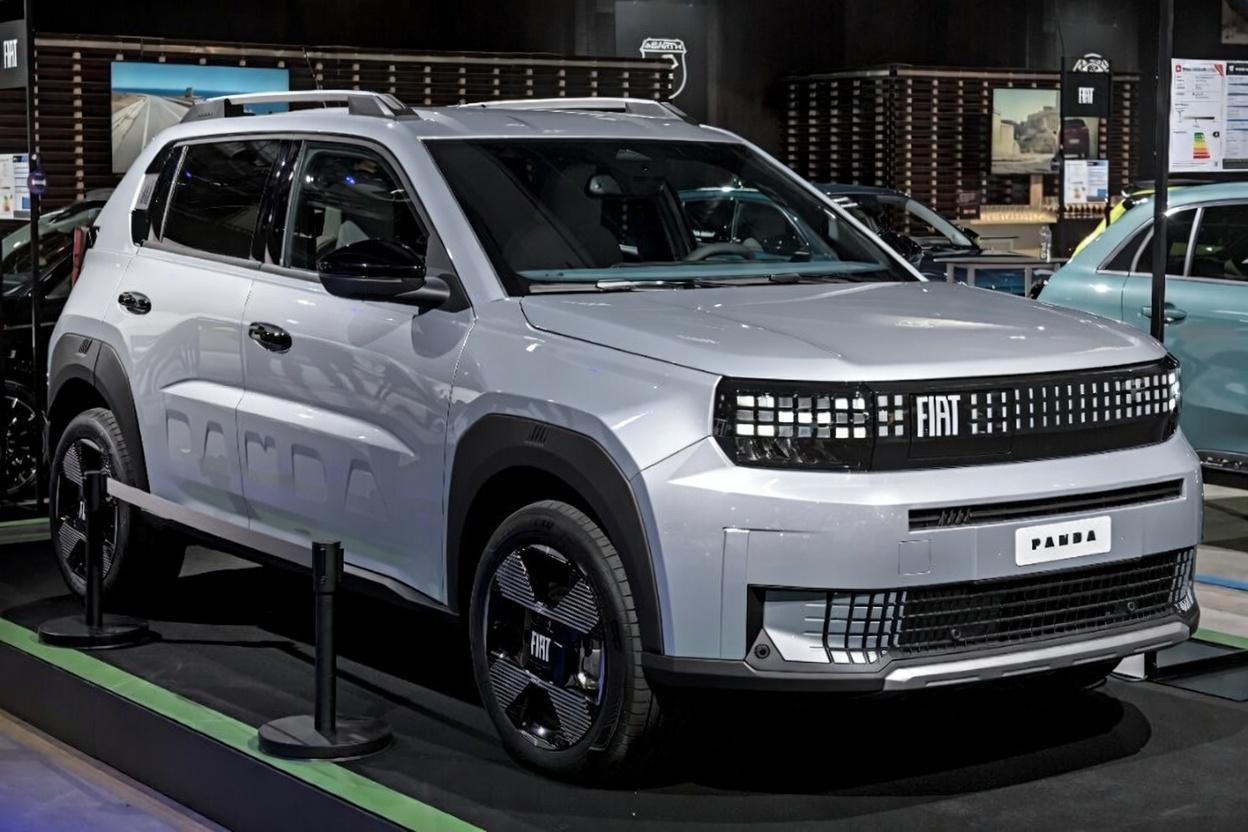
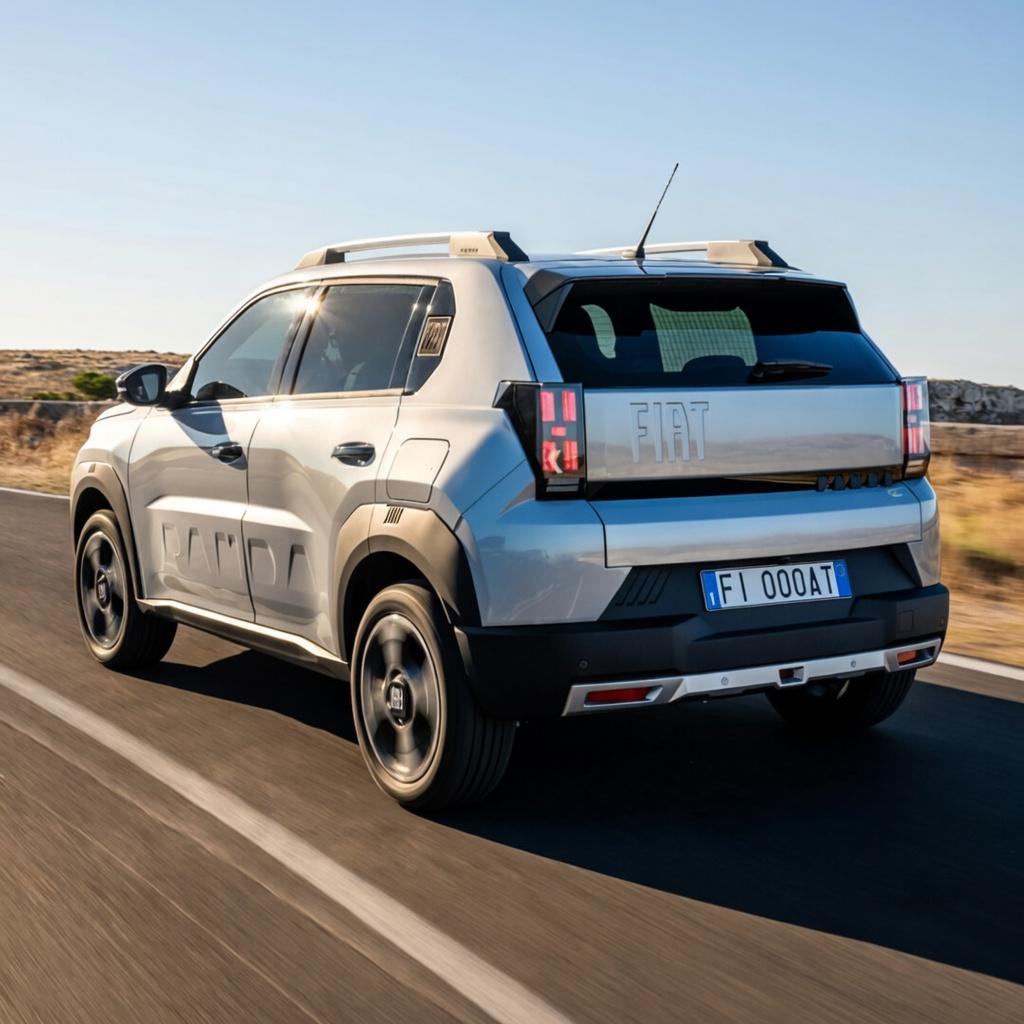
Sperando di non far venire un mancamento a OF, ecco come sarebbe la Grande Panda in color argento:
- 393 risposte
-
-

-

- 4
-
-
- c-crossover
- f2x
- fiat
- fiat c-crossover
-
Taggato come:
-
-
Pubblico qui perchè non so dove altro pubblicare. Qualcuno ha idea del motivo per cui solo in Turchia è stato commercializzato questo restyling del Qubo con il baffo frontale? Non è solo appicciato ma è stato cambiato lo stampo del cofano. Mi sembra strano che si sia fatto questo investimento solo per un mercato (di fatto quello del paese di produzione).
-
-
Ciò che è stato detto nel video andrebbe verificato da un ente indipendente, sennò tutti son bravi così.😂
-
-
Si ma ad oggi le Leapmotor non hanno nulla a che fare con le altre Stellantis. Nel caso della stessa auto con più marchi non vedo la convenienza a proporla con il brand Leapmotor, visto che per forza di cose costerà meno della Fiat e Citroen (già brand entry level del gruppo) togliendogli volumi. Secondo me avrebbe avuto più senso a brand Opel per venderla bene in Germania (simil operazione Opel Rocks-e disponibile solo lì).
-
-
-
-
-
-
-
-
-
-
Io avevo letto su Quattrocilindri e Motor2. com che a seguito di un accordo con JLR, sarà disponibile con il 1.5 Ingenium e BEV con lo stesso powertrain e batteria della I-Pace. Attendiamo aggiornamenti. 🔥🔥🔥
-
-
-
-
Molto carina, certo dalla dimensione della portiera posteriore si nota come la piattaforma sia la CMP. 😂
- 393 risposte
-
- c-crossover
- f2x
- fiat
- fiat c-crossover
-
Taggato come:
-
-
-