





.jpg.039d62ca53cd4c5c4a10a1ee434acf2f.jpg)
mauxmau
Utente Registrato
-
Iscritto il
-
Ultima visita
Tutti i contenuti di mauxmau
-
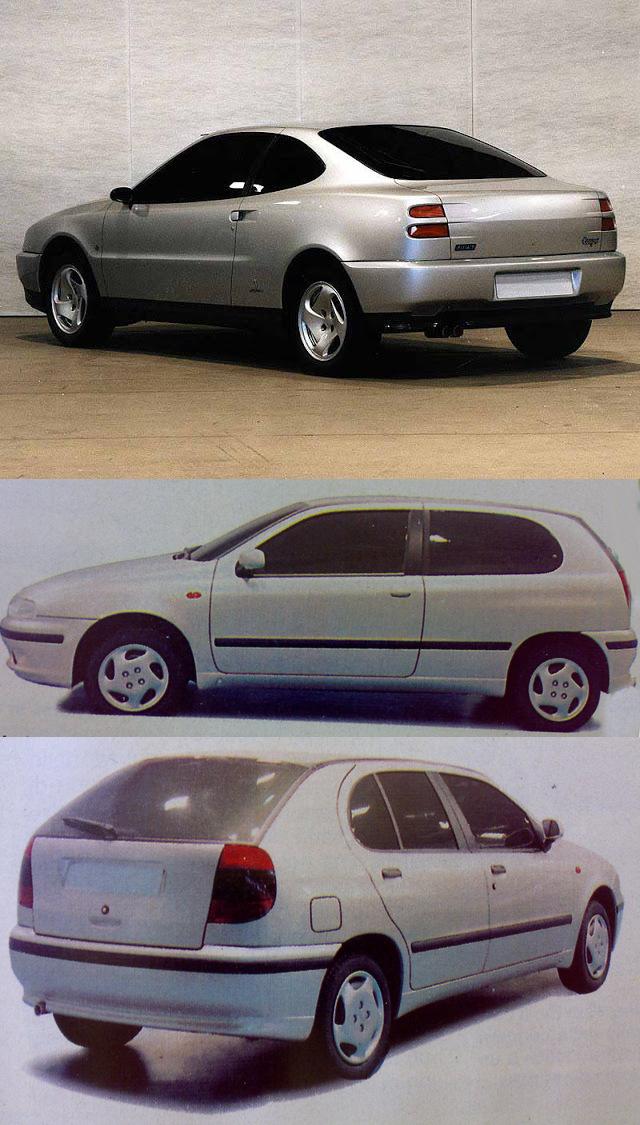
anzichè sotto e leva sul tunnel passa sopraCitroën cercò di produrre una berlina compatta a 5 porte. Citroën, quindi tentò una fusione con la Fiat e lanciò il progetto Y, un derivato della Fiat 127. Ma non fu trovato alcun accordo economico tra le due aziende. Il progetto Y diventerà quindi il progetto TA e sarà una berlina compatta a 5 porte, design francese al 100%wikinel 1971 la "Fulvia" veniva venduta al prezzo di listino di L. 1.745.000, più dell'Alfa Romeo Giulia 1300 (L.1.310.000), della BMW 1600 (L.1.660.000), della Fiat 125 S (L.1.590.000) o della Opel Rekord S 1,9 Lusso (L.1.685.000)
.jpg.039d62ca53cd4c5c4a10a1ee434acf2f.thumb.jpg.b7d93bd16f00d6934427d11b6e9e88ff.jpg)






Account
Navigation
Cerca
Configure browser push notifications
Chrome (Android)
- Tap the lock icon next to the address bar.
- Tap Permissions → Notifications.
- Adjust your preference.
Chrome (Desktop)
- Click the padlock icon in the address bar.
- Select Site settings.
- Find Notifications and adjust your preference.
Safari (iOS 16.4+)
- Ensure the site is installed via Add to Home Screen.
- Open Settings App → Notifications.
- Find your app name and adjust your preference.
Safari (macOS)
- Go to Safari → Preferences.
- Click the Websites tab.
- Select Notifications in the sidebar.
- Find this website and adjust your preference.
Edge (Android)
- Tap the lock icon next to the address bar.
- Tap Permissions.
- Find Notifications and adjust your preference.
Edge (Desktop)
- Click the padlock icon in the address bar.
- Click Permissions for this site.
- Find Notifications and adjust your preference.
Firefox (Android)
- Go to Settings → Site permissions.
- Tap Notifications.
- Find this site in the list and adjust your preference.
Firefox (Desktop)
- Open Firefox Settings.
- Search for Notifications.
- Find this site in the list and adjust your preference.