





j
Reporter (Staff)
-
Iscritto il
Tutti i contenuti di j
-
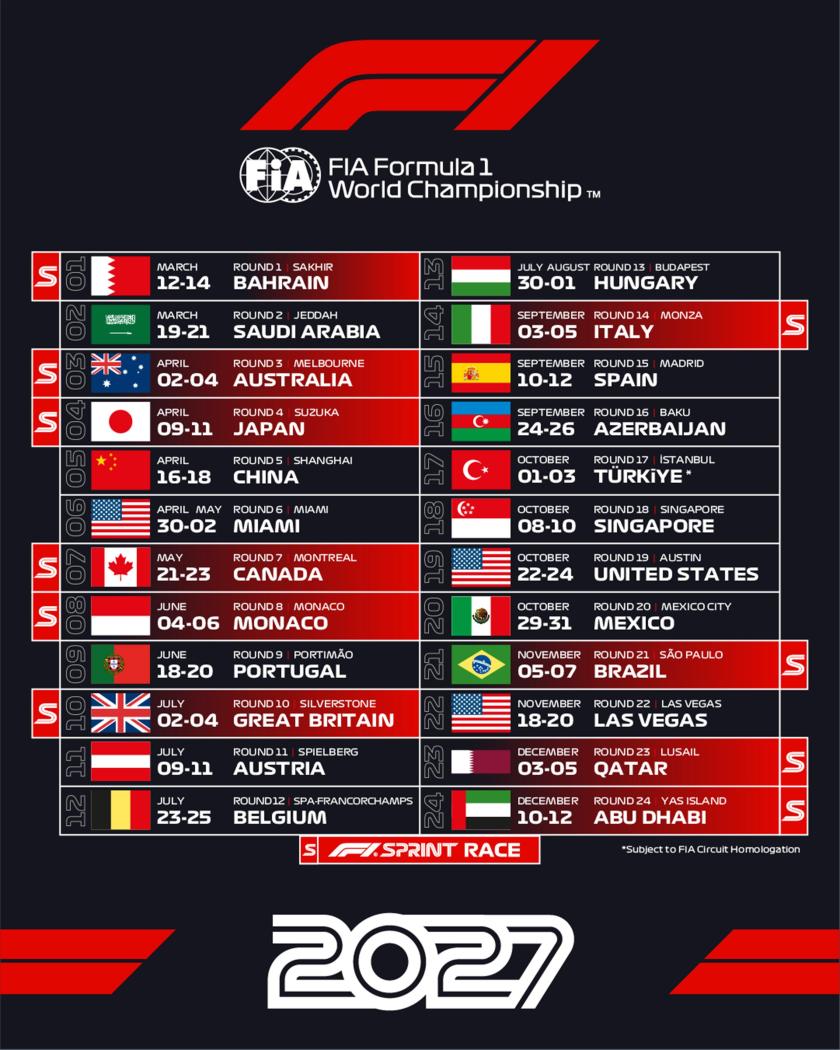
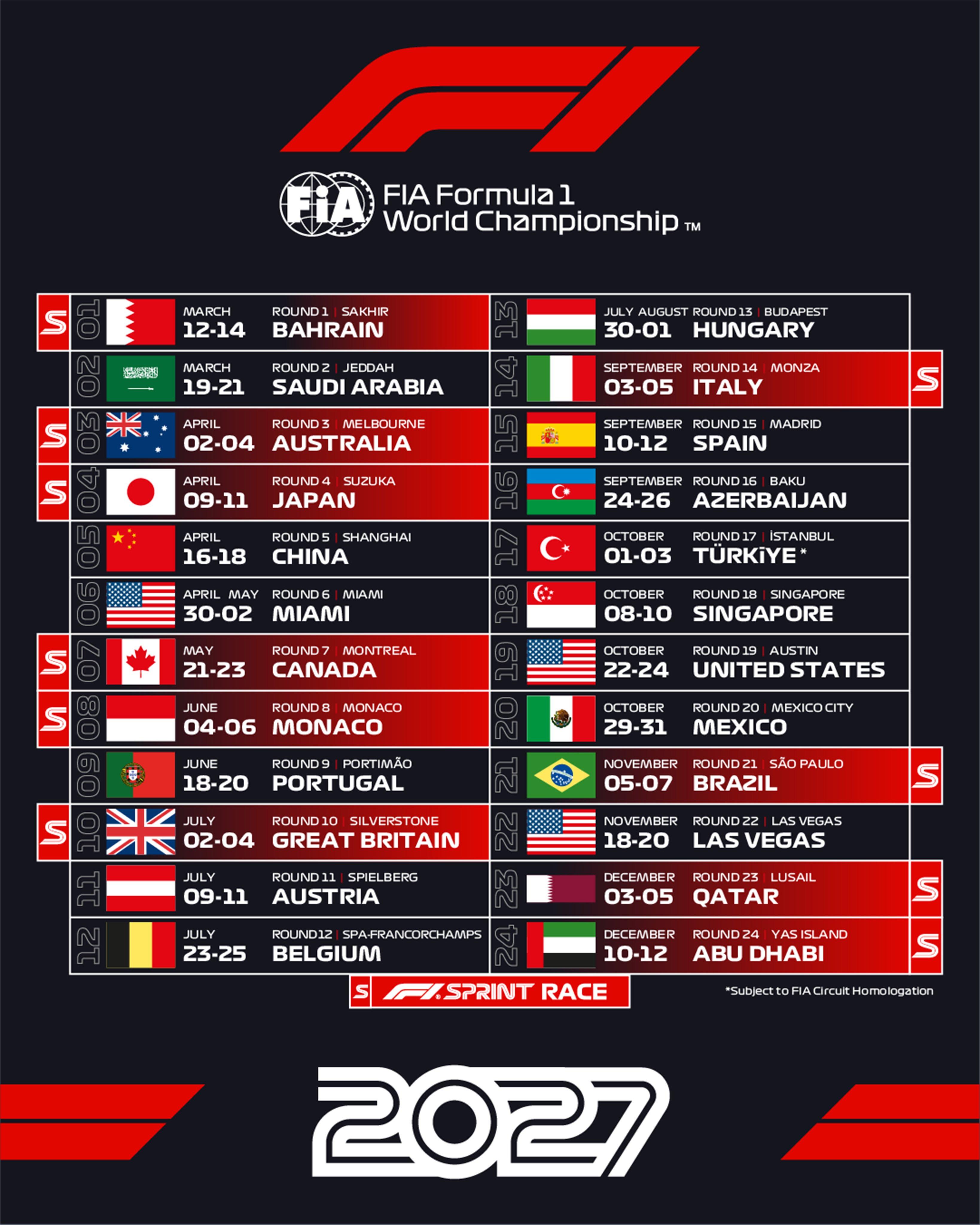
Comunque mi sembra che in Renault sia un po' tornato il caos dopo che De Meo aveva fatto un po' di ordineNon avrei mai immaginato di vedere nuovi stilemi nella Bentley dell'era VW. Mi sembravano ormai rinchiusi dentro le linee tondo se invece benvenuto ritorno alle linee più squadrateC'è una presa d'aria apposita per raffreddare il vetroBeh sì è sempre detto che a Monaco l'unica cosa bella è la qualifica, adesso c'è ne danno ben due! Inoltre allo stesso tempo fanno in modo che i piloti non possano prendere minimamente il feeling con la pista perché li buttano subito in competizione, quindi avremo fare pieni di incidenti come hai vecchi tempi. Arriverà al traguardo solo uno, e quello sicuramente sono sarà LeclercEcco il calendario 2027 con le 10 Sprint



.jpg.028b936416a58b82a09faab7277095da.jpg)
.jpg.f4372494cd06cda386339e584847b5a1.jpg)
.jpg.591cb65af1ac73533b1cfe3f3b89fc5e.jpg)
.jpg.066792e53616e5190a4996e446727993.jpg)
.jpg.076b97f722ed8f4cd976488fa41684d5.jpg)
.jpg.2a84b7d565485939d02b1f6d0839dd21.jpg)
.jpg.e61c2f3fced627e152701bb5b37e2545.jpg)
.jpg.ce6dedde158d97cd978f26956e08fb63.jpg)
.jpg.c7df9319b08bb6aba09e4f691ccf4a96.jpg)
.jpg.6ed85533f96d761b1b9bd6e1de3561bc.jpg)
.jpg.bca3896e7ff462c7a37f7b0e4ef49fe2.jpg)
.jpg.a5dae2fccc2a2065a021b4a8bf731dc8.jpg)
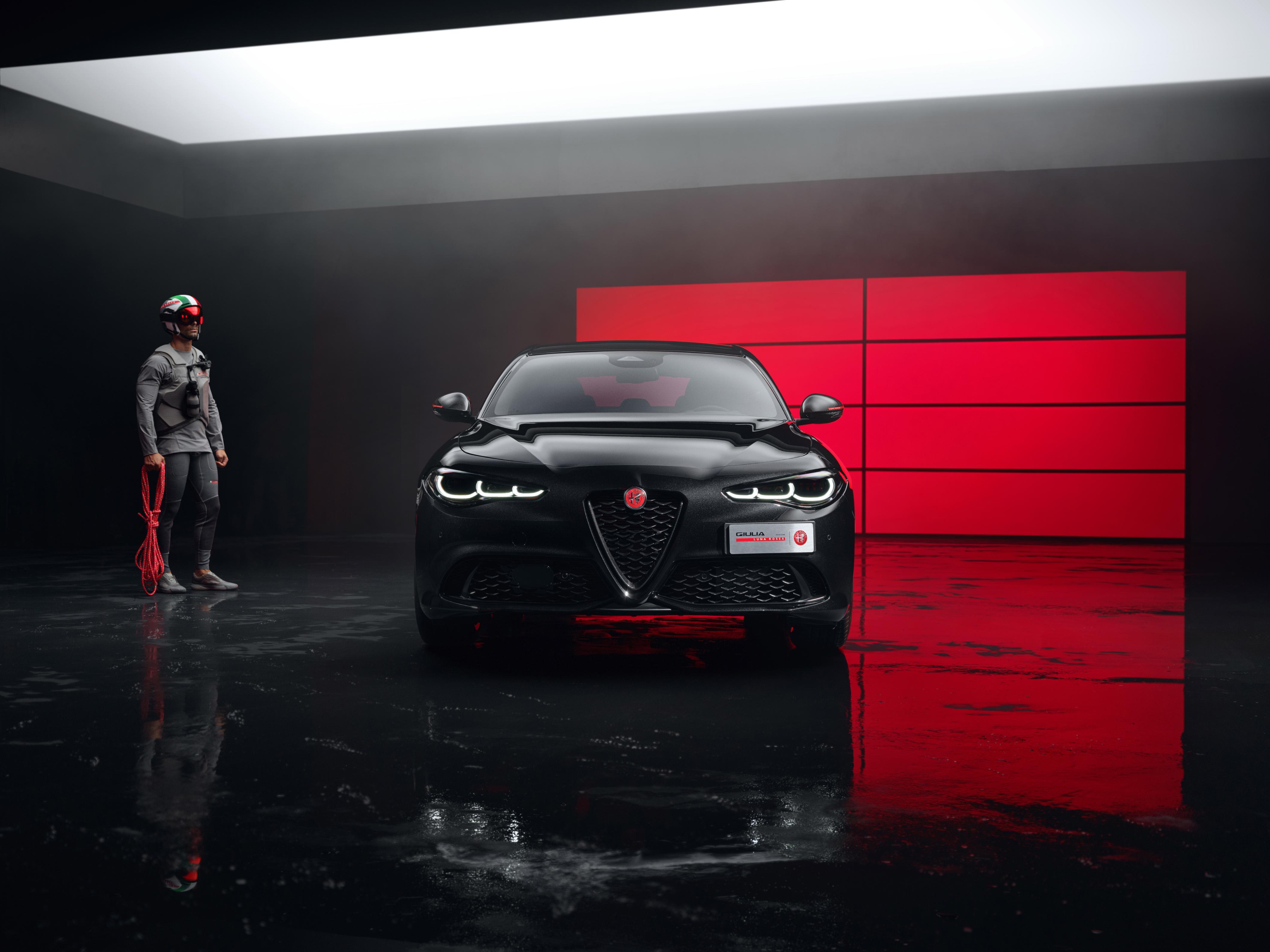
.jpg.5de3317a06ea104766271d93b05d7ddc.jpg)
.jpg.1cac0d4707494e535ee40dd200951623.jpg)
.jpg.d1ee143d502f195833860328911217e7.jpg)
.jpg.237db5d33bc5edb957f1d9cbd091dece.jpg)
.jpg.317d230515eab3a38c11719aaf44b712.jpg)
.jpg.33a9469f39a481cb2123f45cba0113bf.jpg)
.jpg.e2b4183c5ed8b8d3ac3e2b5c26b365a4.jpg)
.jpg.8f5fef8e4278d63a86778dbeac14e630.jpg)
.jpg.620a018d9df0dfef4edb13bf6337304e.jpg)
.jpg.1b977b542139b15ed960a8234262d513.jpg)
.jpg.aaf753050ad987538b97ded46f779633.jpg)
.jpg.aa37a61c16829297a11eaa7145f74134.jpg)
.jpg.32bb7f8fbbb001be5af39e38a9545bf4.jpg)

.jpg.4f56b0890ca8b987be0e171d5f61f428.jpg)

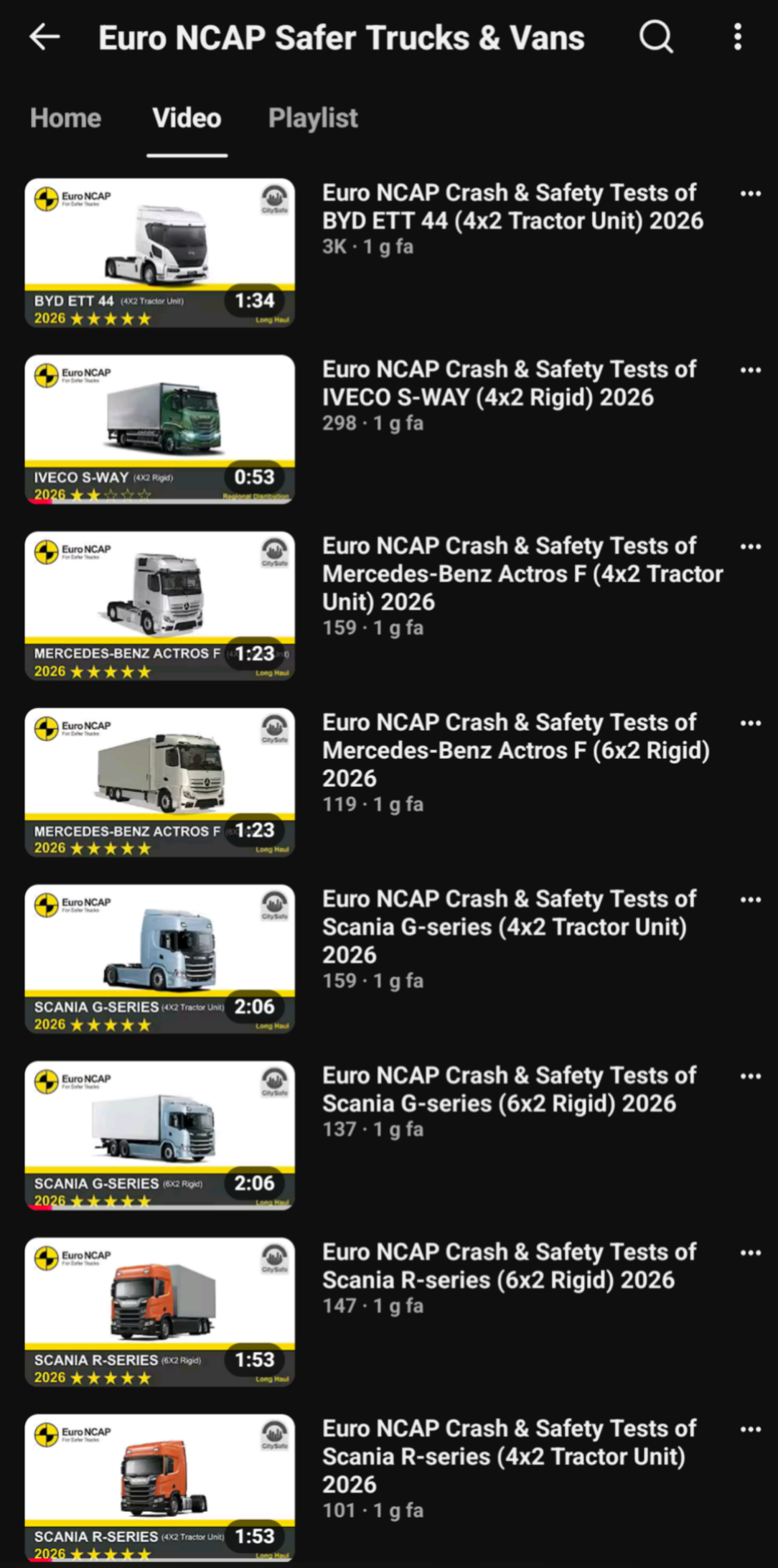

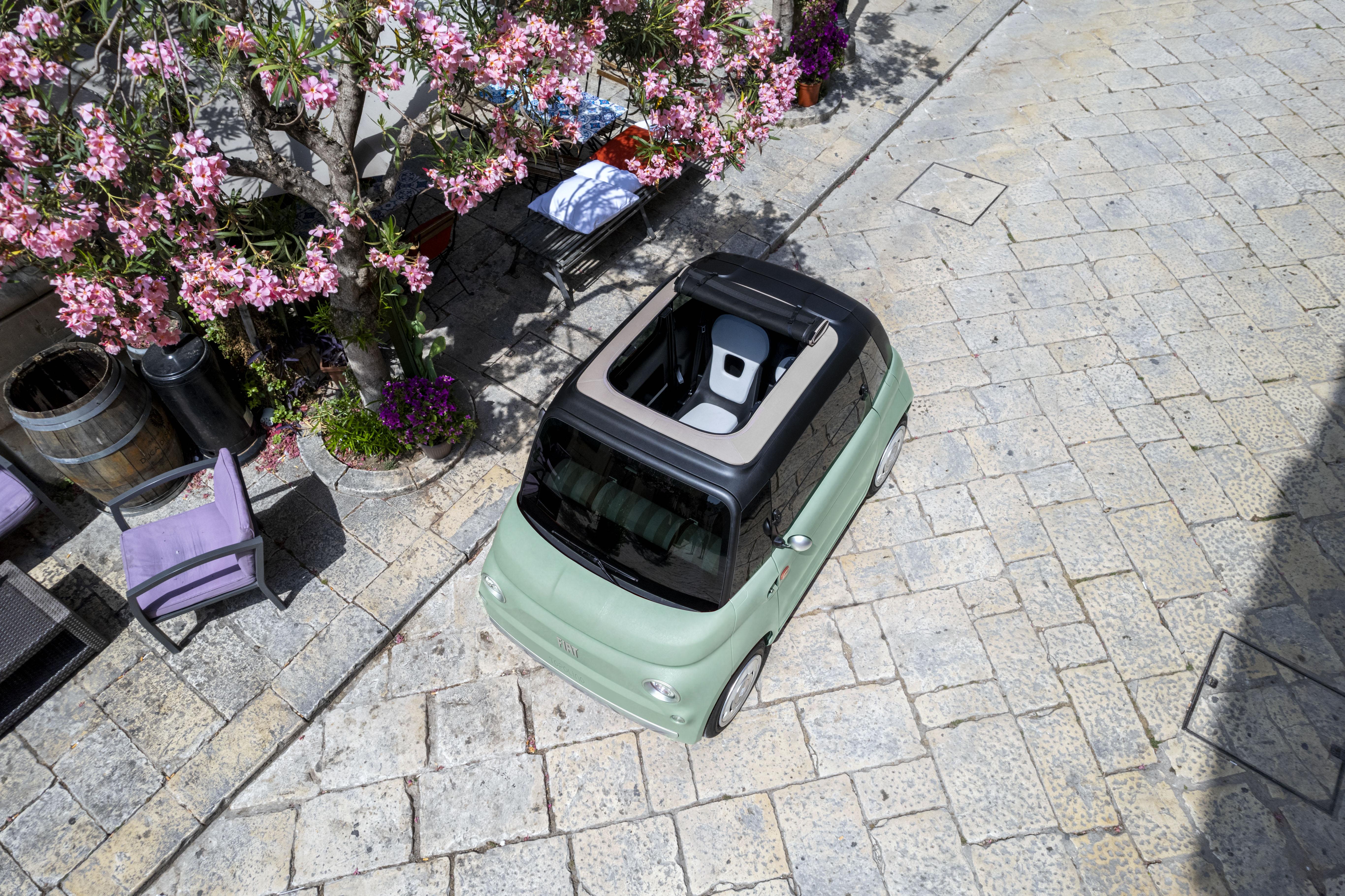
.jpg.47f14b23870821a6d41ac6a82f510862.jpg)
.jpg.2a4c6845f7b05b22042c2fc17a926087.jpg)

.jpg.aac97accdc90111f21ef6365b1f42d58.jpg)
Account
Navigation
Cerca
Configure browser push notifications
Chrome (Android)
- Tap the lock icon next to the address bar.
- Tap Permissions → Notifications.
- Adjust your preference.
Chrome (Desktop)
- Click the padlock icon in the address bar.
- Select Site settings.
- Find Notifications and adjust your preference.
Safari (iOS 16.4+)
- Ensure the site is installed via Add to Home Screen.
- Open Settings App → Notifications.
- Find your app name and adjust your preference.
Safari (macOS)
- Go to Safari → Preferences.
- Click the Websites tab.
- Select Notifications in the sidebar.
- Find this website and adjust your preference.
Edge (Android)
- Tap the lock icon next to the address bar.
- Tap Permissions.
- Find Notifications and adjust your preference.
Edge (Desktop)
- Click the padlock icon in the address bar.
- Click Permissions for this site.
- Find Notifications and adjust your preference.
Firefox (Android)
- Go to Settings → Site permissions.
- Tap Notifications.
- Find this site in the list and adjust your preference.
Firefox (Desktop)
- Open Firefox Settings.
- Search for Notifications.
- Find this site in the list and adjust your preference.