




Classifica Utenti
Utenti più Apprezzati
(Scegli il periodo) Utenti più Apprezzati
(Storia giorno per giorno) Classifica dall'Origine
(da Marzo 2003)
(Scegli il periodo) Utenti più Apprezzati
(Storia giorno per giorno) Classifica dall'Origine
(da Marzo 2003)
The search index is currently processing. Leaderboard results may not be complete.


Contenuti più Popolari
Stai visualizzando i contenuti con il più alto punteggio, pubblicati in data 12/12/25 e localizzati Tutte le aree/sezioni
-
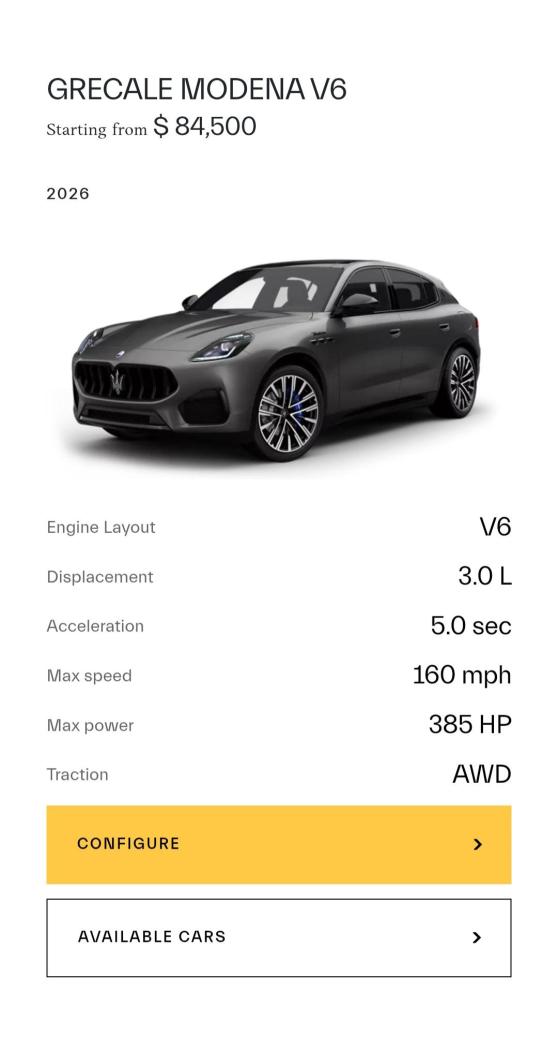
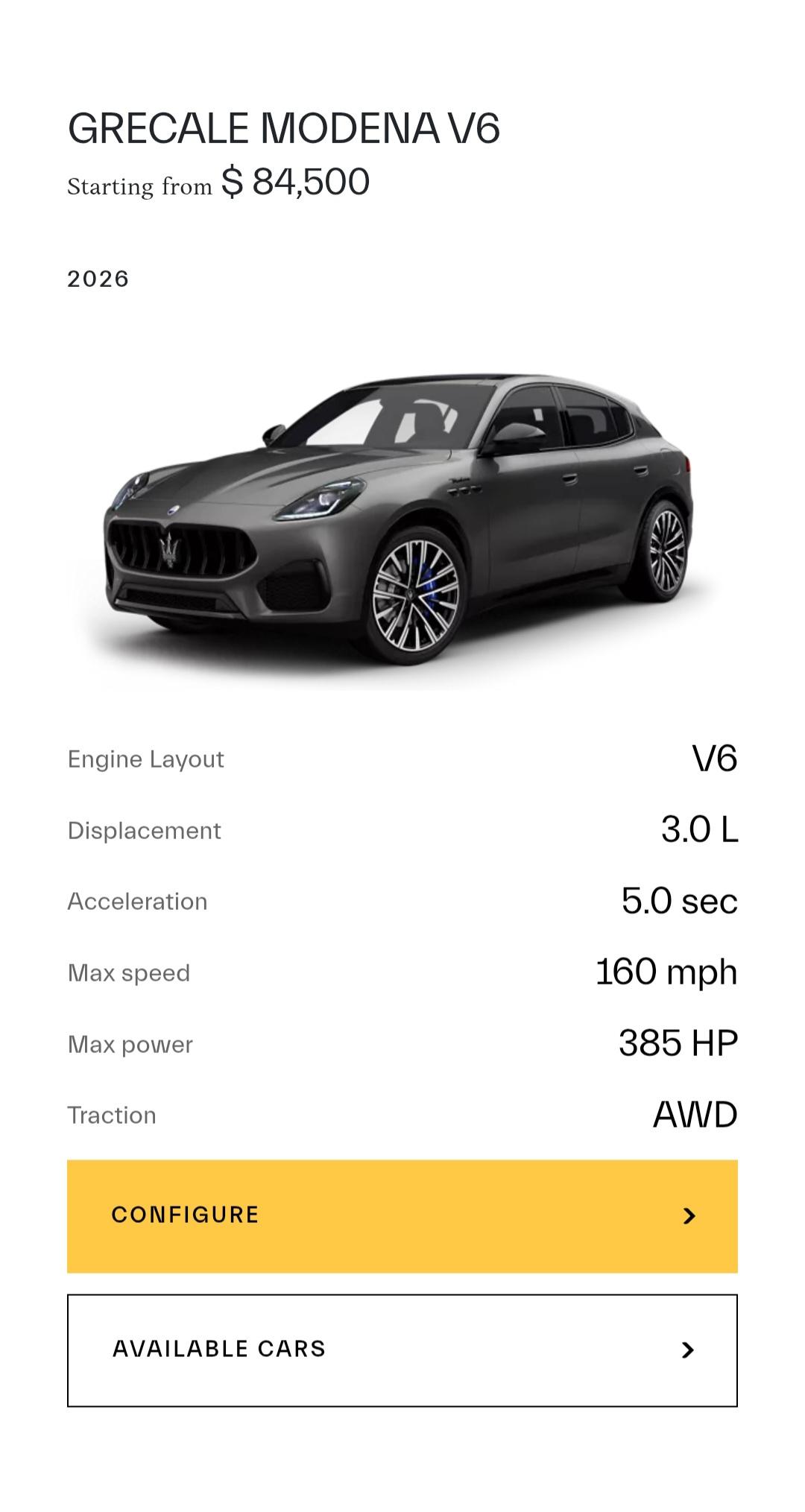
8 puntiIn the States, the 2-liter petrol engine will be dropped. The 2026 Grecale Modena will be available with a detuned version of the Nettuno that produces 385cv. There will be no 2026 Grecale version.
 8 punti
 -
6 puntiE come mai i prodotti sono sempre gli ultimi ad uscire?5 puntiAh quindi si è scoperto che vendere delle Opel/Citroen/Fiat/Lancia con listini assurdi è controproducente a lungo termine?Sia lodato San Filosa... Quando auto dichiaratamente low cost(C3, G.Panda, Frontera ecc...) con quattro cagatine di accessori a listino, ti vengono a costare come auto che low cost non sono(208, Ypsilon, Astra ecc...) da qualche parte un errore ci dev'essere. Idem per la volkswagen di Francia con il leone appiccicato sul cofano, si sono imborghesiti troppo vendendo 1.2 3 cilindri turbo e ponti torcenti a 30 mila euro.4 puntima boh...io leggendo certe cose di alcuni utenti rimango un pò basito...cioè: il 2035 è dietro l'angolo dal punto di vista industriale. C'è stato un enorme errore di valutazione da parte di tutti sia a livello centrale di Bruxelles che di scelte di singole aziende. I grandi gruppi europei hanno solo ed esclusivamente pianto, non hanno sviluppato nessun tipo di tecnologia alternativa ai motori a combustione valida economicamente pur avendo avuto parecchi anni prima di arrivare a questo punto morto. I cinesi? Pochissime chiacchiere e testa bassa a lavorare e sviluppare. il governo cinese? scaltro: c'ha visto lungo ed ha deciso di investire in un insieme di tecnologie che noi ci sogniamo ed ormai sono avanti anni luce non solo per l'elettrico ma tra poco anche per ibrido e pure termico. Dare la colpa ai cinesi non ha nessun senso. Ok continuiamo a campare con il termico, con roba vecchia di 100 anni con enormi limiti oggettivi, lasciamo il futuro ad altri. Disprezziamo l'elettrico parlando di "elettrodomestici" perchè non fanno brum brum e non puzzano quando lasci l'auto accesa 20 minuti al parcheggio mentre aspetti la moglie che fa la spesa dal pescivendolo.. Andiamo avanti cosi! Dritti verso un bel muro però.3 punti3 puntiSarà contento chi ha acquistato in passato le 2.0 e ancora di più i dealer che ne hanno a stock.. 😅3 punti3 puntiCon i pochissimi chilometri annuali che fa direi che riparare e' la scelta giusta.3 punti3 puntiFra la 1 e la 2, data l'infattibilità della 3. Quel 1.2 è un vero mulo indistruttibile, ripara con criterio il cambio e via.3 puntiSeems to be a well researched article, while nothing shocking in there. While much needed mainstream models like the Smart Car family or Jeep Cherokee were started under Tavares already, the product outcome by Filosa will take time to shine. So true, the curse of small market share. And a reason why Alfa needs the B segment and unnecessary brand fragmentation should be corrected.3 punti3 puntiBeh, VW è una vita che campa su auto anonime per non dire banali. Gli automobilisti comprano quello che gli piace3 punti3 puntiAltre foto che mostrano un po' di dettagli Ho chiesto a Gemini di spogliarla è sotto c'ha trovato una Citroen 🤣
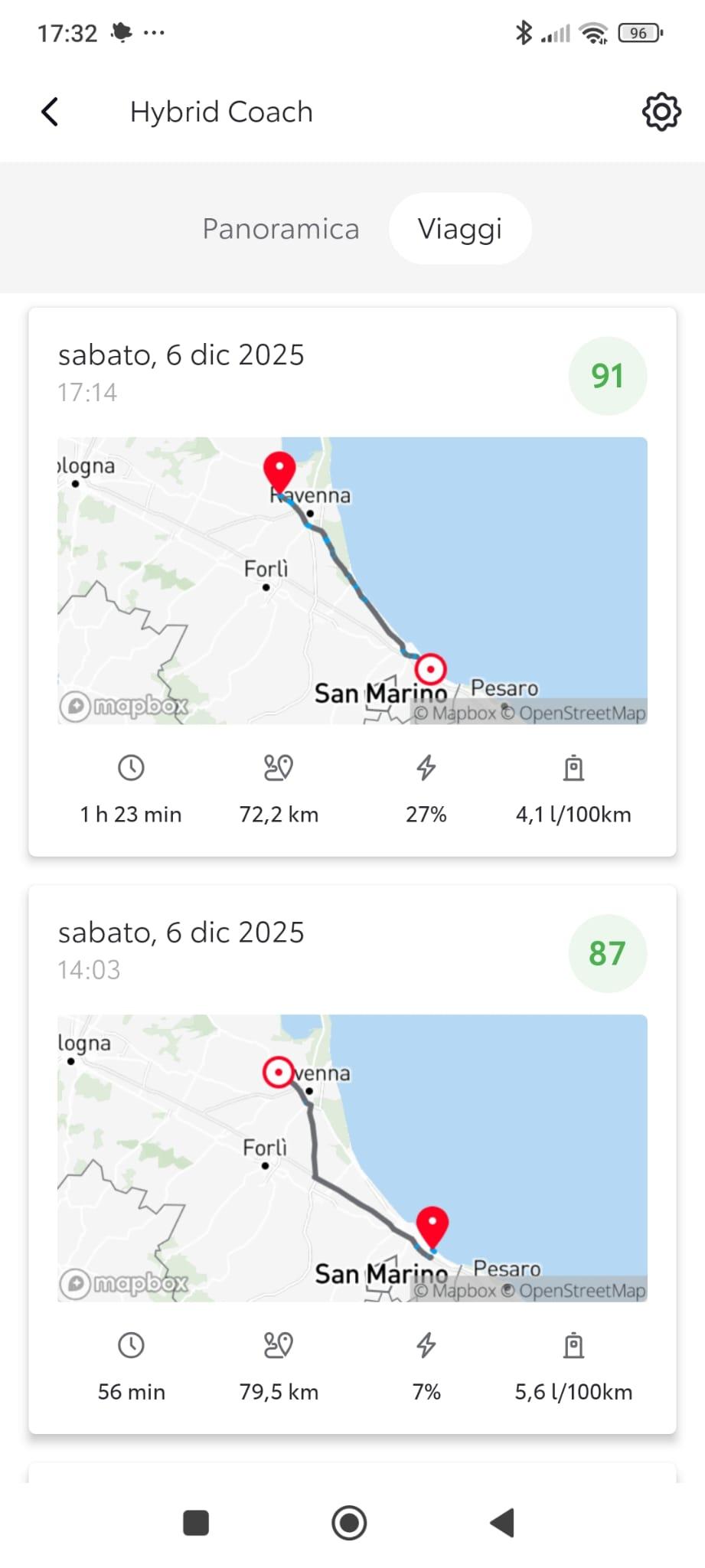
.jpg.41243b2cfb27b486e92c22871ef50e11.jpg) 3 puntisaresti dovuto correre al pronto soccorso a farti visitare, l'hai scampata bella!2 puntiL’altro giorno avevo davanti un’auto termica che faceva fumo e mi stava intossicando, in barba ai limiti normativi, bruciava olio e carburante derivato da petrolio importato a caro prezzo, perché in Italia e paesi limitrofi non ce n’è, ma questo evidentemente non è un limite oggettivo. Per contro l’elettrica non produce emissioni e si ricarica anche con l’energia del sole e del vento che in Italia sono abbondanti e gratuiti.2 puntigli unici limiti oggettivi sono delle auto elettriche, le termiche hanno solo limiti normativi, cioe' creati artificialmente a tavolino2 punti2 puntiIl direttore creativo di Hyundai ha dichiarato che della Magma GT ci saranno "versioni S, GTS, roadster, light-weight, club sport, GT3 stradale e GT3 R per l'uso in pista". Ha poi confermato che il concept è spinto da un V8, ma per la messa in produzione devono ancora decidere che motore utilizzare. Link2 punti2 puntiLa nuova gestione sta cercando di svuotare i piazzali rifornendo flotte di aziende ed agenzie, possono provare a piazzare qualche Grecale ad ICE o Secret Service, sicuramente andrebbero meglio dei Suburban BOF😂2 punti2 puntiSiamo arrivati in un mondo, dove le compatte/sportive finiscono di produrrle ma i carri armati ne vengono sempre di piu.2 punti2 puntiParlando con Auto Express, il diretto operativo di Renault ha rivelato che una versione R.S. della nuova Clio sarebbe in fase di valutazione nei prossimi mesi, ma, al contrario della cugina Alpine, sarebbe spinta da un propulsore ibrido, permettendo "elevate potenze e basse emissioni" 👀 Ed è subito Clio 1.8 16v.2 puntiPerdonami ma questo è il classico commento da populista che capisce poco dell'argomento ... Partendo da miliardi di investimenti che rischiano di andare letteralmente in fumo fino ad arrivare al fatto che se rimane il target del 90% di riduzione co2, solo auto estremamente sofisticate e costose potranno essere costruite rispettando queste direttive. Quindi....se restano questi i criteri il popolo elettrico e i ricchi brum brum. Sei ancora felice? Io si perché rimanere arroccati su tecnologie ormai preistoriche fa solo tanta tristezza e finalmente mandiamo a fancul* motori a benzina e diesel.2 puntiMa non mi dire, hanno scoperto che un produttore di auto ha come scopo di guadagno, tenetevi forte perchè capisco possa destabilizzarvi, il vendere auto??? WOW, ma questi sono veramente dei pazzi, geni illuminati!!! E solo in 4 anni ci sono arrivati!2 puntiDopo anni queste sono di nuovo mie 😁2 puntiSecondo Reuters, Don Antonio avrebbe come obiettivo il riconquistare quote di mercato, in controtendenza con la vecchia gestione, ricorrendo a margini risicati e vendendo a flotte aziendali/governative pur di vendere il più possibile e ridurre le auto nei piazzali. Link2 puntiSe avessero davvero voluto omaggiare gli albori della produzione automobilistica del marchio dovevano fare un concept che richiamasse la nostra 124... Che poi è stata fondata nel 1944, si erano dimenticati di festeggiare l'anniversario lo scorso anno?2 punti2 puntiHo aperto un nuovo topic per non confondere con quello della precedente 1.8. Dopo 1000 km percorsi posso dare qualche impressione in più. A livello di interni ho notato che e' molto più rifinita rispetto alla business che avevo prima,parlo proprio di guarnizioni accoppiamenti ecc,in più smontando la placca degli alzacristalli ho scoperto che dentro la portiera ci sono delle sacche insonorizzanti della 3M al contrario del nulla della 1.8. Livello consumi da quando e' arrivato il freddo sono aumentati parecchio sotto i 10 gradi,se si superano i 15 gradi ho fatto anche più dei 25,il divario rispetto al 1.8 e' di 1 litro ogni 100km a causa del motore che ci mette di più a scaldarsi e soprattutto della batteria che e' meno performante rispetto alle litio,in più la gestione della fase s1 e' strana,se mi fermo,spengo e riaccendo fa di nuovo tutta la fase rimanendo acceso 1 minuto abbondante,il 1.8 si spegneva subito se era già caldo. Ho avuto un giorno dove il motore e' rimasto sopra i 1500 giri per almeno 10 km credo sia stata una rigenerazione del gpf. Comunque sono a 4,8 l 100 km per il momento. Oggi sono stato in autostrada per la prima volta e ho dato una bella sgranchita al motore,in pochi secondi si e' già parecchio oltre i limiti se schiacci con una notevole sensazione di spinta il rumore del motore non e' brutto come quello del 1.8 dai video su YouTube sembrava al pari,ma entra molto meno nell abitacolo.consumi indicati a 130 dai 18/20 al litro in base alle pendenze ecco questa e' una delle fasi dove il 1.8 e' indietro,la velocita' viene mantenuta senza quel fastidioso calo di velocita' che costringeva sempre a fare un elastico con l acceleratore. Rumorosita' del vento assente grazie ai vetri acustici,ma quella dei pneumatici nell asfalto drenante...mamma mia😔grazie a Dio nelle strade normali non e' così pronunciata ma paragonabile ai 16 e' ho su delle gommacce. In autostrada ho provato a tenere le sospensioni su sport+ma ogni minimo avvallamento si trasmetteva sottoforma di su e giu' tanto che mia moglie si e' subito lamentata,messo in normale più sospensioni confort e' diventata morbida(troppo per me). Continua a non piacermi l infotainment,il navigatore non ti fa vedere la mappa dei Velox,nonostante sia uno che rispetta sempre i limiti mi ero abituato così bene con il vecchio in più android e' ancora con il cavo ma carplay invece funziona senza.strano visto che nella Yaris cross e' tutto senza fili. Ho fatto oggi stesso percorso all andata in autostrada non risparmiandomi e al ritorno in statale,quindi traffico ecc ecc. Sono consumi comunque ottimi,e' pur sempre un 2.0 da 152cv con gomme non scorrevoli
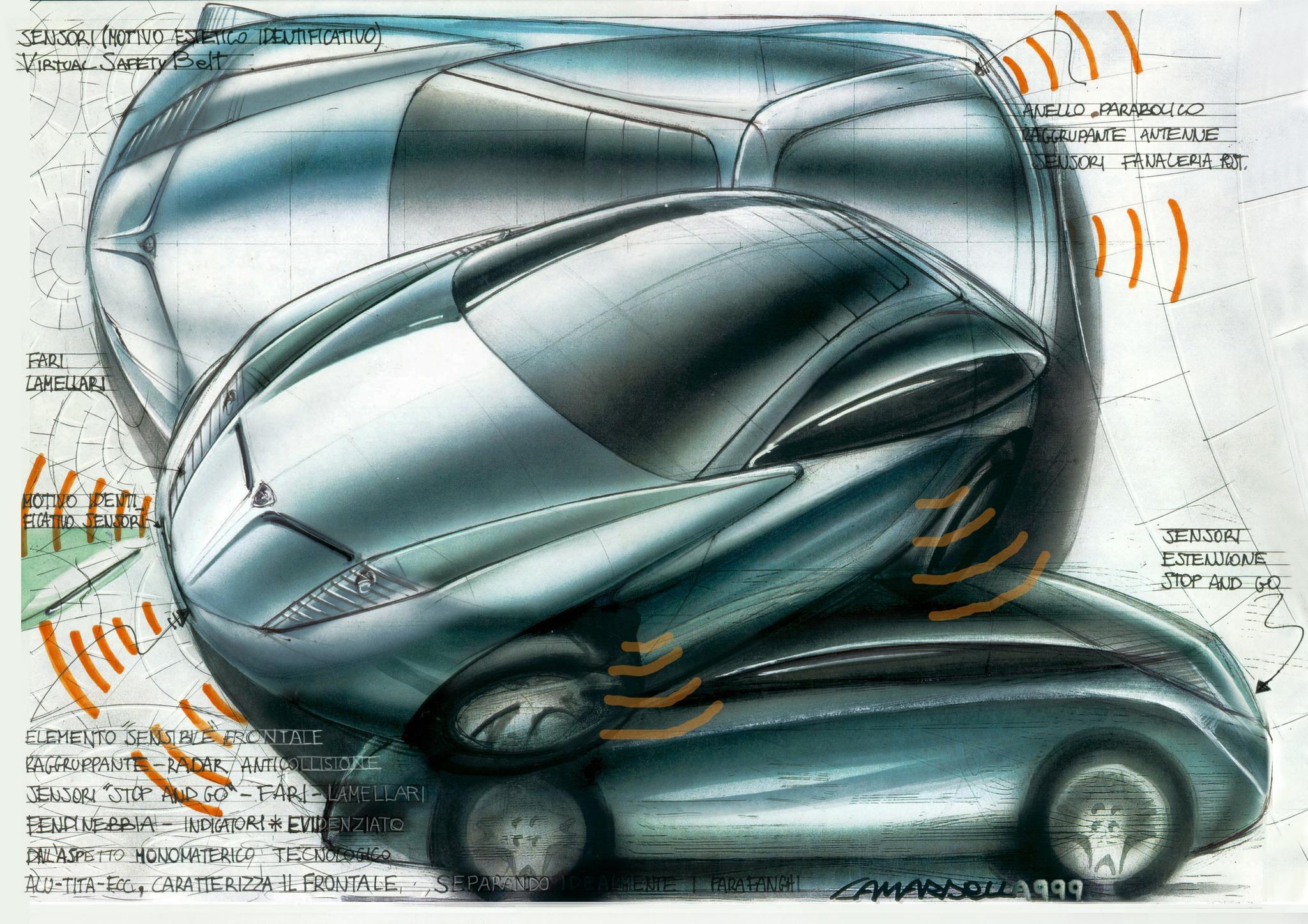
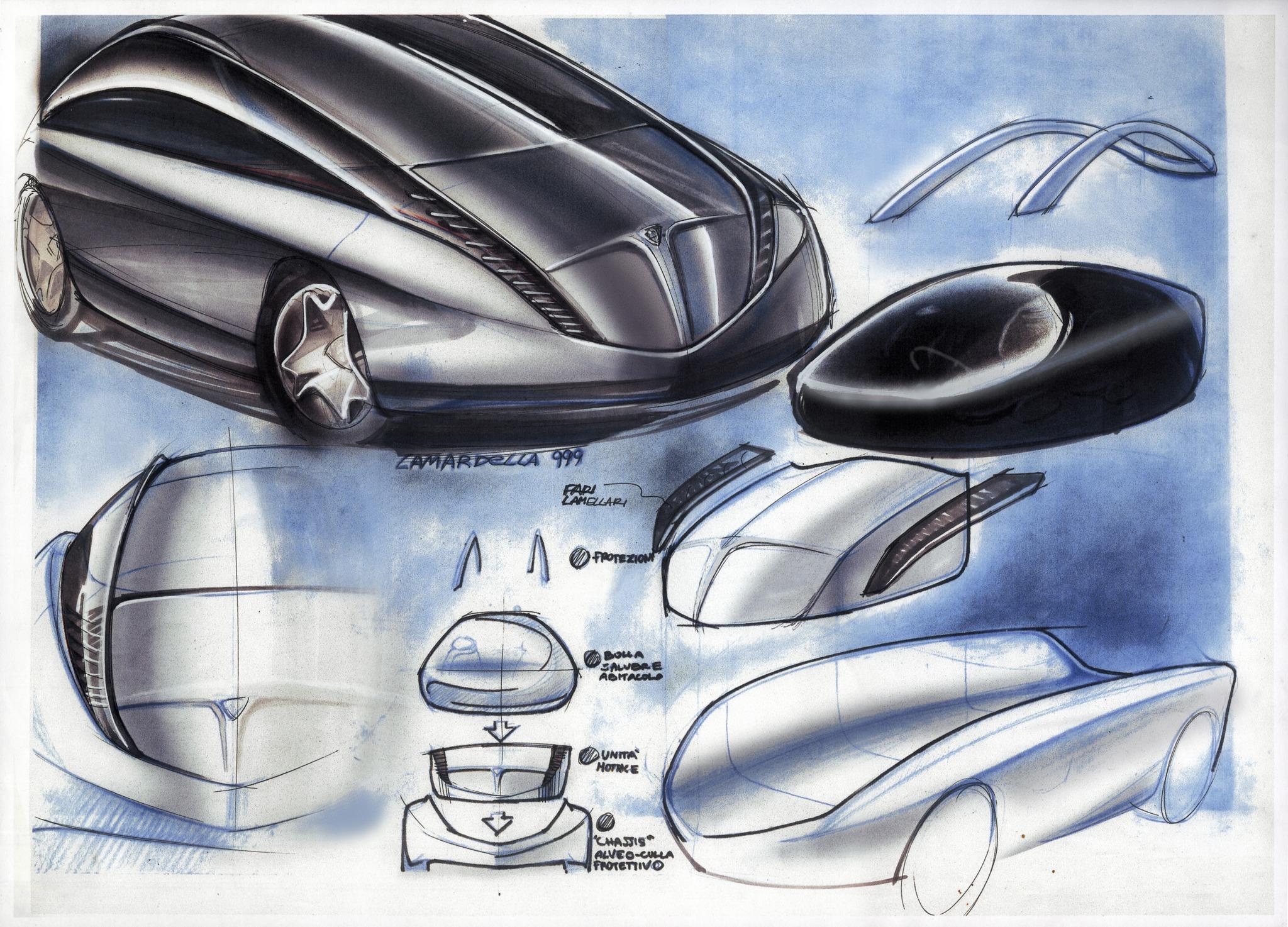
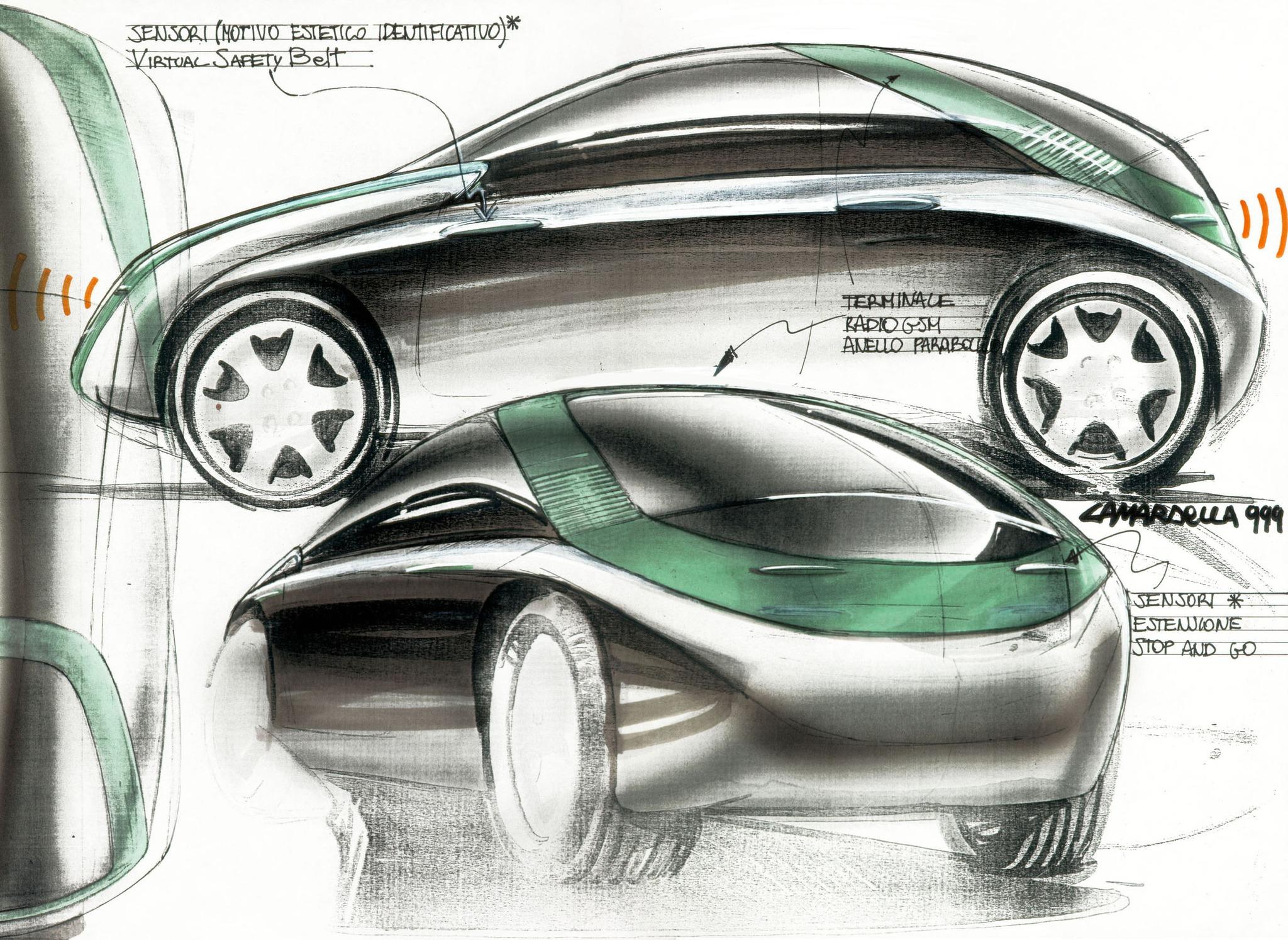
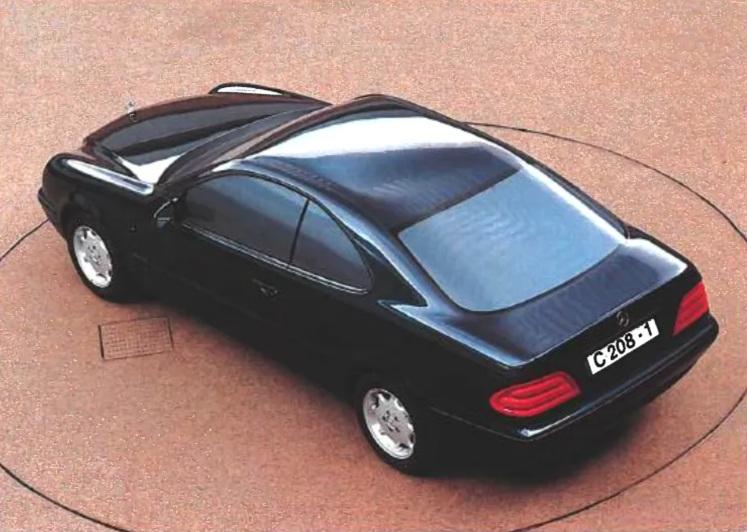
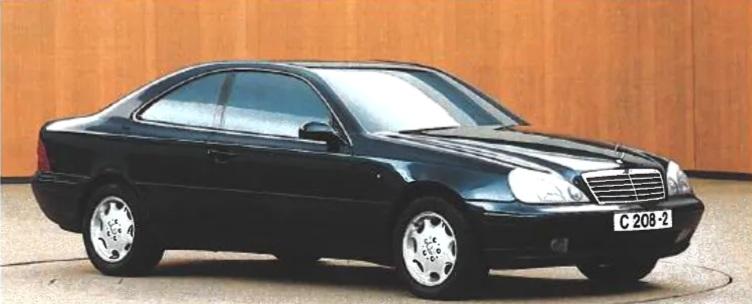
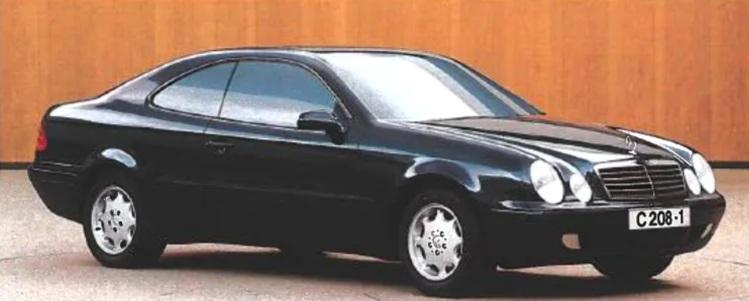
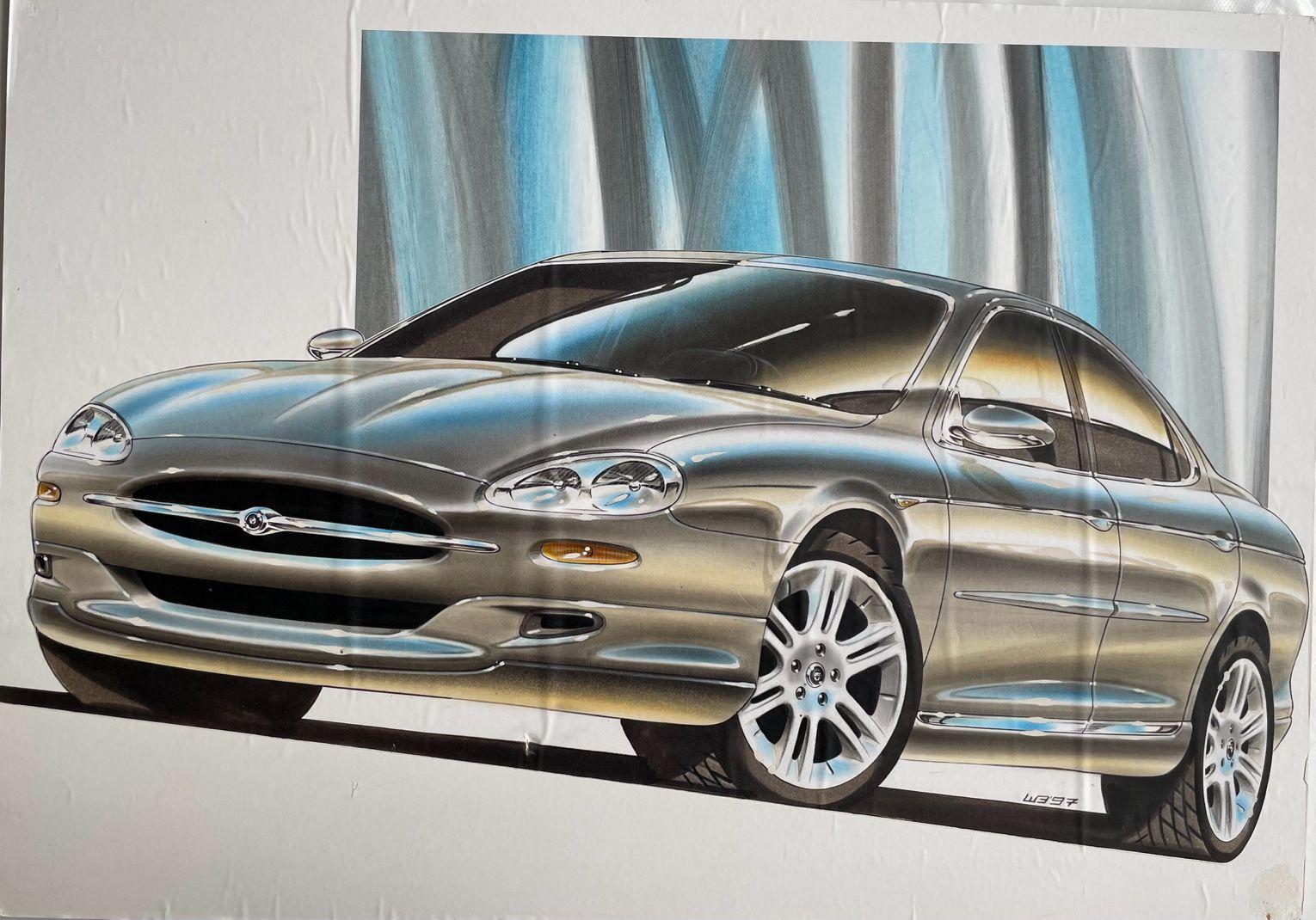
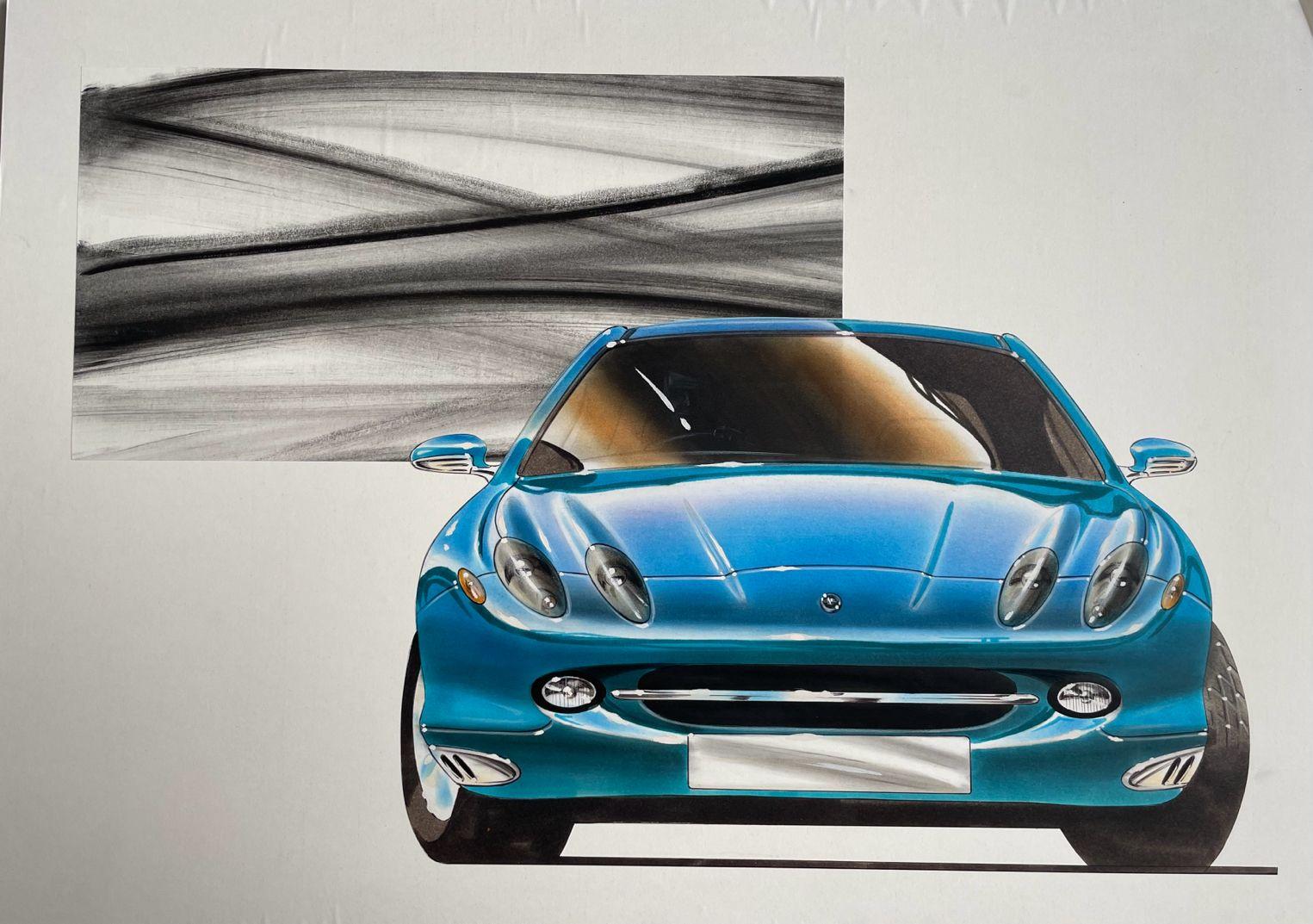
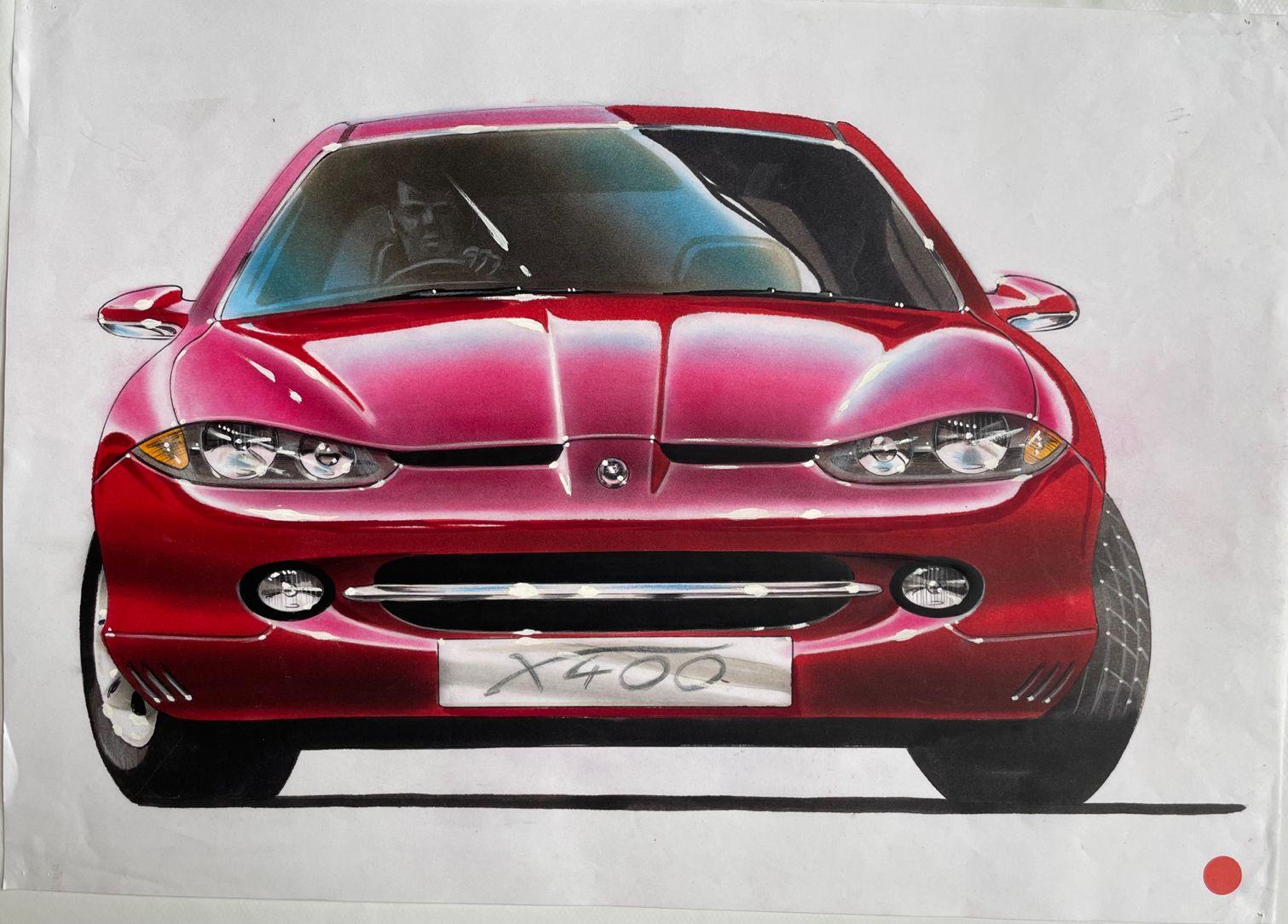
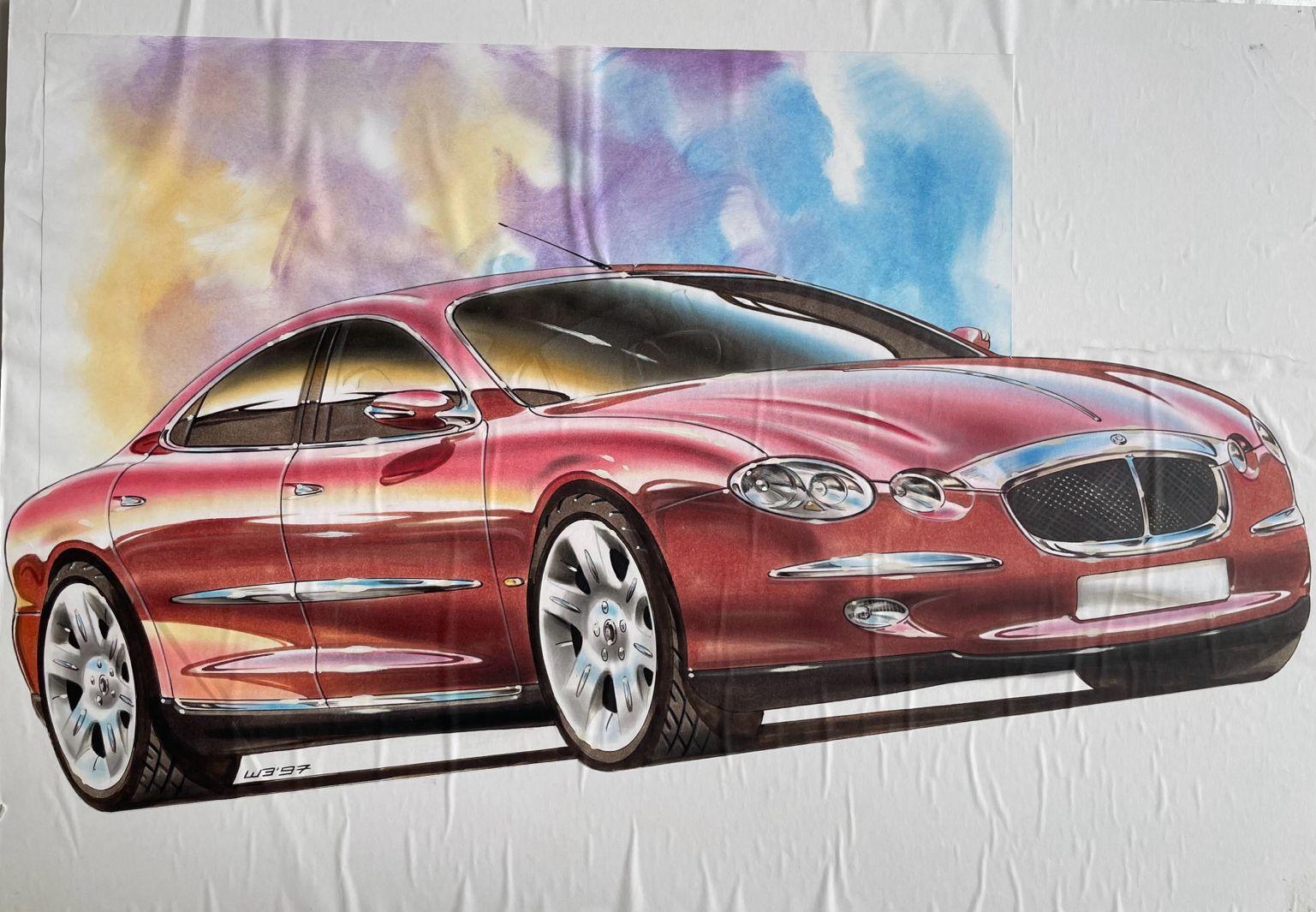
3 puntisaresti dovuto correre al pronto soccorso a farti visitare, l'hai scampata bella!2 puntiL’altro giorno avevo davanti un’auto termica che faceva fumo e mi stava intossicando, in barba ai limiti normativi, bruciava olio e carburante derivato da petrolio importato a caro prezzo, perché in Italia e paesi limitrofi non ce n’è, ma questo evidentemente non è un limite oggettivo. Per contro l’elettrica non produce emissioni e si ricarica anche con l’energia del sole e del vento che in Italia sono abbondanti e gratuiti.2 puntigli unici limiti oggettivi sono delle auto elettriche, le termiche hanno solo limiti normativi, cioe' creati artificialmente a tavolino2 punti2 puntiIl direttore creativo di Hyundai ha dichiarato che della Magma GT ci saranno "versioni S, GTS, roadster, light-weight, club sport, GT3 stradale e GT3 R per l'uso in pista". Ha poi confermato che il concept è spinto da un V8, ma per la messa in produzione devono ancora decidere che motore utilizzare. Link2 punti2 puntiLa nuova gestione sta cercando di svuotare i piazzali rifornendo flotte di aziende ed agenzie, possono provare a piazzare qualche Grecale ad ICE o Secret Service, sicuramente andrebbero meglio dei Suburban BOF😂2 punti2 puntiSiamo arrivati in un mondo, dove le compatte/sportive finiscono di produrrle ma i carri armati ne vengono sempre di piu.2 punti2 puntiParlando con Auto Express, il diretto operativo di Renault ha rivelato che una versione R.S. della nuova Clio sarebbe in fase di valutazione nei prossimi mesi, ma, al contrario della cugina Alpine, sarebbe spinta da un propulsore ibrido, permettendo "elevate potenze e basse emissioni" 👀 Ed è subito Clio 1.8 16v.2 puntiPerdonami ma questo è il classico commento da populista che capisce poco dell'argomento ... Partendo da miliardi di investimenti che rischiano di andare letteralmente in fumo fino ad arrivare al fatto che se rimane il target del 90% di riduzione co2, solo auto estremamente sofisticate e costose potranno essere costruite rispettando queste direttive. Quindi....se restano questi i criteri il popolo elettrico e i ricchi brum brum. Sei ancora felice? Io si perché rimanere arroccati su tecnologie ormai preistoriche fa solo tanta tristezza e finalmente mandiamo a fancul* motori a benzina e diesel.2 puntiMa non mi dire, hanno scoperto che un produttore di auto ha come scopo di guadagno, tenetevi forte perchè capisco possa destabilizzarvi, il vendere auto??? WOW, ma questi sono veramente dei pazzi, geni illuminati!!! E solo in 4 anni ci sono arrivati!2 puntiDopo anni queste sono di nuovo mie 😁2 puntiSecondo Reuters, Don Antonio avrebbe come obiettivo il riconquistare quote di mercato, in controtendenza con la vecchia gestione, ricorrendo a margini risicati e vendendo a flotte aziendali/governative pur di vendere il più possibile e ridurre le auto nei piazzali. Link2 puntiSe avessero davvero voluto omaggiare gli albori della produzione automobilistica del marchio dovevano fare un concept che richiamasse la nostra 124... Che poi è stata fondata nel 1944, si erano dimenticati di festeggiare l'anniversario lo scorso anno?2 punti2 puntiHo aperto un nuovo topic per non confondere con quello della precedente 1.8. Dopo 1000 km percorsi posso dare qualche impressione in più. A livello di interni ho notato che e' molto più rifinita rispetto alla business che avevo prima,parlo proprio di guarnizioni accoppiamenti ecc,in più smontando la placca degli alzacristalli ho scoperto che dentro la portiera ci sono delle sacche insonorizzanti della 3M al contrario del nulla della 1.8. Livello consumi da quando e' arrivato il freddo sono aumentati parecchio sotto i 10 gradi,se si superano i 15 gradi ho fatto anche più dei 25,il divario rispetto al 1.8 e' di 1 litro ogni 100km a causa del motore che ci mette di più a scaldarsi e soprattutto della batteria che e' meno performante rispetto alle litio,in più la gestione della fase s1 e' strana,se mi fermo,spengo e riaccendo fa di nuovo tutta la fase rimanendo acceso 1 minuto abbondante,il 1.8 si spegneva subito se era già caldo. Ho avuto un giorno dove il motore e' rimasto sopra i 1500 giri per almeno 10 km credo sia stata una rigenerazione del gpf. Comunque sono a 4,8 l 100 km per il momento. Oggi sono stato in autostrada per la prima volta e ho dato una bella sgranchita al motore,in pochi secondi si e' già parecchio oltre i limiti se schiacci con una notevole sensazione di spinta il rumore del motore non e' brutto come quello del 1.8 dai video su YouTube sembrava al pari,ma entra molto meno nell abitacolo.consumi indicati a 130 dai 18/20 al litro in base alle pendenze ecco questa e' una delle fasi dove il 1.8 e' indietro,la velocita' viene mantenuta senza quel fastidioso calo di velocita' che costringeva sempre a fare un elastico con l acceleratore. Rumorosita' del vento assente grazie ai vetri acustici,ma quella dei pneumatici nell asfalto drenante...mamma mia😔grazie a Dio nelle strade normali non e' così pronunciata ma paragonabile ai 16 e' ho su delle gommacce. In autostrada ho provato a tenere le sospensioni su sport+ma ogni minimo avvallamento si trasmetteva sottoforma di su e giu' tanto che mia moglie si e' subito lamentata,messo in normale più sospensioni confort e' diventata morbida(troppo per me). Continua a non piacermi l infotainment,il navigatore non ti fa vedere la mappa dei Velox,nonostante sia uno che rispetta sempre i limiti mi ero abituato così bene con il vecchio in più android e' ancora con il cavo ma carplay invece funziona senza.strano visto che nella Yaris cross e' tutto senza fili. Ho fatto oggi stesso percorso all andata in autostrada non risparmiandomi e al ritorno in statale,quindi traffico ecc ecc. Sono consumi comunque ottimi,e' pur sempre un 2.0 da 152cv con gomme non scorrevoli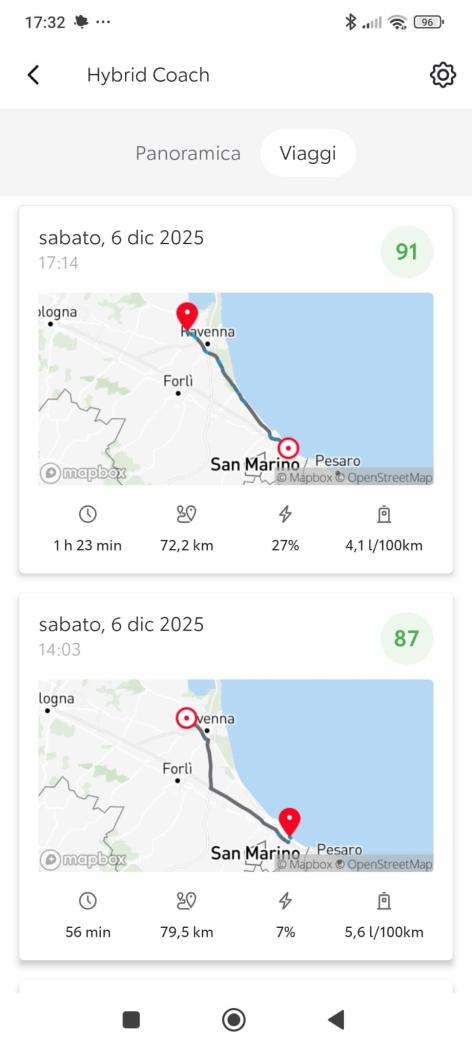 1 punto1 punto1 puntocomunque che nemmeno in questa occasione si riesca ad avere un pilota italiano nel mondiale è scandaloso. Almeno il Monte Carlo a Crugnola avrebbero potuto farlo fare, lo conosce bene avendo fatto il ricognitore parecchi anni.1 punto1 punto1 puntoMah….solo VW per esempio ha un piano di investimenti (2026-2030) di 120 miliardi per le elettriche e 60 miliardi per l'ulteriore sviluppo dei motori a combustione interna, questi 60Mrd non sarebbero stati necessari senza le esitazioni della Bruxelles. ora con questo forse un po' hai quasi costi doppi…complimenti.1 punto1 punto1 puntoPotresti chiederglielo, almeno avremmo notizie fresche.1 punto1 puntoDisegni Camardella x Lancia Nea Da suo post su FB: "2000 Lancia NEA : Fortemente voluta da Ermanno Cressoni e Beppe Rovera, autorizzata da Roberto Testore, osteggiata da Paolo Cantarella e i suoi "gerarchi" Straordinaria (e scelleratamente mai nata) la Lancia Nea. Una Lancia vera, fatta di innovazione, raffinatezza e storia orientata al futuro. Ringrazio ancora per la felice partecipazione documentale e di cronaca Pietro Camardella (al tempo Chief Designer del CRD, già ex designer in Pininfarina noto per aver disegnato alcune delle Ferrari più iconiche degli anni ottanta e poi passato al CRD dopo aver anche coperto il ruolo di Chief Designer degli Esterni alla Lancia seguendo il progetto Dialogos) e Michael Robinson (al tempo direttore del Centro Stile Lancia. Federico Signorelli (autore dell'articolo) Ricordo che quando Roberto Testore presentò il modello all'AD General motors questo disse: "se è vero quello che vedo, voi siete 10 anni avanti a noi come tecnologia." 25 anni suonati ma ancora modernissima...( prevedo che prima o poi il disegno dei fari anteriori e posteriori li troveremo su qlk cinesata )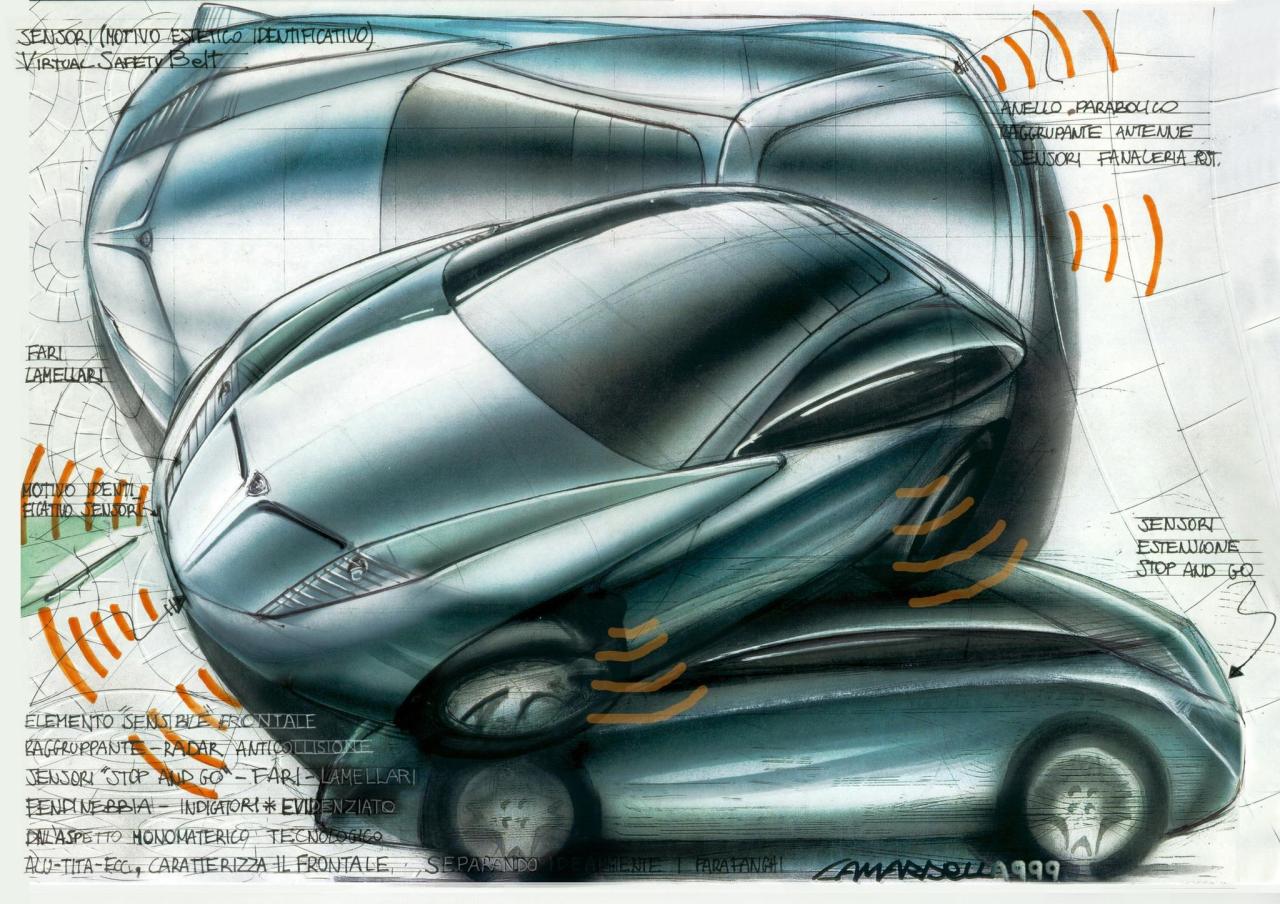
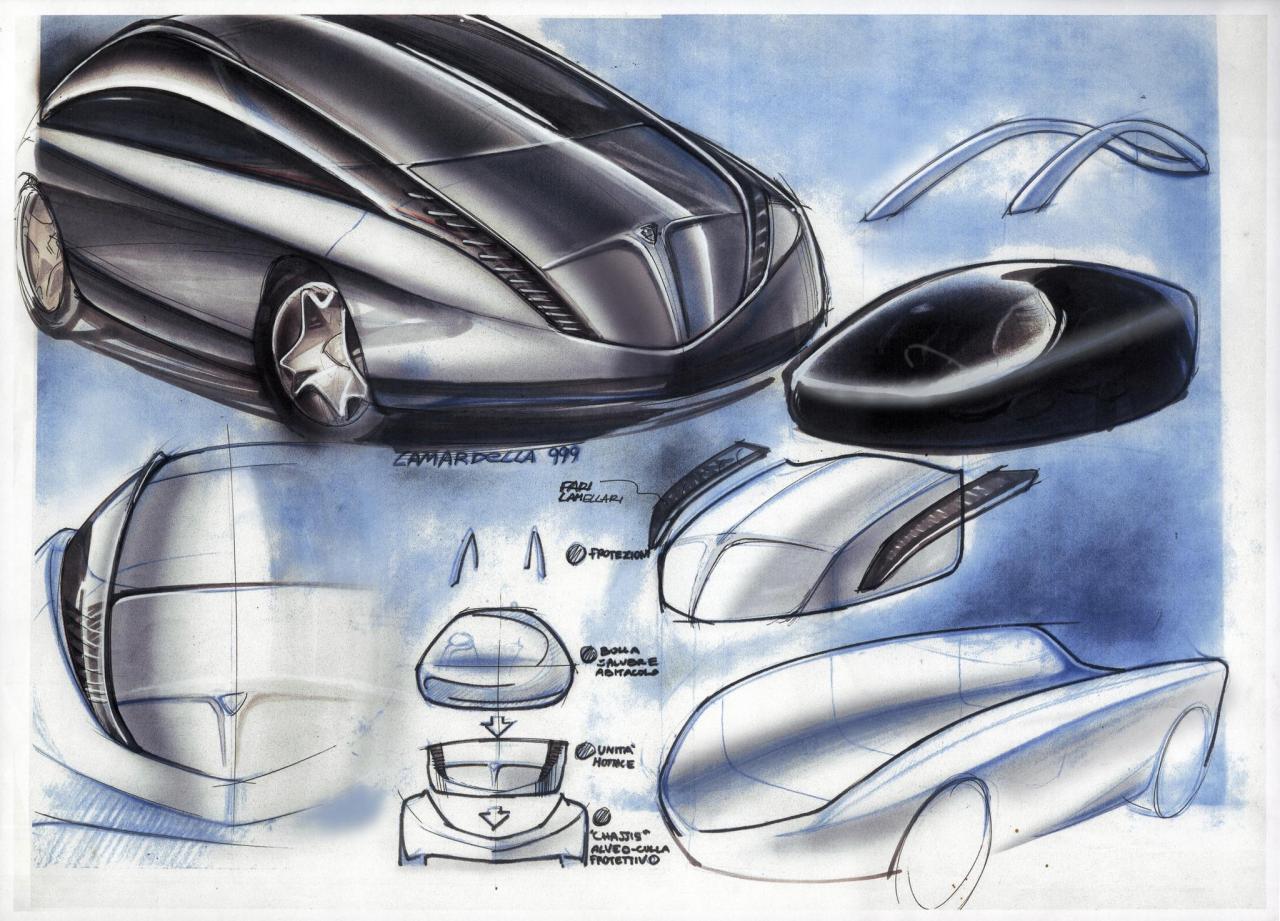
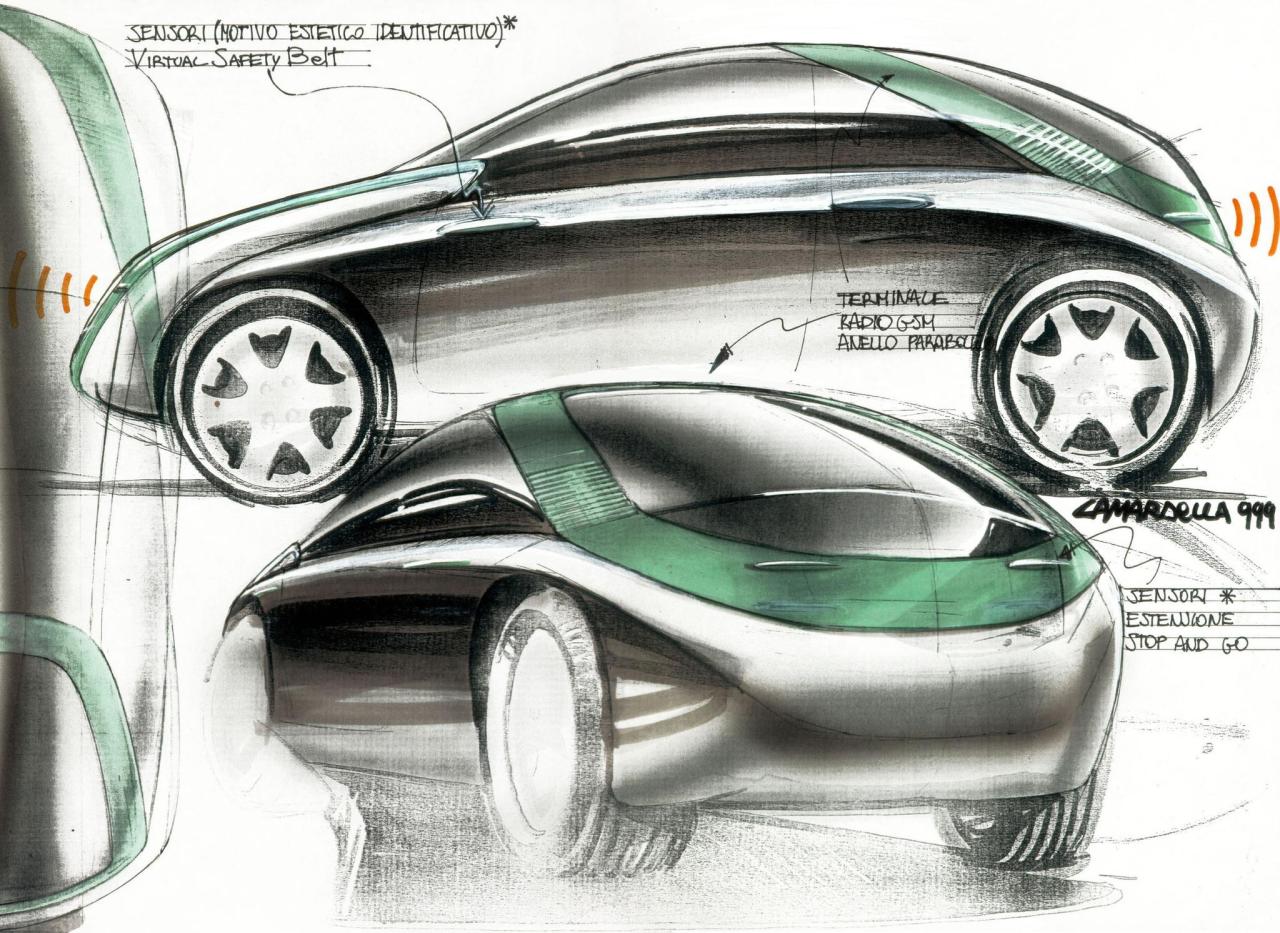
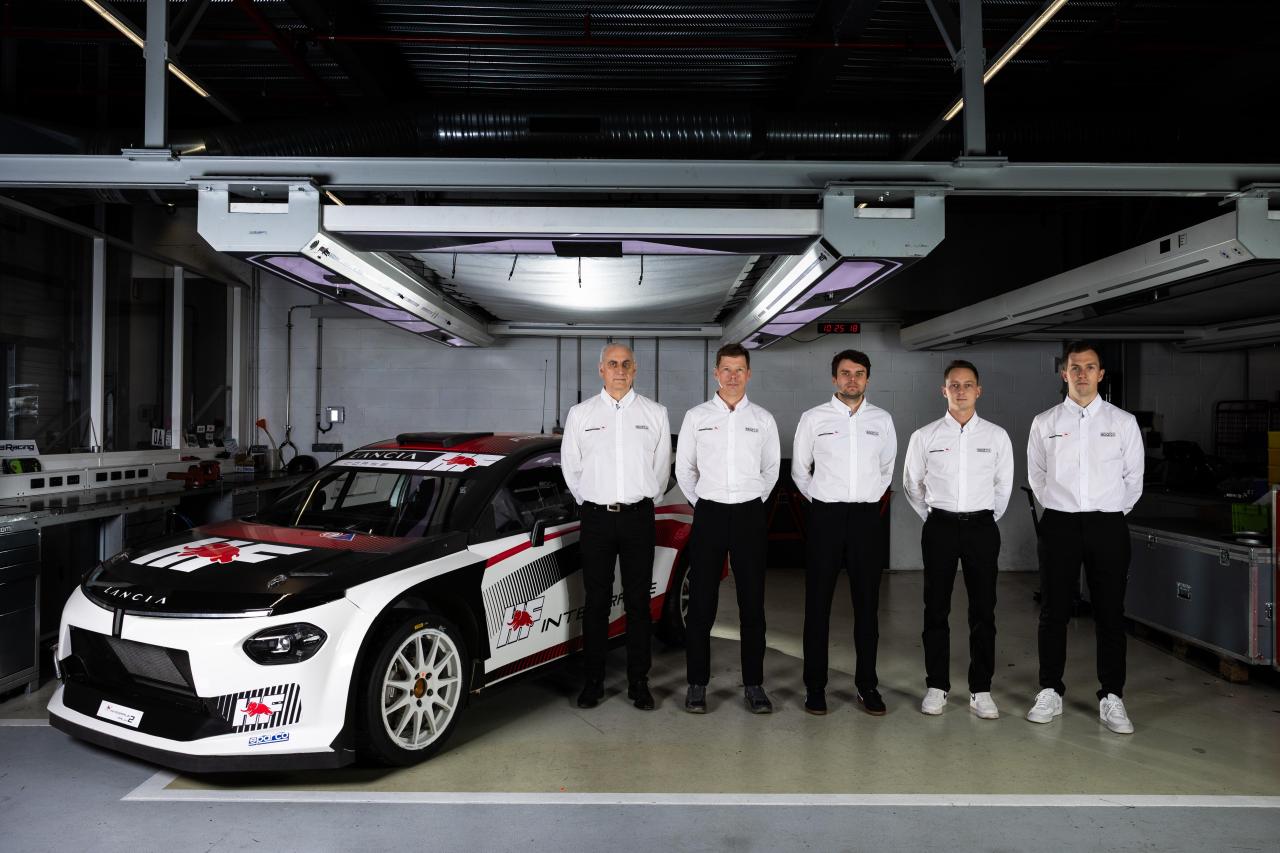
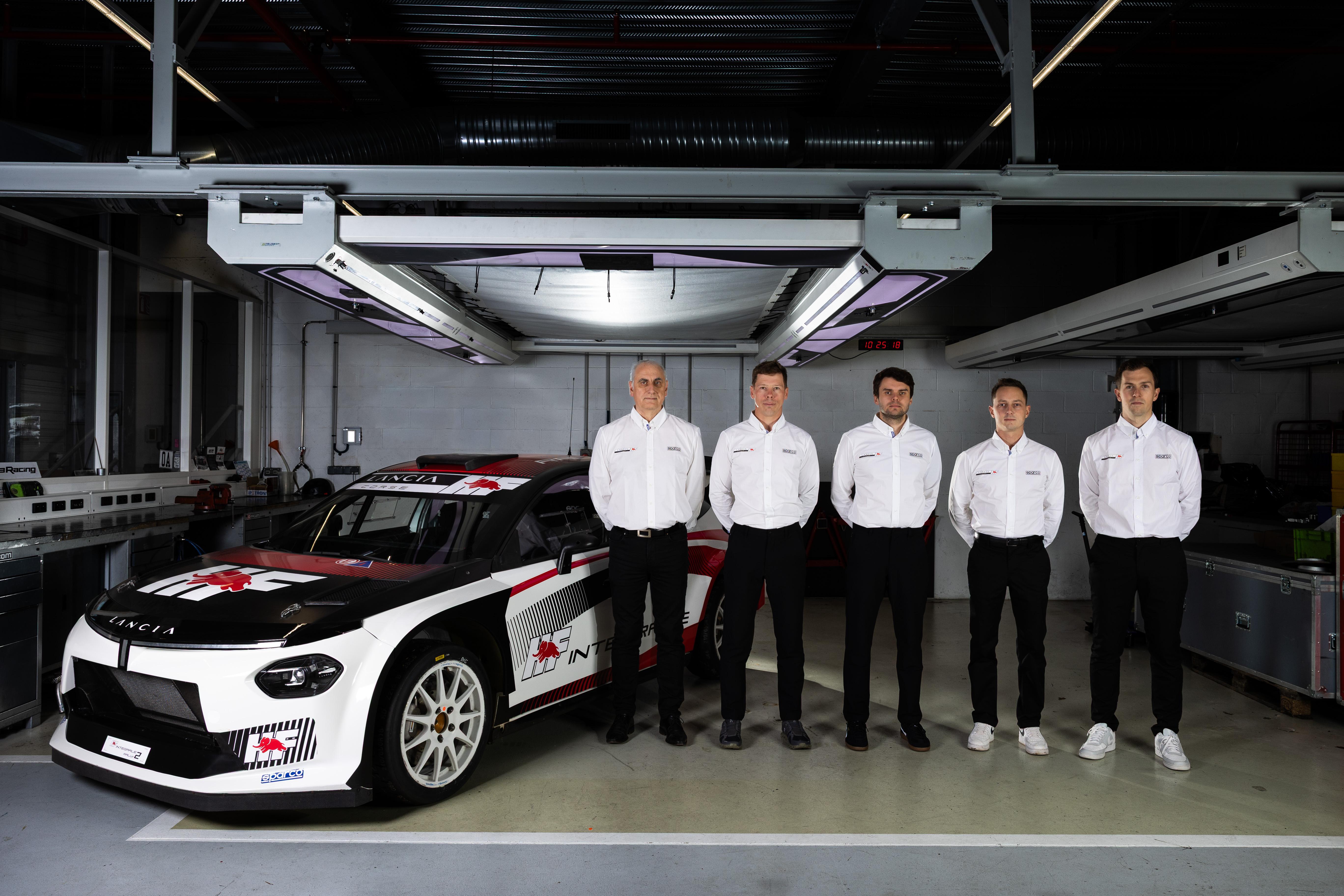
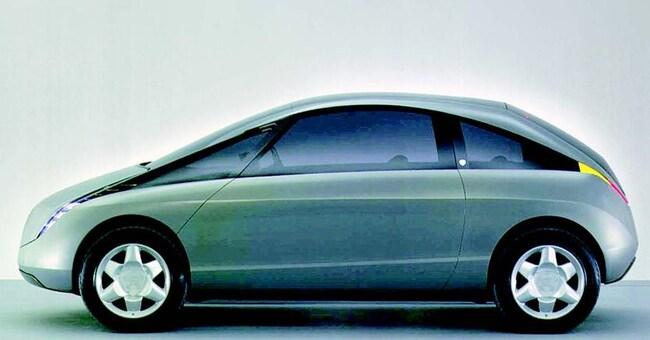 1 punto1 puntoYohan Rossel e Nikolay Gryazin sono i piloti ufficiali del Team Lancia Corse HF nel WRC2. Comunicato stampa Via Lancia.
 1 puntoproporrei una soluzione a costo 0: auto col serbatoio bucato, così non circolano proprio1 punto7 e più anni dopo si continua a discutere sul contorno della questione il cuore della decisione non è sostituire il parco veicoli (chiamamolo x) da ICE a EV 1 a 1, ma fare 2x/3 se non x/2 Il signor Rossi con la Dacia a GPL come dice qualcuno, si arrangia e quelli che vogliono mandare a fanculo le tecnologie preistoriche (cit), tra 10\15 anni si ritroveranno a comprare (se se lo possono permettere) turbonafta e turbobenza made in China\India\compagnia cantante1 punto1 punto1 puntoChe lo sviluppo è in buona parte in mano a Mirafiori.1 puntoFacile…con i soldi, 10.-€ per un litro carburante contro 50ct per una kWh 😝1 puntoSenza dover andare a ripescare roba che non viene aggiornata dal 15-18 basta andare a vedere il primo post di questo topic, datato Marzo 2024... (Risulta modificato l'8 Agosto solo perché ho modificato il titolo per il MY26)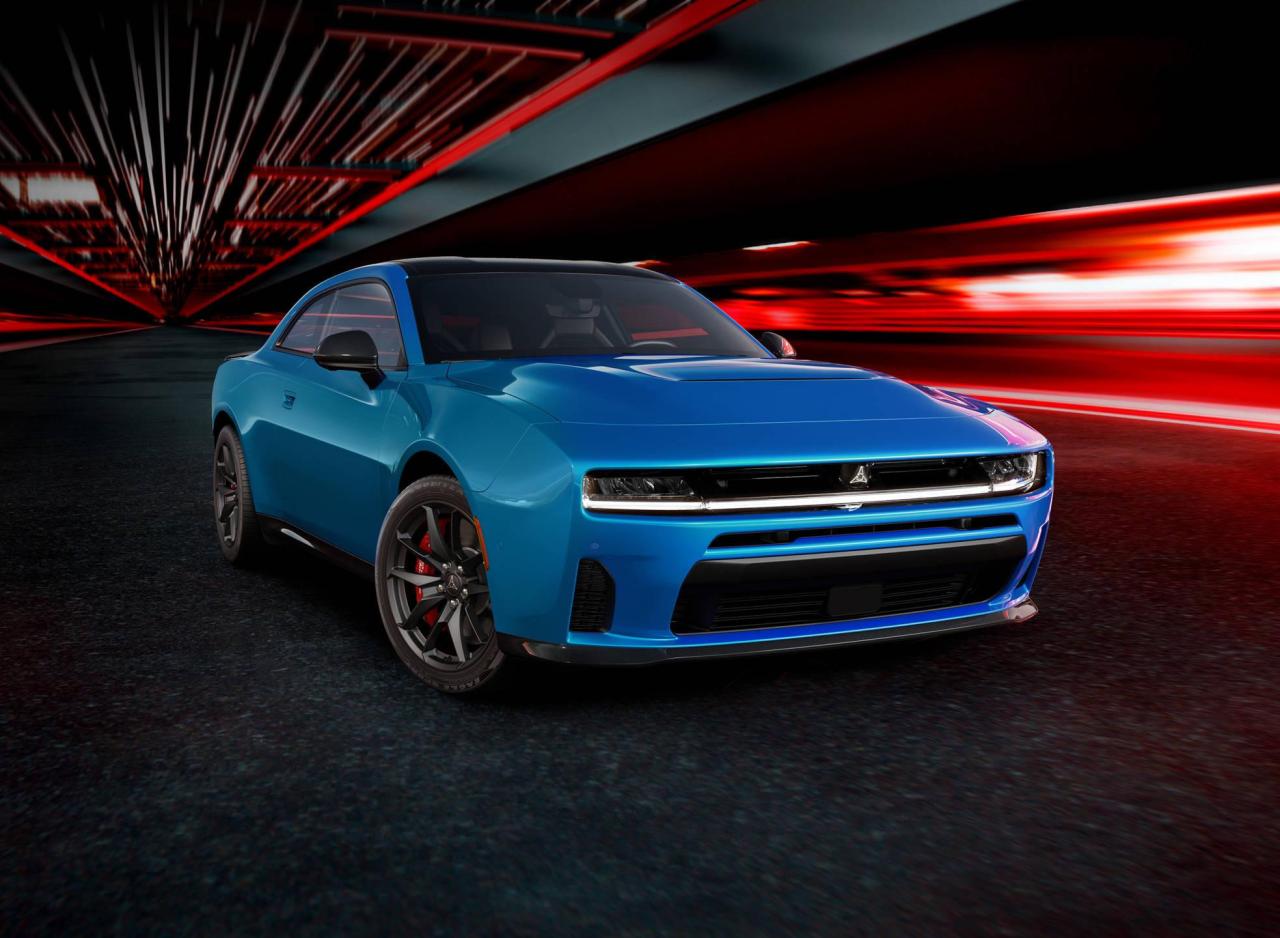
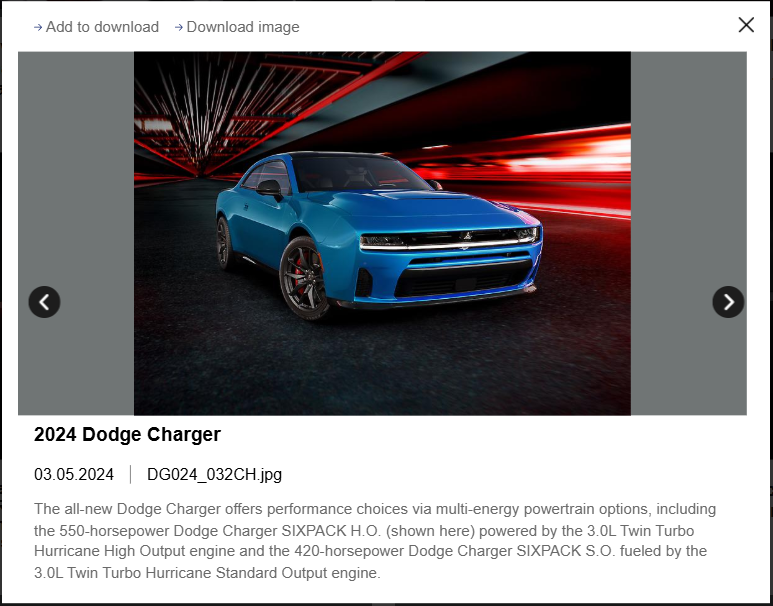 1 punto1 puntoArtioli. La fabbrica ha funzionato solo dal 1990 al 1995. Grande piano industriale... Più utile per i Raves ❤️
 1 punto1 punto1 punto1 punto1 puntoSe la Musa suvvizzata sarebbe stata bella vederla in produzione, ma alla fine non sarebbe mai diventata un auto di valore per il brand. Pero la Y di Zagato e' stata un occasione persa perchè avrebbe tenuto accesso lo spirito HF ,che invece era un' sub brand ancora molto valido all epoca come oggi. Il motore 1.9 MJT 150CV era anche tutto sommato appropriato. Credo che a frenare il progetto, sia stato il fatto che le vendite della Y erano prevalentemente per una clientela femminile.. e quindi il cliente maschio....non avrebbe mai comprato una macchina da femmine. Bastava crederci un pò di più per bilanciare la torta delle vendite.... cosa riuscita molto bene qlk anno dopo, alla Fiat 500 con le versioni Sport e Abarth


 1 punto1 puntoNon ho mai capito l'astio alle BMW di Bangle, le ho sempre trovate originali e neanche brutte. Hanno rotto una monotonia in BMW che Durava da anni, belle sì ma tutte uguali. E più passa il tempo e più le apprezzo.1 punto1 punto1 puntoNel materiale fotografico della Cecomp compare questa proposta Maserati disegnata da Andreani , del 1984 ( forse chiamata INDY ) e dovrebbe essere una delle 3 proposte di stile per una GT che De Tomaso ha provato a piazzare nell' accordo con Chrysler, ma che poi naufragò del tutto, limitandosi al flop della cabrio TC.
.jpg.be6c05c1a2d8bfd4f52e2b642b9cacaf.jpg) 1 puntoLa Leaderboard è riferita all'orario Roma/GMT+02:00
1 puntoLa Leaderboard è riferita all'orario Roma/GMT+02:00


.jpg.0a9ff73d7a7ad09550fc411cda37bc7c.thumb.jpg.095392f5d8b6dc45c10ccf463694d027.jpg)










(1)(1).thumb.png.635c059adfaa3a2ca27f86ab608b04ba.png)







Account
Navigation
Cerca
Configure browser push notifications
Chrome (Android)
- Tap the lock icon next to the address bar.
- Tap Permissions → Notifications.
- Adjust your preference.
Chrome (Desktop)
- Click the padlock icon in the address bar.
- Select Site settings.
- Find Notifications and adjust your preference.
Safari (iOS 16.4+)
- Ensure the site is installed via Add to Home Screen.
- Open Settings App → Notifications.
- Find your app name and adjust your preference.
Safari (macOS)
- Go to Safari → Preferences.
- Click the Websites tab.
- Select Notifications in the sidebar.
- Find this website and adjust your preference.
Edge (Android)
- Tap the lock icon next to the address bar.
- Tap Permissions.
- Find Notifications and adjust your preference.
Edge (Desktop)
- Click the padlock icon in the address bar.
- Click Permissions for this site.
- Find Notifications and adjust your preference.
Firefox (Android)
- Go to Settings → Site permissions.
- Tap Notifications.
- Find this site in the list and adjust your preference.
Firefox (Desktop)
- Open Firefox Settings.
- Search for Notifications.
- Find this site in the list and adjust your preference.