Skip to content
View in the app

A better way to browse. Learn more.

Autopareri

A full-screen app on your home screen with push notifications, badges and more.

To install this app on iOS and iPadOS
  1. Tap the Share icon in Safari
  2. Scroll the menu and tap Add to Home Screen.
  3. Tap Add in the top-right corner.
To install this app on Android
  1. Tap the 3-dot menu (⋮) in the top-right corner of the browser.
  2. Tap Add to Home screen or Install app.
  3. Confirm by tapping Install.

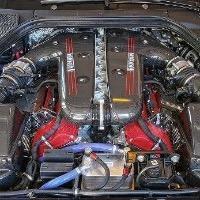
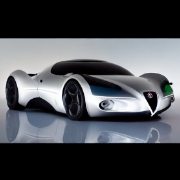
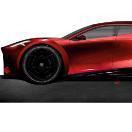
[Fotoritocco] Ferrari Purosangue
Featured Replies

ho avuto un' ideuzza, se domani ha una  mezzoretta mi ci dedico :§

  • Replies 46
  • Views 11.4k
  • Created
  • Last Reply

Top Posters In This Topic

Most Popular Posts

  • ehm... https://www.behance.net/gallery/152820839/Haflinger-X-treme-Veichle

  • la zona grigia è voluta è far parte del concetto principale  del design della macchina. La zona della calandra in nero ed il cavallino piccolo sono volutamente poco presenti per dare maggior risalto a

  • Dodge Trueblood    

Posted Images

Ho provato ad accendere le luci


image.png.3f95ace0530015d6e9a039138d9c4619.png

Di questi ne vendono a secchiate.

Vedrete.

[scritto in data 18 Luglio 2013 - Riferito a Jeep Cherokee]

14 minuti fa, Vulcar scrive:

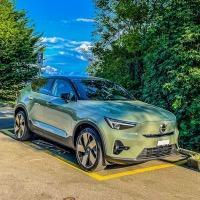
Mi ricorda questa nell'impostazione 

JUke.jpg

si, il concetto è lo stesso, ed anche i proiettori aggiuntivi 😅

1 minuto fa, __P scrive:


Bastava andare sul configuratore online 🤣


Meglio Excel

Di questi ne vendono a secchiate.

Vedrete.

[scritto in data 18 Luglio 2013 - Riferito a Jeep Cherokee]

Create an account or sign in to comment

Background Picker
Customize Layout

Account

Navigation

Search

Search

Configure browser push notifications

Chrome (Android)
  1. Tap the lock icon next to the address bar.
  2. Tap Permissions → Notifications.
  3. Adjust your preference.
Chrome (Desktop)
  1. Click the padlock icon in the address bar.
  2. Select Site settings.
  3. Find Notifications and adjust your preference.