Jump to content
View in the app

A better way to browse. Learn more.

Autopareri

A full-screen app on your home screen with push notifications, badges and more.

To install this app on iOS and iPadOS
  1. Tap the Share icon in Safari
  2. Scroll the menu and tap Add to Home Screen.
  3. Tap Add in the top-right corner.
To install this app on Android
  1. Tap the 3-dot menu (⋮) in the top-right corner of the browser.
  2. Tap Add to Home screen or Install app.
  3. Confirm by tapping Install.
Message added by __P,

50091B27-0460-49DF-AC4A-9AACD6E1EA3E.thumb.jpeg.f56d7a05993c3c8955397f692f949a17.jpeg

Featured Replies

31 minuti fa, Marco1975 scrive:

A che ora è la presentazione jeep ?


image.png.d80269bfd39b0928ae73df4e88ecfb1b.png


  • Replies 1.2k
  • Views 261.3k
  • Created
  • Last Reply

Top Posters In This Topic

Most Popular Posts

  • Occhio che Carlos ci frega tutti...  

  • Dicono che sia JJ con carrozzeria definitiva 

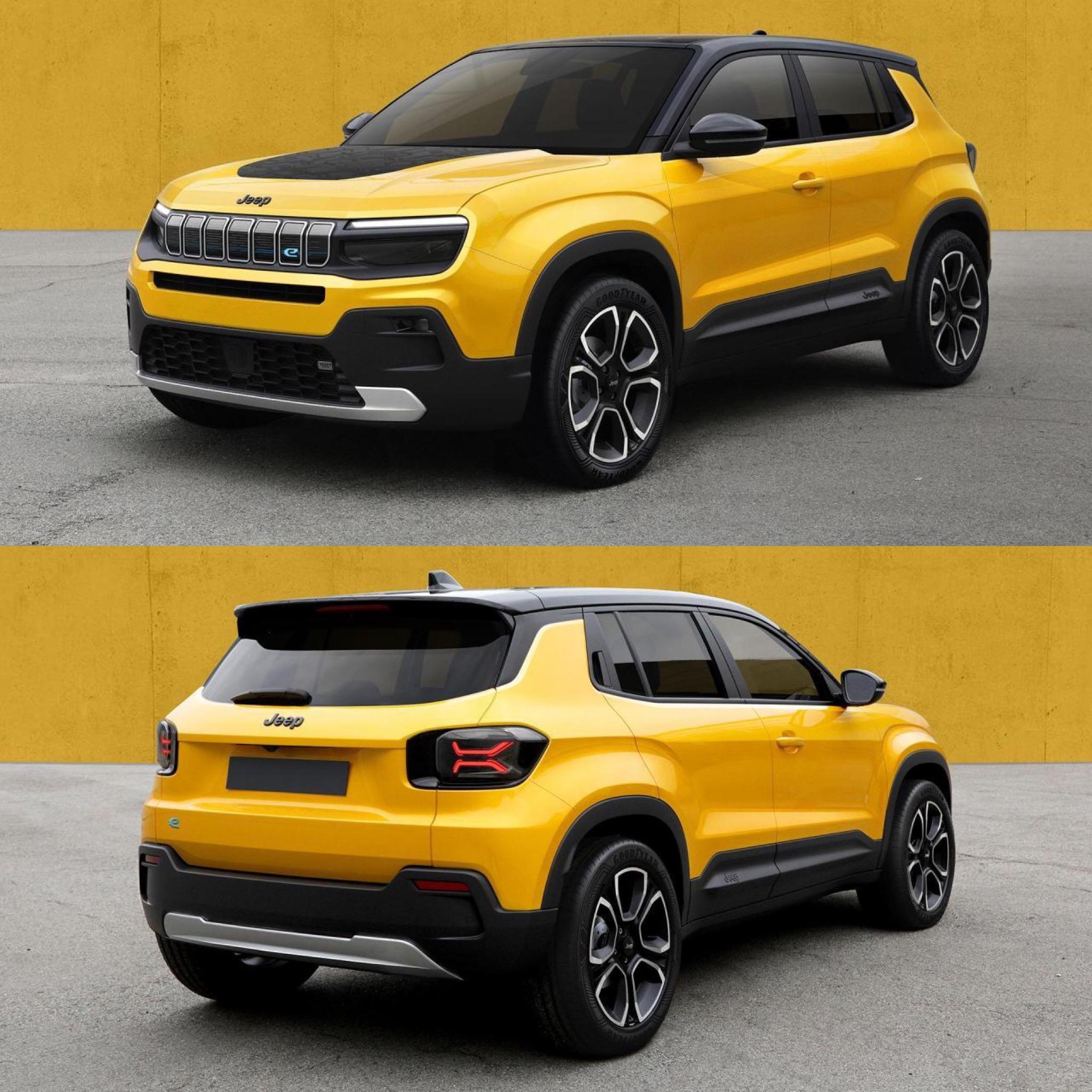
  • Metto anche qui le foto rivelate oggi       Esteticamente mi sembra ben riuscita, un mix di Compass al 70% e Renegade al 30%.   Da notare la maniglia posteriore nel

Posted Images

L'Automobile Magazine (FR) hà publicato oggi un articolo... dicono si chiamerà AVENGER.

Da 05.2022 - Volvo C40 P8 Recharge Twin Ultimate


  • __P locked this topic
Guest
This topic is now closed to further replies.
Background Picker
Customize Layout

Configure browser push notifications

Chrome (Android)
  1. Tap the lock icon next to the address bar.
  2. Tap Permissions → Notifications.
  3. Adjust your preference.
Chrome (Desktop)
  1. Click the padlock icon in the address bar.
  2. Select Site settings.
  3. Find Notifications and adjust your preference.