Skip to content
View in the app

A better way to browse. Learn more.

Autopareri

A full-screen app on your home screen with push notifications, badges and more.

To install this app on iOS and iPadOS
  1. Tap the Share icon in Safari
  2. Scroll the menu and tap Add to Home Screen.
  3. Tap Add in the top-right corner.
To install this app on Android
  1. Tap the 3-dot menu (⋮) in the top-right corner of the browser.
  2. Tap Add to Home screen or Install app.
  3. Confirm by tapping Install.

Featured Replies

Avrei preferito che i fari posteriori si sviluppassero un po' più in altezza, così li trovo un po' piccini nel complesso.

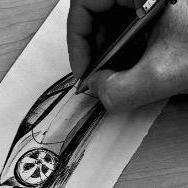
A giudicare dai teaser saranno sicuramente più sviluppati in altezza:

ejagaza5.jpg

;)

La teoria è quando si conosce il funzionamento di qualcosa ma quel qualcosa non funziona.

La pratica è quando tutto funziona ma non si sa come.

Spesso si finisce con il coniugare la teoria con la pratica: non funziona niente e non si sa il perché.

  • 2 months later...
  • Replies 91
  • Views 15.6k
  • Created
  • Last Reply

Top Posters In This Topic

Guest
This topic is now closed to further replies.
Background Picker
Customize Layout

Account

Navigation

Search

Search

Configure browser push notifications

Chrome (Android)
  1. Tap the lock icon next to the address bar.
  2. Tap Permissions → Notifications.
  3. Adjust your preference.
Chrome (Desktop)
  1. Click the padlock icon in the address bar.
  2. Select Site settings.
  3. Find Notifications and adjust your preference.