Skip to content
View in the app

A better way to browse. Learn more.

Autopareri

A full-screen app on your home screen with push notifications, badges and more.

To install this app on iOS and iPadOS
  1. Tap the Share icon in Safari
  2. Scroll the menu and tap Add to Home Screen.
  3. Tap Add in the top-right corner.
To install this app on Android
  1. Tap the 3-dot menu (⋮) in the top-right corner of the browser.
  2. Tap Add to Home screen or Install app.
  3. Confirm by tapping Install.

Lancia Flaminia Super Sport Zagato '07
Featured Replies

io vedo una cippa...

CI SEDEMMO DALLA PARTE DEL TORTO VISTO CHE TUTTI GLI ALTRI POSTI ERANO OCCUPATI

  • Replies 134
  • Views 34.9k
  • Created
  • Last Reply

Top Posters In This Topic

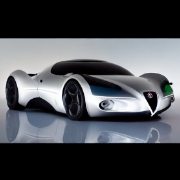
Lo scarabocchio è tecnicamente bellissimo ma con la Flaminia SSZ non c'entra niente.

Questa è l'originale. ;)

lancia-flaminia-supersport-zagato-vintage-press-photo-01.jpg

attachment.php?attachmentid=929967&stc=1&d=1218978958

1964_Lancia_Flaminia_Super_Sport_Zagato_r3q.JPG

quindi si dovrebbe andare su proporzioni un po' piu' "tradizionali"

flaminiazagatohe1.jpg

w727.png

continuate sulla linee tracciata da toni a livello di proporzoni anche lo schizzo di italo ne guadagna tantissimo IMHO ;)

il suo era troppo elise style

Bel lavoro Toni...........ne sto facendo uno simile........tra poco lo posto......:)

ci credo che e' un bel lavoro: basta prendere uno dei tuoi bozzetti e mettergli il tetto perche' tu ti dimentichi sempre di metterlo :D

Mi raccomando, fate un bel lavoro che poi ricarrozziamo una Maserati Granturismo e così abbiamo anche noi la nostra Lancia replica; ci fa 'na sega la Gulia d'Ax & Co. :twisted: 8) :?

Molto, molto bello. Come base mi pare ottima ma proverei a rispettare un po' di più le proprozioni della Maserati Granturismo.

Create an account or sign in to comment

Background Picker
Customize Layout

Account

Navigation

Search

Search

Configure browser push notifications

Chrome (Android)
  1. Tap the lock icon next to the address bar.
  2. Tap Permissions → Notifications.
  3. Adjust your preference.
Chrome (Desktop)
  1. Click the padlock icon in the address bar.
  2. Select Site settings.
  3. Find Notifications and adjust your preference.