



Vai al contenuto
View in the app

A better way to browse. Learn more.

Autopareri

A full-screen app on your home screen with push notifications, badges and more.

To install this app on iOS and iPadOS
  1. Tap the Share icon in Safari
  2. Scroll the menu and tap Add to Home Screen.
  3. Tap Add in the top-right corner.
To install this app on Android
  1. Tap the 3-dot menu (⋮) in the top-right corner of the browser.
  2. Tap Add to Home screen or Install app.
  3. Confirm by tapping Install.

Featured Replies

Inviato
2 ore fa, pumadog scrive:

Chinese seem to benefit from current system. But from 2026 you will get negative points for screen-only cockpits.

Xiaomi ha già risolto il problema

Il touchscreen non vi piace? Xiaomi SU7 ha i pulsanti in opzione

  • AleMcGir ha modificato il titolo in Euro NCAP: il protocollo dei crash test
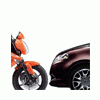
  • Risposte 30
  • Visite 8.5k
  • Creato
  • Ultima Risposta

I più attivi nella discussione

Most Popular Posts

  • Un test per vedere come le auto lo evitano l'impatto non lo si vuole proprio fare? Siamo pieni di crossover da 2 tonnellate incapaci di fare una manovra di emergenza. Magari sarebbe un risultato

  • KimKardashian
    KimKardashian

    La prova per vedere se il tablet è attaccato bene alla plancia o vola sui passeggeri posteriori l’hanno introdotta? 

  • ci stanno lavorando. il Safety Test of Audioinfotainement Accidental Collision - STAAC! - sarà introdotto pare nel 2022.

Crea un account o accedi per lasciare un commento

Background Picker
Customize Layout

Configure browser push notifications

Chrome (Android)
  1. Tap the lock icon next to the address bar.
  2. Tap Permissions → Notifications.
  3. Adjust your preference.
Chrome (Desktop)
  1. Click the padlock icon in the address bar.
  2. Select Site settings.
  3. Find Notifications and adjust your preference.
