




Vai al contenuto
View in the app

A better way to browse. Learn more.

Autopareri

A full-screen app on your home screen with push notifications, badges and more.

To install this app on iOS and iPadOS
  1. Tap the Share icon in Safari
  2. Scroll the menu and tap Add to Home Screen.
  3. Tap Add in the top-right corner.
To install this app on Android
  1. Tap the 3-dot menu (⋮) in the top-right corner of the browser.
  2. Tap Add to Home screen or Install app.
  3. Confirm by tapping Install.
Messaggio aggiunto da __P,
B3EE73C8-E4E7-441B-89F4-CC09D1C99BAC.thumb.jpeg.ed69ac482bb61776e968764267daff4d.jpeg

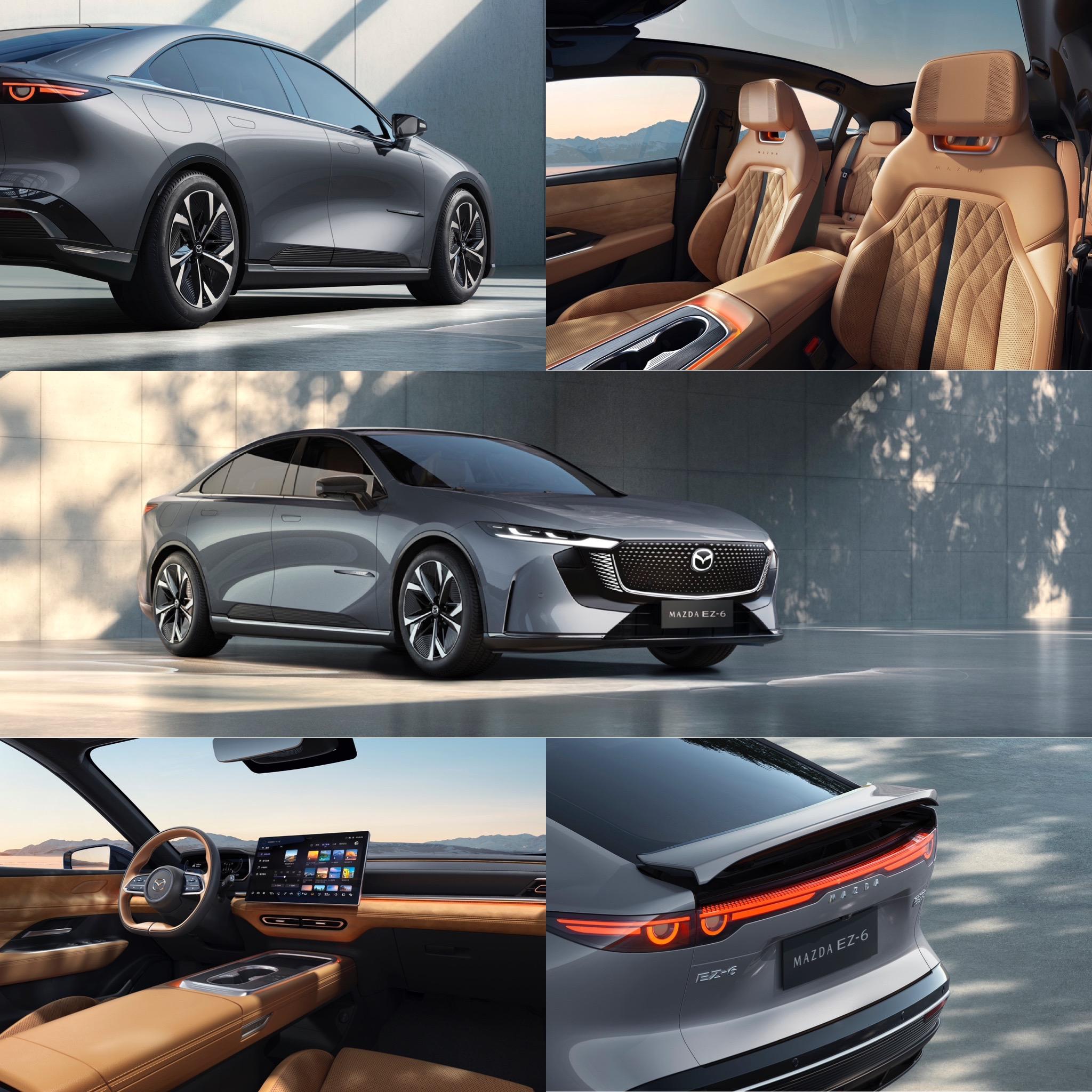
Mazda 6e (EZ-6 PHEV & EV) 2025

Featured Replies

  • Risposte 132
  • Visite 31.5k
  • Creato
  • Ultima Risposta

I più attivi nella discussione

Most Popular Posts

  • E ti pare poco? 😅   Pensa alla Junior che non ha lo stile di un'Alfa e sotto è una Peugeot 🤣

  • Annunciato l'arrivo in Europa    https://www.carscoops.com/2024/08/mazda-confirms-sleek-ez-6-electric-sedan-will-be-a-global-model-no-word-on-u-s-availability/

  • cazzate, scusa.   Le Case automobilistiche europee non focalizzate sulla Cina ( quindi i non tedeschi) hanno sempre fatto bilanci medi nelle ultime due decadi , tranne in anni particolari co

Immagini Pubblicate

Inviato

Ne ho vista oggi una di color rosso Mazda, presenza veramente notevole. Bella bella.

🔧Ⓜ️ MeccanicaMente - L'Automotive spiegato da chi lo vive ogni giorno. 
Seguimi per approfondimenti tecnici, novità e analisi dal mondo automotive, raccontate da un ingegnere della Motor Valley. 

A voi!

https://www.facebook.com/share/15LbshkVvd/

Inviato
23 minuti fa, Gengis26 scrive:

Ne ho vista oggi una di color rosso Mazda, presenza veramente notevole. Bella bella.

però trovo che il rosso , nelle foto, non gli doni molto. Per me la scelta è tra il prezioso tristrato (urca) silver e il micallizzato nero, è una auto elegante non ci vedo il rosso.

Crea un account o accedi per lasciare un commento

Background Picker
Customize Layout

Account

Navigation

Cerca

Cerca

Configure browser push notifications

Chrome (Android)
  1. Tap the lock icon next to the address bar.
  2. Tap Permissions → Notifications.
  3. Adjust your preference.
Chrome (Desktop)
  1. Click the padlock icon in the address bar.
  2. Select Site settings.
  3. Find Notifications and adjust your preference.