Vai al contenuto
View in the app

A better way to browse. Learn more.

Autopareri

A full-screen app on your home screen with push notifications, badges and more.

To install this app on iOS and iPadOS
  1. Tap the Share icon in Safari
  2. Scroll the menu and tap Add to Home Screen.
  3. Tap Add in the top-right corner.
To install this app on Android
  1. Tap the 3-dot menu (⋮) in the top-right corner of the browser.
  2. Tap Add to Home screen or Install app.
  3. Confirm by tapping Install.
Qualcosa di grande sta per arrivare su Autopareri, e i primi a salire a bordo sarete voi. Manca pochissimo al primo di una lista di importanti annunci.

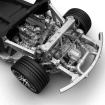
Audi Nuvolari 2027

Featured Replies

  • Risposte 62
  • Visite 9.5k
  • Creato
  • Ultima Risposta

I più attivi nella discussione

Most Popular Posts

  • il posteriore mi ricorda...

  • Gabri Magnussen
    Gabri Magnussen

    Rebranding becero! Tavares dimettiti! Ah no, scusate. Sbagliato thread.

  • mikibu96
    mikibu96

    visivamente è bella agressiva, il muso fa molto drag glitch di windows XP versione horror (tipo questo)

Immagini Pubblicate

Inviato
On 10/11/2026 at 21:46, 147JTD16v scrive:

Le montano Modena ! Altro che Sant Agata .

Dove?

Guidatore medio di S.w. mi piacciono le auto , fumatore Light e AD INTERIM convivente... questo è nicogiraldi....

875kg - 260+ cv i numeri del mio piacere

Crea un account o accedi per lasciare un commento

Contenuti simili

Background Picker
Customize Layout

Account

Navigation

Cerca

Cerca

Configure browser push notifications

Chrome (Android)
  1. Tap the lock icon next to the address bar.
  2. Tap Permissions → Notifications.
  3. Adjust your preference.
Chrome (Desktop)
  1. Click the padlock icon in the address bar.
  2. Select Site settings.
  3. Find Notifications and adjust your preference.