



Vai al contenuto
View in the app

A better way to browse. Learn more.

Autopareri

A full-screen app on your home screen with push notifications, badges and more.
To install this app on iOS and iPadOS
  1. Tap the Share icon in Safari
  2. Scroll the menu and tap Add to Home Screen.
  3. Tap Add in the top-right corner.
To install this app on Android
  1. Tap the 3-dot menu (⋮) in the top-right corner of the browser.
  2. Tap Add to Home screen or Install app.
  3. Confirm by tapping Install.

Featured Replies

  • Risposte 332
  • Visite 77.1k
  • Creato
  • Ultima Risposta

I più attivi nella discussione

Most Popular Posts

  • Visti oggi due esemplari, senza i camuffi pesanti... si vede bene la coda. I due camuffi sono diversi nei giroporta posteriori e nei fanali. Purtroppo sul frontale non sono stato fortunato. Come carre

  • In realtà hanno tagliato sulla colla e quella era la guarnizione interna che aprendo è rimasta incastrata sulla portiera 😁

  • ho visto di film giapponesi con questi effetti grafici 

Immagini Pubblicate

Inviato
1 ora fa, __P scrive:

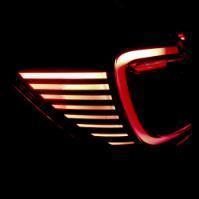
Ecco una parte delle immagini di cui - credo - parlava @Albertw

Quando le scattava LVI, le foto arrivavano in orario! 😄

- '13 Toyota Auris Hybrid TS Lounge (dal 2024)

-'03 Ford StreetKa 1.6 Leather  (dal 2022)


My wife said to get things done. You'd better don't mess with Autopareri.com


Crea un account o accedi per lasciare un commento

Background Picker
Customize Layout

Configure browser push notifications

Chrome (Android)
  1. Tap the lock icon next to the address bar.
  2. Tap Permissions → Notifications.
  3. Adjust your preference.
Chrome (Desktop)
  1. Click the padlock icon in the address bar.
  2. Select Site settings.
  3. Find Notifications and adjust your preference.

