



Vai al contenuto
View in the app

A better way to browse. Learn more.

Autopareri

A full-screen app on your home screen with push notifications, badges and more.
To install this app on iOS and iPadOS
  1. Tap the Share icon in Safari
  2. Scroll the menu and tap Add to Home Screen.
  3. Tap Add in the top-right corner.
To install this app on Android
  1. Tap the 3-dot menu (⋮) in the top-right corner of the browser.
  2. Tap Add to Home screen or Install app.
  3. Confirm by tapping Install.
Messaggio aggiunto da __P,

2000C570-36C2-4641-8299-B688AB258752.jpeg

Featured Replies

  • Risposte 191
  • Visite 33k
  • Creato
  • Ultima Risposta

I più attivi nella discussione

Most Popular Posts

  • Ragazzi vi stoppo. L'auto non si ribalta. Le Tonale delle forze dell'ordine hanno avuto problemi di stabilità a seguito di inseguimenti e guida "spericolata". Ossia in situazioni NON regolari. La vett

  • Il nuovo frontale mi fa un po' questo effetto ma direi che poteva andare molto peggio

  • Dovevi fare una cosa Solo una Tutorial per la prossima presentazione

Immagini Pubblicate

Inviato
3 minuti fa, Rìghel75 scrive:

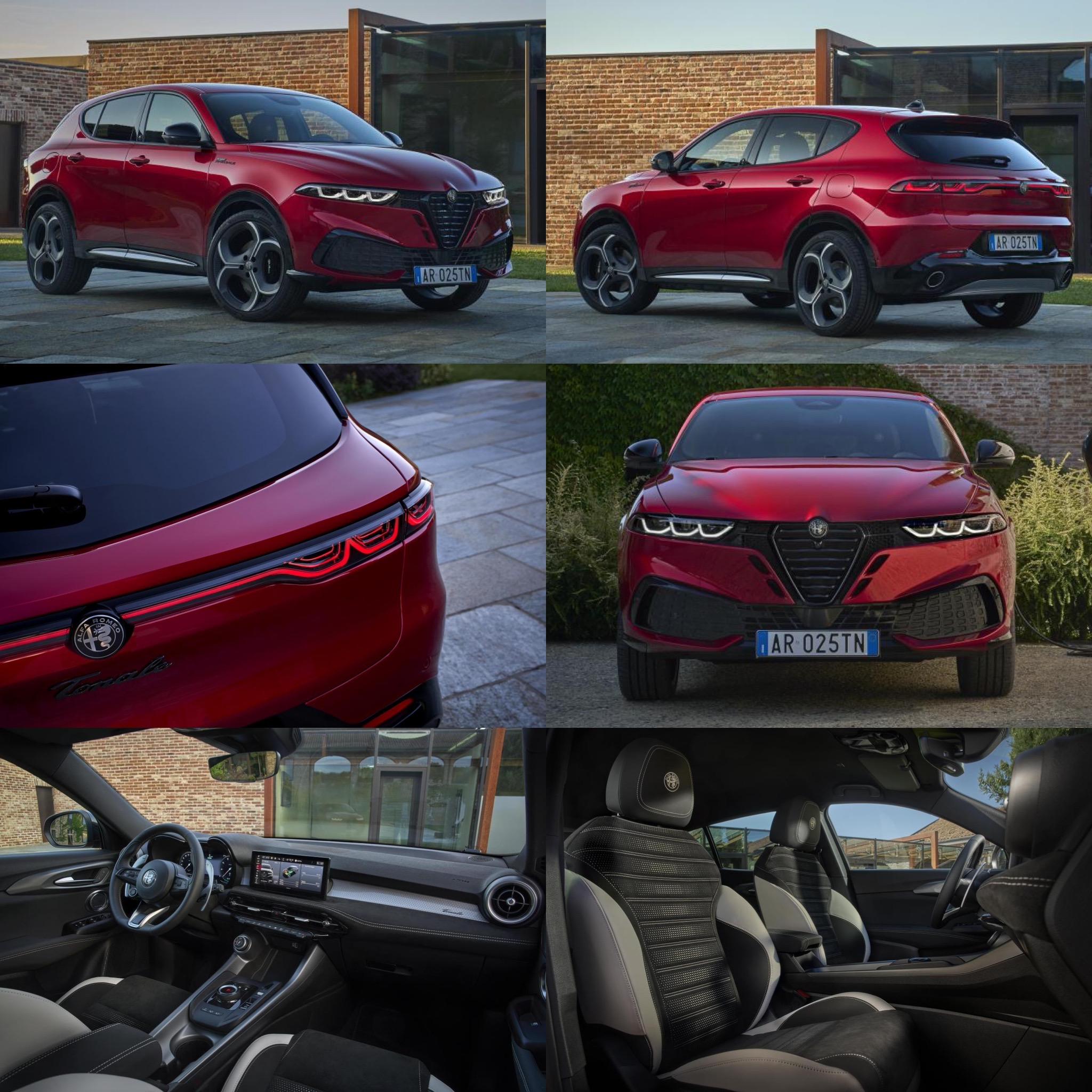
3 font diversi per i badge "Tonale", "Sport" e "Speciale": si poteva fare decisamente meglio, a mio parere.

😑

Sembra roba comprata all'autogrill..... 😅

LanciaDeltaS4_open_mini.jpg.5d11965fd7512efc3fa6bdb812cce295.jpg 

Crea un account o accedi per lasciare un commento

Background Picker
Customize Layout

Configure browser push notifications

Chrome (Android)
  1. Tap the lock icon next to the address bar.
  2. Tap Permissions → Notifications.
  3. Adjust your preference.
Chrome (Desktop)
  1. Click the padlock icon in the address bar.
  2. Select Site settings.
  3. Find Notifications and adjust your preference.
